
Map and send results to a connector
Choose a destination, align fields, test the mapping, and review delivery.
Updated ·Clura 1.7.3
Before you start
- A results table with the rows you want to send.
- A connected destination and account entitlement.
Choose the destination and fields
- 1
Open the connector workflow
In Results, choose Export › Send to connectors. Select a Connected destination.
- 2
Choose where records should land
For services with destination choices, select the relevant table, database, channel, or object. Authorization connects an account; this step chooses where its records go.
- 3
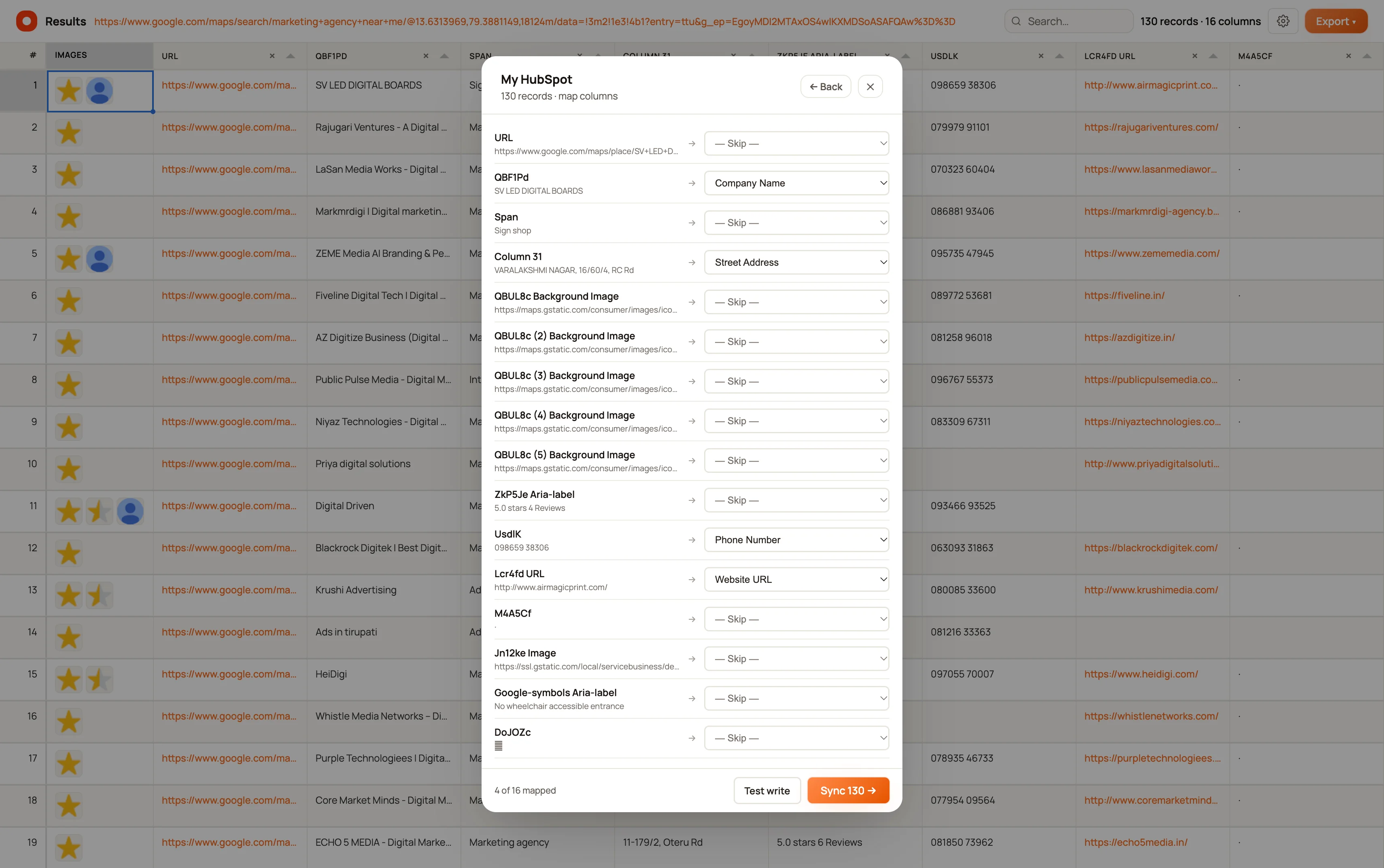
Map source columns
Match the scraped columns to the destination fields. Check names, URLs, dates, numbers, and image-related fields instead of relying only on suggested matches.
- 4
Test and send
Use the available test action to check the mapping, then send the intended records. Review the completion or error message and check the destination itself.
Prevent field-type errors
A connector can be authorized successfully while a write fails because its destination fields have incompatible types. Text-oriented fields are the safest starting point when you are loading mixed scraped values.
For webhooks, records are sent as a JSON array. Optional sample JSON keys help define mappings; they do not change the receiving endpoint’s own validation rules.
Before retrying a failed send
Check whether any rows already arrived in the destination. A second send can repeat data; do not assume delivery automatically removes duplicates.
If the connector is missing, return to Profile › Export destinations and confirm Connected status. Google Sheets remains coming soon in the released Add picker, even if you encounter older copy referring to it.
Keep going
Still need a hand?
Contact support with the page URL, your extension version and what happened. Leave out private data.