
AI Web Scraper
Chrome Extension
Extract structured website data and turn it into a workflow.
Clura detects rows and fields, lets you review the data, then helps you enrich, schedule, and send the dataset without writing code.
Use Cases
Built for every data workflow
From sales prospecting to market research, Clura powers the workflows that turn public web pages into useful datasets.
Lead Generation
Extract company names, emails, and contacts from directories at scale.
Price Monitoring
Track competitor pricing across ecommerce pages automatically.
Market Research
Collect structured datasets from listing sites and marketplaces.
Recruiting
Pull job titles, companies, and profiles from professional directories.
Ecommerce Tracking
Monitor product listings, availability, and pricing in real time.
How It Works
From webpage to workflow in 3 steps
No setup. No scripts. Open a page, review the detected data, then export or automate the workflow.
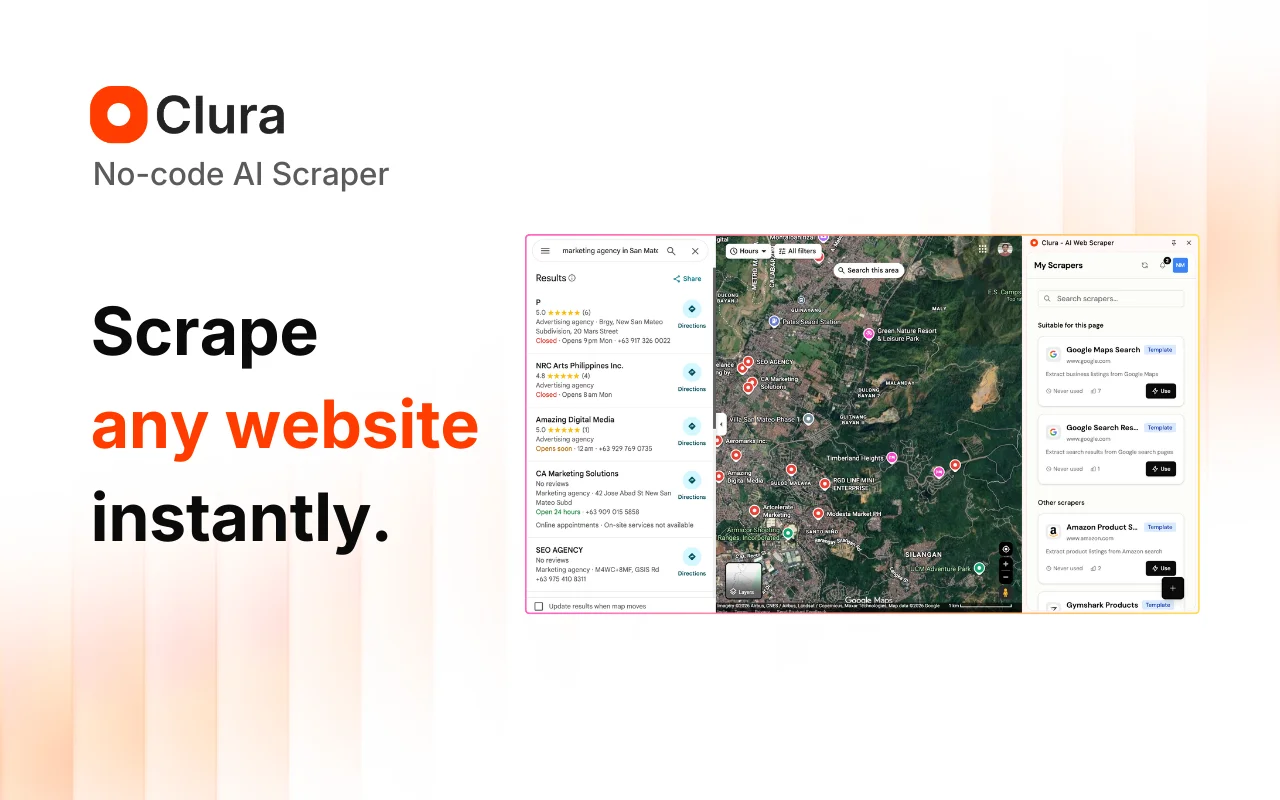 Step 01
Open any website
Navigate to any page containing the data you want — a product listing, directory, job board, or any page with repeating records.
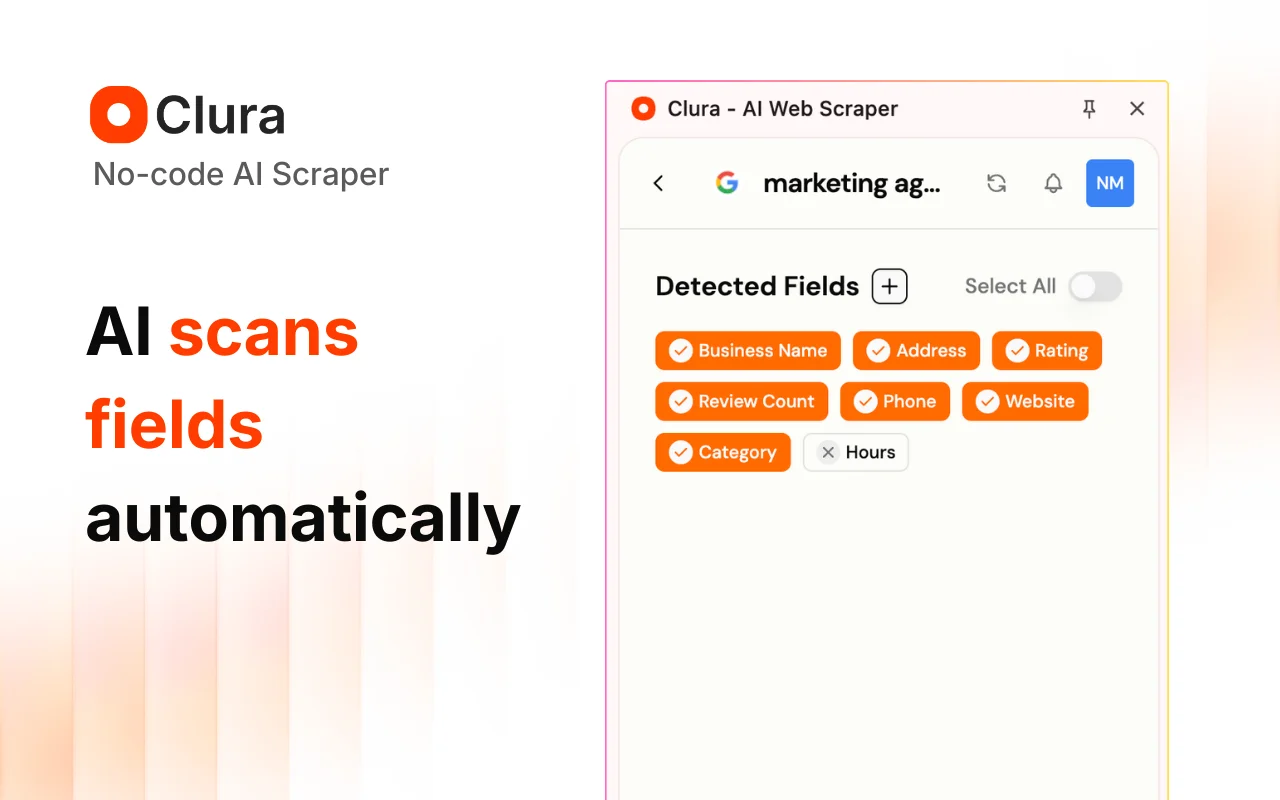 Step 02
Run Quick Scrape
Clura scans the page, detects repeating rows and columns, and shows a live preview before scraping more records.
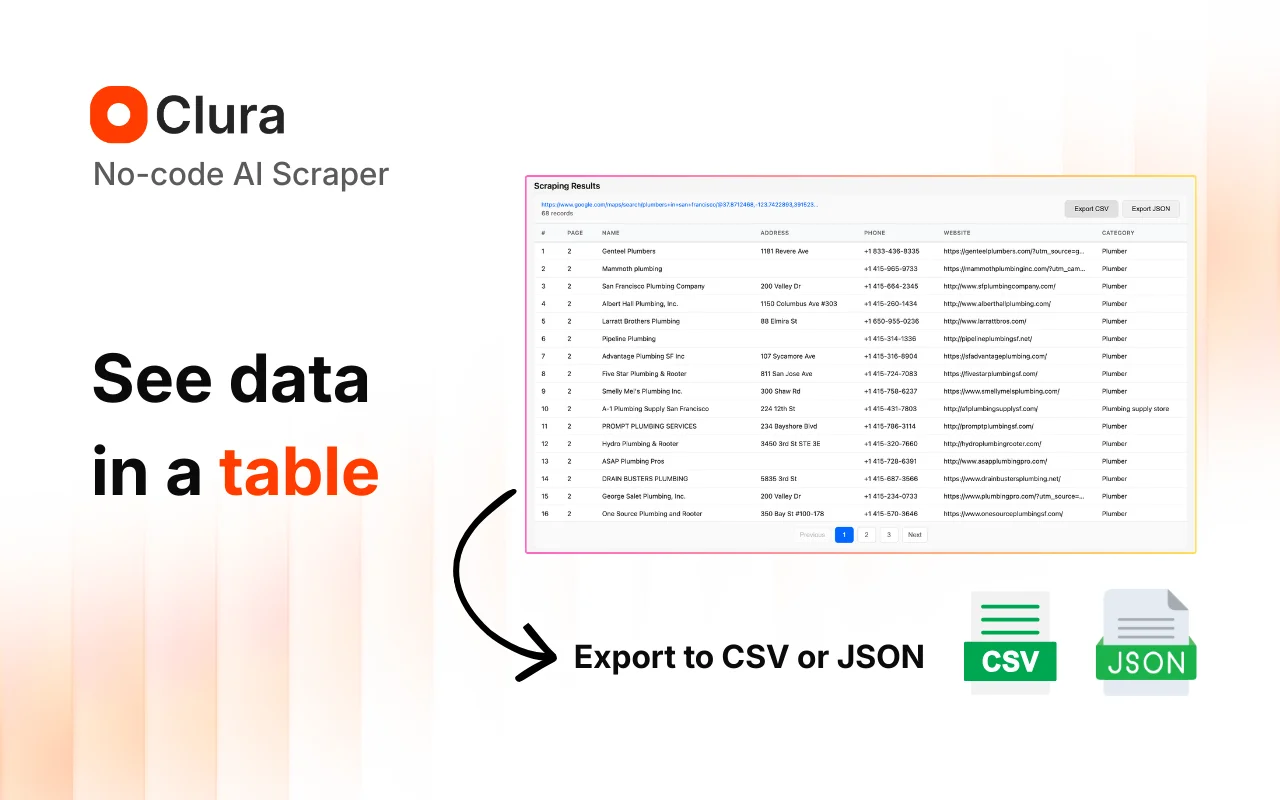 Step 03
Export, enrich, or automate
Download CSV or Excel, enrich rows with contacts, scrape detail pages, send to connectors, or schedule the job as an agent.
Features
Everything you need to collect web data
Clura handles the complexity so you can focus on using the data, not collecting it.
- Quick ScrapeTurn any listing page, directory, or search result into a clean table in minutes.Learn more →
- EnrichmentAdd emails, phone numbers, and LinkedIn URLs to rows you have already collected.Learn more →
- AgentsSchedule recurring scrapes or monitor pages for changes on autopilot.Learn more →
- Sub Page ScrapeVisit each result URL and append detail-page fields to your original table.Learn more →
- ConnectorsSend scraped and enriched rows to Notion, HubSpot, Airtable, or webhooks.Learn more →
- No Coding RequiredNo selectors, scripts, or APIs. Use the browser extension and review the result before export.Learn more →
Ready to stop copying data by hand?
Clura extracts structured data from any website in seconds — no code, no setup.
Add to Chrome — It's FreeProduct Demo
See Clura extract data live
Watch the extension detect fields, preview the dataset, and export it in seconds.
Why Clura
Built for people who need data, not developers who build scrapers
Most scraping tools were designed for engineers. Clura was designed for everyone else — the marketer pulling competitor data, the recruiter building a prospect list, the analyst tracking market prices. Web scraping and data extraction have historically required technical expertise — Clura removes that barrier entirely.
- Save hours of manual copy-paste work every week
- Extract structured data instantly from any webpage
- Works for founders, marketers, recruiters, and analysts
- No server setup, no API keys, no maintenance required
- Data is clean, structured, and ready to import into any tool
Get Started Free
Start extracting website data in seconds
Install Clura, open any webpage, describe what you need, and export a clean dataset — all in under a minute.
FAQ
Frequently Asked Questions
Everything you need to know before installing Clura.