
Choose Page URLs from a site’s sitemap
Scan the current website’s sitemap groups and select only the pages you need.
Updated ·Clura 1.7.3
Before you start
- The target website open in the active tab.
Scan the current site
- 1
Open the target website
Use a regular page on the site whose sitemap you want. Clura derives the website from the current tab.
- 2
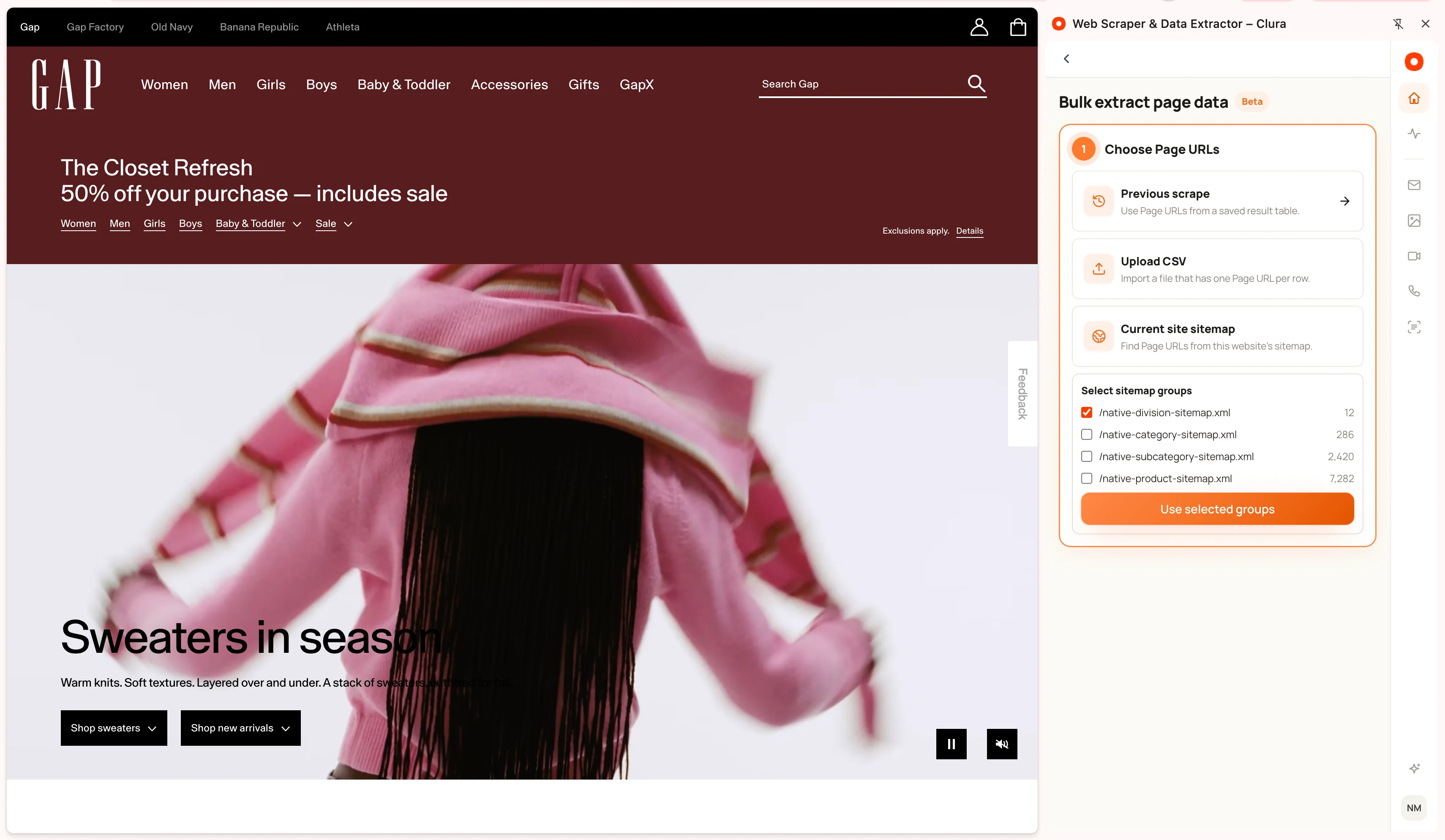
Choose Current site sitemap
In Bulk extract page data, wait for the scan to return its groups.
- 3
Select relevant groups
Review group labels and URL counts. Select the product, article, or other groups matching your task, then choose Use selected groups.
- 4
Confirm the Page URL column
Inspect the sample link and accepted count before configuring extraction fields on a sample page.
Keep the selection focused
A sitemap is a source of page addresses; it does not guarantee that every listed page is accessible or uses the same layout. Avoid combining unrelated page types into one extraction pattern.
Duplicate addresses across selected groups are removed. The same 10,000-unique-URL cap applies as for other bulk sources. Select fewer groups when you want a smaller starting set.
If the scan finds no groups
Check the active tab’s website and retry. A site may not expose a usable sitemap or the scan may fail to retrieve it.
Use Previous scrape to collect links from a listing, or upload a CSV of known Page URLs. Do not substitute a different domain’s sitemap merely because it returns more links.
Keep going
Still need a hand?
Contact support with the page URL, your extension version and what happened. Leave out private data.