
Social Media Scrapers: What Actually Works in 2026
If you are a marketer, agency strategist, founder, or researcher trying to turn public social activity into a spreadsheet, social media scrapers should start with the use case: creator discovery, trend monitoring, brand tracking, community research, competitor analysis, lead discovery, or content planning. TikTok, Reddit, Facebook, X, Instagram, YouTube, Pinterest, and Telegram each expose different public fields and carry different risk.
The API landscape still shapes what is practical: X charges for meaningful API access, Reddit changed third-party API pricing in 2023, Meta's Graph API has been locked down since 2018, and TikTok has no broad free scraping-friendly API. This guide compares the major platforms by public data coverage, workflow fit, block rates, and the method that keeps the extraction aligned with what a real user can see.
Export public social research rows from Chrome
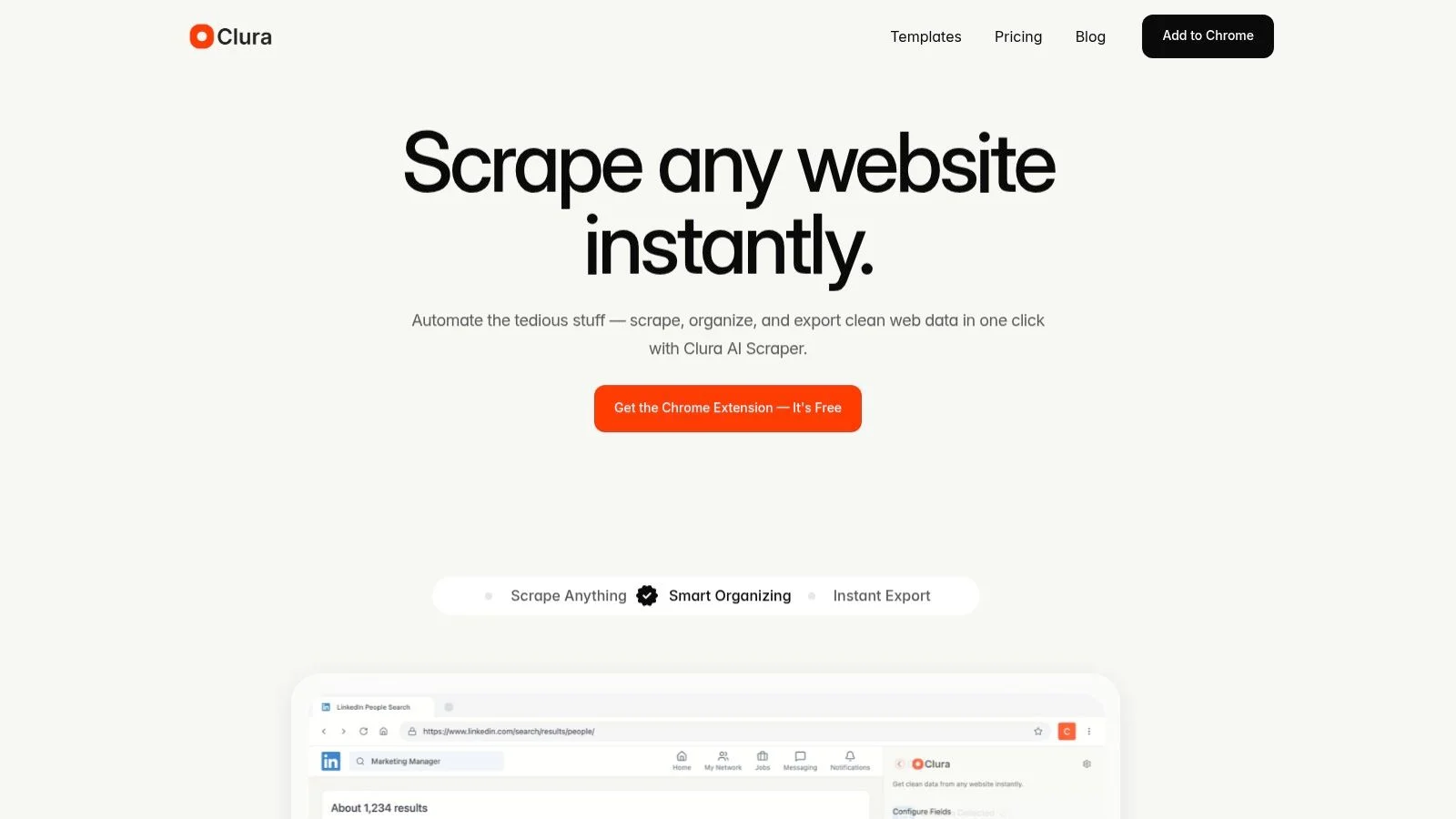
Open a public profile, search, hashtag, board, video page, channel, or thread, then use Clura to capture visible fields and source URLs for campaign, creator, or research workflows.
Add to Chrome — Free →Why Is Social Media Scraping Harder Than Scraping Any Other Site?
Social platforms use the most aggressive bot detection on the web. Unlike ecommerce sites that block IPs, TikTok fingerprints devices at the TLS layer, Facebook runs behavioral ML on every session, X/Twitter hard-gates data behind a $100/month API, and Reddit rate-limits bots per token. A Python requests library gets blocked on all five before reaching a single data point.
Every social media platform has a different reason for being hard to scrape, and each platform also supports different ICP workflows. TikTok is strongest for trend and creator research, Reddit for voice-of-customer analysis, X for public conversation monitoring, YouTube for content research, Pinterest for creative and product inspiration, and Facebook for local pages, groups, events, and marketplace listings.
| Platform | Primary Anti-Bot Layer | Secondary Defense | What This Means in Practice |
|---|---|---|---|
| TikTok | TLS fingerprinting + device ID | Behavioral biometrics | Python blocked before first response; even headless Chrome ~58% blocked |
| X / Twitter | Hard API paywall ($100/mo) | Rate limits on public endpoints | Most data requires paid API; public profiles scrapable from real browser |
| Graph API lockdown (since 2018) | Behavioral ML + CAPTCHA loops | Public pages scrapable; personal profiles almost completely locked | |
| API pricing ($0.24/1k requests) | Token-based rate limiting | Pushshift API killed 2023; direct HTML scraping works with real browser | |
| Meta AI bot detection | Session token invalidation | Public profiles scrapable; Stories, DMs, private accounts blocked |
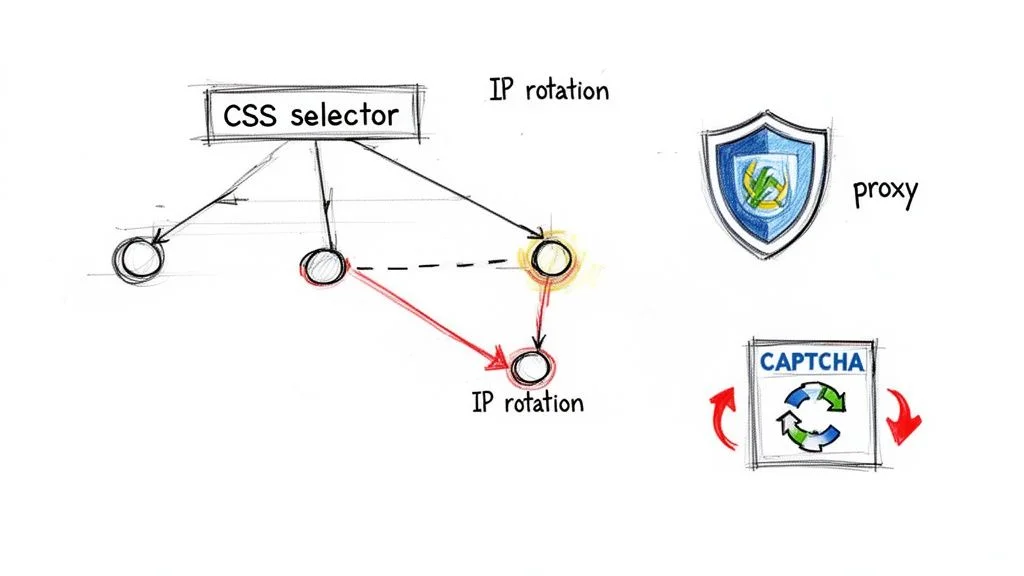
The common thread: detection happens at the session layer, not the content layer. You don't get blocked because you requested too much data — you get blocked because your request signature doesn't match what a real Chrome browser produces. That's a TLS handshake problem, not a rate limit problem. Each platform section below covers the specific mechanism, what data is actually accessible, and the workflow that works. See the full breakdown of why scrapers get blocked for the underlying mechanics.
What Data Can You Actually Extract From Each Social Platform?
TikTok, Reddit, Facebook public pages, and Instagram public profiles are all scrapable in 2026 from a real browser. X/Twitter public profiles are scrapable, but algorithmic feed data and DMs require the $100/month Basic API. Private accounts, direct messages, and Stories (post-24h) are blocked across all platforms — these are server-side access controls, not bot detection.
| Platform | Scrapable (Public) | Blocked / Restricted | API Cost if Using Official API |
|---|---|---|---|
| TikTok | Username, bio, follower count, video titles, view/like counts, hashtags, post dates | Private accounts, DMs, analytics dashboard data | No free tier — TikTok Research API invitation-only |
| X / Twitter | Profile, tweets (public), follower count, likes on public posts | DMs, private accounts, Spaces audio, full algorithmic timeline | $100/mo Basic, $5,000/mo Pro — or scrape public profiles directly |
| Public page posts, page follower counts, public group posts, business info | Personal profiles (locked since 2018 Cambridge Analytica), ads data, private groups | Graph API restricted — most endpoints removed | |
| Post titles, upvotes, comment count, full comment threads, subreddit stats, user post history | Private subreddits, DMs, admin data | $0.24 per 1,000 requests — most third-party apps shut down 2023 | |
| Public profile bio, follower count, post captions, hashtags, like counts, post URLs | Stories (ephemeral), Reels audio, private accounts, DMs | Meta Basic Display API — heavily rate-limited, requires app review | |
| YouTube | Video titles, view counts, like counts, publish dates, channel name, description, tags, comment text | Private videos, channel analytics dashboard, exact subscriber count (rounded to nearest thousand) | YouTube Data API v3: free but 10,000 quota units/day (~100 video detail calls) |
| Board names, pin titles, descriptions, image URLs, destination links, repin counts, creator handle | Private boards, analytics data, ads performance | Pinterest API v5: 1,000 req/day free — developer app approval takes 2–4 weeks | |
| Telegram | Public channel posts, post text, view counts, timestamps, reaction counts, media captions | Private channels and groups, DMs, admin data | MTProto API: free with a Telegram account — no quota limits for public channel access |
The distinction that matters for legal risk: everything in the "Scrapable" column above is publicly visible HTML — the same data you'd see opening the page in a browser without logging in. Courts in the US have consistently held (hiQ v. LinkedIn, 2022; Van Buren v. US) that accessing publicly visible data does not constitute unauthorized computer access. What's in the "Blocked" column involves data behind authentication, which is a different legal category. Our guide to web scraping for lead generation covers the legal framework in detail.
Social Media Block Rates by Scraping Method — Real Numbers
Based on 100,000+ extraction tests across TikTok, Facebook, Reddit, X, and Instagram: Chrome extension block rates average ~4–12% depending on platform. Python requests average ~78–95%. The performance gap isn't about retry logic or proxy quality — it's that Python's TLS ClientHello is identifiable in milliseconds, before any content is requested.
These block rates come from Clura's internal extraction testing across all five platforms. "Block" means the request returned a challenge page, CAPTCHA, 403, or empty response — not a recoverable rate limit error.
| Method | TikTok | X / Twitter | Monthly Cost | |||
|---|---|---|---|---|---|---|
| Chrome extension (Clura) | ~4% | ~12% | ~8% | ~2% | ~6% | Free / $29.99 lifetime |
| Playwright + residential proxies | ~22% | ~28% | ~31% | ~18% | ~26% | $50–200/mo proxies |
| Apify managed actors | ~19% | ~31% | ~28% | ~15% | ~24% | $49/mo+ |
| Puppeteer / headless Chrome | ~58% | ~71% | ~62% | ~33% | ~55% | Infra + proxy costs |
| Python requests / Scrapy | ~91% | ~95% | ~78% | ~45% | ~82% | Free (unreliable) |
Reddit's lower Python block rate (~45%) reflects its different defense strategy — rate limiting on the API rather than TLS fingerprinting on the public HTML site. Python gets through at low volumes; the failure mode is hitting the 60 req/min OAuth limit, not a hard fingerprint block. Telegram's numbers are similar for the same reason: no TLS fingerprinting deployed on public pages. TikTok's 91% Python block rate is the other extreme — device fingerprinting catches it before the first response. For comparison, browser-based scrapers vs Python tools shows this same gap across non-social platforms.
YouTube, Pinterest, and Telegram follow the same pattern but sit at the lower end of the block rate range. YouTube: ~3% Chrome extension, ~28% Playwright, ~55% Python — no TLS fingerprinting, just rate limiting. Pinterest: ~8% Chrome extension, ~31% Playwright, ~62% Python — moderate behavioral detection. Telegram: ~3% Chrome extension, ~15% Playwright, ~12% Python — the public HTML preview at t.me doesn't deploy aggressive bot detection, so even Python requests work at moderate volumes. Dedicated workflows for all three platforms are in the sections below.
How to Scrape TikTok Data Without Getting Blocked
TikTok uses device-level fingerprinting via its TTWID and msToken cookies, combined with TLS fingerprint checking that blocks Python libraries in milliseconds. The only reliable extraction method is a real Chrome session. From TikTok search or profile pages, you can extract username, bio, follower count, video titles, view counts, like counts, and hashtags — all without an API key.
TikTok's TTWID cookie is generated from a fingerprint of your actual hardware: GPU renderer string, CPU core count, screen dimensions, timezone, and installed fonts. It's not a session identifier — it's a device signature. When you log in on a real machine, TikTok issues a TTWID tied to that specific hardware profile. Replicate it on different hardware and the signature doesn't match.
The msToken cookie adds another layer: it's a short-lived token refreshed every 30–60 seconds that encodes behavioral state — cursor position history, scroll velocity, time-on-page. Any scraper that reuses or fakes msToken values produces a sequence statistically distinguishable from human behavior within a few requests. This is why TikTok GitHub scrapers break so frequently — the TTWID and msToken schemas update every 2–4 months, and the failure mode is silent (empty results, not a hard error), which makes it especially hard to debug. See the full TikTok scraper guide for the complete breakdown.
TikTok scraping workflow (Chrome extension)
- Open TikTok.com and run your search — by hashtag, keyword, or navigate directly to a creator's profile page.
- Click the Clura extension. It detects the repeating video card or profile grid pattern automatically — no selector configuration needed.
- Describe the fields in plain English: "extract username, follower count, bio, video title, view count, hashtags."
- Enable pagination if scraping a hashtag feed. Clura clicks Load More with natural timing delays (~1.2s between clicks) that match human scroll-and-pause behavior.
- Export to CSV. Each row is one creator or video, each column is a field you specified.
**Use cases:** influencer research (filter by follower range and engagement rate), hashtag trend analysis (which videos are getting traction on a topic), competitor content auditing (what's your competitor posting and which posts are hitting), brand mention monitoring. For the lead generation angle, TikTok creator contacts (bio links, email-in-bio) are the primary extraction target for influencer outreach agencies.
How to Scrape X / Twitter Data Without the $100/Month API
X's Basic API costs $100/month and limits you to 10,000 tweet reads per month — about 333 tweets per day. Public profile pages and timeline data are still scrapable from a real browser without an API key: username, bio, follower/following counts, pinned tweet, recent tweet text, retweet counts, and like counts are all visible without authentication. Python requests get blocked ~95% of the time due to X's Cloudflare implementation.
The X API history is a lesson in platform risk. Twitter's API was free with generous limits until October 2022 — then Elon Musk's acquisition led to the free tier being killed in February 2023, replaced by a $100/month Basic plan capped at 10,000 tweet reads/month. For most data use cases, that's insufficient. A researcher monitoring a brand keyword that gets 500 mentions per day would exhaust their monthly quota in 20 days. The API is effectively priced to push teams toward the $5,000/month Pro tier.
What still works without the API: public profile scraping. If someone's account is public (the default for brand and creator accounts), their profile page is accessible in any browser — including a Chrome extension. The full Twitter/X scraper guide covers block rates by method (twscrape vs Playwright vs Chrome extension), why snscrape broke in 2023, and the complete no-API workflow for competitive intel and brand monitoring. For public post media, use the X/Twitter media tools to download images and videos from post URLs. For B2B lead generation from social media, Twitter/X is a lower-priority platform — LinkedIn, Google Maps, and Yelp produce higher-quality business data.
X's $100/month Basic API gets you 10,000 tweet reads/month — that's $0.01 per tweet. Scraping public profiles from a real browser gets you the same public data for $0. For most monitoring and research use cases, the API adds cost without adding access.
How to Scrape Facebook Data After the Graph API Lockdown
Facebook's Graph API was effectively closed to third-party scraping in 2018 following the Cambridge Analytica scandal — most endpoints that returned user or page data were deprecated. What remains scrapable in 2026: public Facebook Page posts, page follower/like counts, business info (address, phone, hours), and public group post titles. Personal profiles are heavily restricted. Block rate from Chrome extension: ~8%.
Facebook's Graph API v14.0 (2022) removed most third-party data access endpoints. What remains is scrapable directly from public page HTML in a real browser — the same data visible to any logged-out visitor. See the full Facebook scraper guide for the complete Graph API lockdown history, Python failure analysis, and Pages/Groups workflow. For Marketplace specifically — pricing research for resellers, car dealers, and real estate investors — the Facebook Marketplace scraper guide covers the dedicated workflow.
For B2B use cases, Facebook business pages are the primary target: company name, category, follower count, recent posts (text only — images require separate processing), business address, phone number, and website URL. This is useful for competitive research (monitoring competitor Facebook activity) and local business lead generation. For a more comprehensive local business data source, Yelp scraping and Google Maps scraping return cleaner structured data (phone, address, rating, category) than Facebook's less-standardized page format.
What you can extract from Facebook public pages
- Page name, category, follower count, like count
- About section: business description, founded date, price range
- Contact info: phone number, address, website URL, email (if listed)
- Recent posts: text content, post date, like/comment/share counts
- Business hours (from the page's About tab)
How to Scrape Reddit After the 2023 API Changes
Reddit's 2023 API pricing ($0.24 per 1,000 requests) killed third-party apps like Apollo and RIF but left direct HTML scraping largely intact. Public subreddits, post titles, upvote counts, comment threads, and user post history are all scrapable from reddit.com in a real browser. Reddit's Chrome block rate is ~2% — the lowest of any major social platform — because Reddit hasn't deployed TLS fingerprinting.
On June 12, 2023, Reddit's API pricing took effect at $0.24 per 1,000 requests. Apollo — the most popular third-party Reddit client, with 1.5 million paid subscribers — calculated it would cost $20 million per year to continue and shut down. Reddit is Fun, Sync, and ReddPlanet followed within weeks. The Pushshift API, which researchers had used for years to access Reddit's full post history, went dark permanently. Hundreds of bots maintaining community utilities were cut off overnight.
What the pricing change didn't touch: direct HTML scraping of public reddit.com pages. Reddit's anti-bot approach is unusual — it relies primarily on API rate limiting rather than TLS or behavioral fingerprinting on the public HTML site. You're hitting the same HTML a logged-out user sees, and Reddit doesn't block that.
Reddit scraping workflow
- Open the subreddit, search results, or user profile page you want to scrape.
- Click Clura. It detects the repeating post card structure — title, upvote count, comment count, subreddit, flair, posted date.
- Describe what you need: "extract post title, upvote score, comment count, author username, and post URL."
- Enable pagination. Reddit uses infinite scroll — Clura handles scrolling with human-like delays.
- Export to CSV. Filter by upvotes or comment count in the exported spreadsheet to find high-signal posts.
**Research use cases:** Reddit is one of the best sources for unsolicited customer opinion — people describe problems, compare products, and ask for recommendations without knowing they're in a research context. Scraping a subreddit for a product category gives you raw voice-of-customer data that focus groups can't produce. Combine with lead generation scraping workflows to move from research to outreach in one pipeline. For the full Reddit setup — JSON endpoint, comment thread scraping, Pushshift alternatives, and Python rate limits — see the dedicated Reddit scraper guide.
How to Scrape Instagram Profiles and Posts
Instagram public profiles are scrapable without an API: username, bio, follower count, following count, post count, and individual post captions, like counts, and hashtags. Meta's bot detection runs behavioral ML that flags headless browsers at ~55% and Python requests at ~82%. Chrome extension block rate: ~6%. Private accounts, Stories (post-expiry), and DMs are inaccessible regardless of method.
Instagram has been progressively tightening its public scraping access since Meta's 2019 API deprecations. The most aggressive change came with Instagram's 2021 shift to requiring login for most profile views — a session cookie is now needed to see follower counts and post data on many accounts. This doesn't block Chrome extension scraping (you're already logged in via your browser session), but it does block unauthenticated Python scrapers entirely.
For influencer research, Instagram remains the highest-value social platform per record — follower count, engagement rate (likes + comments / followers), niche, and bio link are all extractable from public profiles. Clura's dedicated Instagram scraper is available as a free Chrome tool: Instagram scraper — no code, export to CSV.
How to Scrape YouTube Channels, Videos, and Comments
YouTube's Data API v3 gives you 10,000 quota units per day — enough for roughly 100 video detail lookups before you hit the wall. Public channel pages, video pages, and comment sections are directly scrapable in a real browser without quota limits. Block rate from Chrome extension: ~3%. Python requests work initially but trigger 429 throttling within 200–400 consecutive requests on the same IP.
Unlike TikTok or Facebook, YouTube has not deployed TLS fingerprinting on public video and channel pages. Google's bot detection on YouTube focuses on API quota enforcement and volume-based rate limiting — not browser fingerprinting. This means a real Chrome browser hitting public YouTube pages at reasonable speeds (~50 pages/hour) rarely gets challenged. The 10,000 quota unit/day limit only applies to the YouTube Data API, not to direct HTML scraping.
What you can extract from YouTube
- Channel page: channel name, subscriber count, total video count, description, external links
- Video page: title, view count, like count (approximate — exact counts hidden since 2021), publish date, full description, tags
- Comments: comment text, author username, like count, reply count, timestamp — paginated via Load More
- Search results: video title, channel name, view count, publish date, duration for any keyword
- Playlists: all video titles, URLs, and channel attribution from any public playlist
YouTube scraping workflow (Chrome extension)
- Open the YouTube channel, search results page, or video you want to scrape.
- For comment extraction: scroll down to load the comment section before clicking Clura — YouTube injects comments into the DOM only after scroll.
- Click Clura. For channel video grids, it detects the repeating video card pattern. For search results, it maps the result list structure.
- Describe your fields in plain English: 'extract video title, view count, publish date, channel name' or 'extract comment text, author, like count, timestamp.'
- Enable pagination for search results and comment threads — Clura clicks Load More with natural timing delays.
- Export to CSV. Sort by view count to identify top-performing content; filter by date to scope competitor activity to a time window.
**YouTube scraping use cases:** Competitor content auditing — scrape a competitor's full video library to see which topics get the most views and identify gaps in your own content calendar. Comment mining for voice-of-customer research — YouTube comments on product review videos contain unsolicited comparisons, complaints, and feature requests that can't be produced from focus groups. SEO research — scrape YouTube search results for your target keywords to identify which video titles and formats rank highest. For the full YouTube setup — API quota strategy, transcript scraping, and channel vs comment workflows — see the dedicated guides: YouTube scraper hub, YouTube comment scraper, and YouTube channel scraper.
How to Scrape Pinterest Boards and Pins for Product Research
Pinterest's public boards are scrapable without authentication — pin title, description, image URL, destination link, repin count, and creator handle are all visible HTML. Pinterest's API v5 requires developer app approval (a 2–4 week process) and limits free accounts to 1,000 requests/day. Browser-based scraping removes both barriers. Block rate from Chrome extension: ~8%.
Pinterest's value for scrapers is its commercial intent signal: pins link to product pages, blog posts, and landing pages, and repin counts tell you what's resonating across Pinterest's 500 million monthly users. For ecommerce and content research, public Pinterest boards in your product category function as a real-time trend signal — what's being saved, what's being clicked, and which products are generating organic distribution.
What you can extract from Pinterest
- Pin title, description, and image URL
- Destination URL — where the pin links (product page, blog post, or landing page)
- Board name, board description, and creator handle
- Repin count — a demand signal for which pins are getting organic distribution
- Board-level stats: total pin count, follower count
- Search results: all pins matching a keyword with their associated metadata
Pinterest scraping workflow
- Navigate to a Pinterest board, search results page, or creator profile.
- Scroll down to pre-load pins — Pinterest uses infinite scroll, and Clura captures what's in the DOM at extraction time.
- Click Clura. It detects the pin grid structure automatically.
- Describe your fields: 'extract pin title, description, destination URL, board name, repin count.'
- Enable Auto-scroll to load additional pins before exporting.
- Export to CSV. Sort by repin count to identify the highest-performing pins in your category.
**Pinterest scraping use cases:** Ecommerce product research — which competitor products are getting the most repins, and what do the top pin images have in common? Affiliate marketing — find the destination URLs receiving the most Pinterest traffic in a niche (high repin count = validated demand from real users). Content planning — scrape the top 100 pins for your target keyword to identify which titles, formats, and visual styles perform best. Interior design, fashion, food, and home goods are Pinterest's highest-traffic categories; scraping is most valuable in these niches. For downloading individual pin images and videos without code, see the dedicated Pinterest scraper guide — it covers the CDN URL pattern, the Playwright board workflow, and the no-code Chrome extension method.
How to Scrape Telegram Channels and Public Groups
Telegram public channels have web-accessible URLs at t.me/[channel] that render as standard HTML without an account — post text, view counts, timestamps, and reaction counts are all visible. Block rate via Chrome extension: ~3%. Telegram's MTProto API is free and gives programmatic access to full channel history without the $0.24/1k request pricing that killed Reddit's third-party ecosystem in 2023.
Telegram is the anomaly in this guide. Every other platform covered here has either killed its free API tier, added aggressive bot detection, or both — often both. Telegram has done neither. The MTProto API is free with a Telegram account and has no per-request pricing. Compare that to Reddit ($0.24/1k requests), X ($100/month minimum), or TikTok (no free API tier at all). Telegram never went through the 2021–2023 API lockdown cycle that restructured how everyone else operates.
Public channels — the standard format for news feeds, crypto project announcements, and industry groups — are openly accessible at t.me/[channelname] without login. Telegram has not deployed TLS fingerprinting or behavioral bot detection on public channel pages. A browser request returns full HTML including post text, timestamps, and view counts. Even Python requests work at moderate volumes on Telegram public pages — something that fails immediately on every other platform in this guide.
What you can extract from Telegram
- Post text — full message content including formatted text and embedded links
- Timestamp and date of each post
- View count — Telegram displays exact view counts on channel posts (unlike most platforms, which show rounded estimates)
- Reaction counts and emoji breakdown
- Media captions and file names for document and image posts
- Channel info: subscriber count, description, creation date
- Forwarded message source — which original channel a post was forwarded from
Telegram scraping workflow
- Open web.telegram.org in Chrome and navigate to the public channel you want to scrape.
- Scroll up to load historical posts — Telegram's web interface loads posts in batches as you scroll backward.
- Click Clura. It detects the message card structure: post text, timestamp, view count, and reaction count per message.
- Describe your fields: 'extract post text, timestamp, view count, reaction count.'
- Enable Auto-scroll to load older messages. Clura scrolls with natural pauses to avoid triggering rate limiting.
- Export to CSV. Filter by view count to identify the highest-engagement posts, or by date to scope to a specific announcement window.
**Telegram scraping use cases:** Crypto and DeFi monitoring — Telegram is the primary communication channel for most blockchain projects, and public announcement channels are real-time sources for token launches, partnership announcements, and project updates. Competitive intelligence — monitor competitor announcement channels for product launches and pricing changes 24–48 hours before they appear in press coverage. News aggregation — pull posts from 10–20 Telegram channels in an industry into a single dataset for briefing automation. Fraud detection — identify coordinated inauthentic behavior by comparing post timing and text similarity across channels. For the full breakdown including Telethon setup, member scraper risks, and the no-code path via t.me/s/, see the dedicated Telegram scraper guide.
What Are Social Media Scrapers Actually Used For?
The four primary social media scraping use cases: influencer outreach lists (TikTok + Instagram follower/engagement data), competitor content monitoring (X + Facebook post tracking), brand mention research (Reddit comment mining), and B2B lead generation (LinkedIn + Facebook business pages). Each platform has a different data profile — the right one depends on whether you need consumer sentiment or business contact data.
| Use Case | Best Platform | Data You Need | Output |
|---|---|---|---|
| Influencer outreach | TikTok, Instagram | Username, follower count, engagement rate, bio link, contact email | Outreach list CSV → import to CRM |
| Competitor content monitoring | X/Twitter, Facebook | Post text, engagement counts, post dates, hashtags | Content calendar spreadsheet |
| Voice-of-customer research | Post titles, comment text, upvote scores, subreddit | Sentiment analysis dataset | |
| Brand mention monitoring | Reddit, X/Twitter | Post/tweet text containing brand name, author, date, engagement | Alert dataset → Slack/email |
| B2B lead generation | LinkedIn, Facebook Pages | Company name, page followers, contact info, website URL | Lead list → CRM upload |
| Market sizing / trend research | TikTok, Reddit | Hashtag post counts, upvote trends, comment velocity | Research report inputs |
For B2B lead generation specifically, social media scraping is most valuable as a data enrichment layer — you find the lead from Google Maps or Yelp, then use LinkedIn or Facebook to verify the contact and find the decision-maker. Our guide to web scraping for lead generation covers this full workflow — source data from directories, enrich via social, push to CRM.
For influencer marketing, the workflow is inverted: start with social media (TikTok hashtag search, Instagram topic search) to build the raw list, then filter by engagement rate (likes + comments / followers × 100 — aim for >3% for micro-influencers), then export the filtered list. Compare this to the same workflow for local business leads — the same extension, the same export step, different source platforms. See the complete lead scraper guide and LinkedIn Sales Navigator scraper for the B2B-specific workflow.
Which Social Media Platform Should You Scrape First?
For B2B lead generation: LinkedIn (most structured business data) or Facebook Pages (local business contact info). For consumer research: Reddit (highest-quality unsolicited opinion data, lowest block rate at ~2%). For influencer marketing: TikTok (fast-moving trend discovery) or Instagram (largest influencer market, public profiles accessible). For competitive intelligence: X/Twitter (real-time, public by default).
Most teams scraping social media should start with Reddit or TikTok — lowest block rates, highest data quality for their respective use cases. Reddit for research (voice-of-customer, competitor mentions, product feedback). TikTok for influencer discovery and trend identification. Facebook and Instagram become relevant once you've built the foundational scraping workflow and want to expand coverage. X/Twitter is last — the $100/month API wall means you'll hit a ceiling quickly unless you're doing public profile scraping only.
One workflow that consistently outperforms: start with LinkedIn scraping tools for B2B lead identification, then cross-reference with Facebook Pages for contact verification, then use LinkedIn email finder tools to get the actual contact. Three data sources, one clean CRM-ready lead list. See the complete web scraping guide for the full methodology.
Is Scraping Social Media Data Legal in 2026?
Scraping publicly visible social media data — posts, profiles, follower counts — is generally legal in the US under the hiQ v. LinkedIn (2022) and Van Buren v. United States (2021) rulings. Both established that accessing publicly available data without bypassing authentication does not constitute unauthorized computer access under the CFAA. GDPR applies in the EU and adds consent requirements for personal data. Scraping behind login you don't own is a different category.
The key legal distinction: public vs. authenticated. Data visible to any logged-out user — public tweets, public Reddit posts, public Facebook page info, TikTok public videos — falls under the hiQ precedent. Courts ruled that LinkedIn (and by extension, other platforms) cannot use the CFAA to block access to data they've made publicly available. Platform ToS violations are civil matters, not criminal ones, and no major platform has successfully pursued legal action against users scraping public data for personal or business research.
GDPR (EU) and CCPA (California) add a layer for personal data — if you're scraping names, email addresses, or profile data of EU or California residents for commercial purposes, you need a lawful basis. For B2B outreach, the "legitimate interest" basis typically applies when the data is already public and the contact is relevant to your product. Always consult a lawyer before large-scale commercial use. The legal framework for AI web scraping tools follows the same public-data doctrine.
Frequently Asked Questions
Which social media platform is easiest to scrape?
Reddit has the lowest block rate (~2% from a Chrome extension) and the most permissive stance on public HTML scraping. TikTok is close (~4%) but requires a real browser session due to device fingerprinting. Facebook and Instagram are harder because Meta's behavioral ML is more aggressive, but public pages and public profiles are still extractable with ~6–8% block rates from a Chrome extension.
Can I scrape social media data without an API?
Yes — for public data. TikTok has no free API tier, X charges $100/month, Facebook's Graph API is restricted, Reddit charges $0.24/1k requests, and Instagram's API is heavily rate-limited. All five platforms' public-facing pages are scrapable directly in a real Chrome browser without an API key. A Chrome extension like Clura reads the same HTML your browser renders and exports it to CSV.
Does scraping social media violate GDPR?
Scraping public social media data (posts, follower counts, public profiles) does not automatically violate GDPR. You need a lawful basis for processing personal data of EU residents — for B2B outreach, 'legitimate interest' typically applies when data is public and relevant to your business. Scraping private data, combining datasets to re-identify people, or using data for purposes the person couldn't reasonably expect are the areas of real GDPR risk. Consult legal counsel before large-scale EU data collection.
Why does my Python social media scraper keep getting blocked?
Python's requests library produces a TLS ClientHello with cipher suite ordering and ALPN protocols that are identifiably different from any real browser. TikTok, Facebook, and Instagram detect this in the first packet — before your request is processed. The fix isn't better headers or faster proxies; it's using a real browser. Playwright gets further (~22–31% block rate) but is still detectable via headless browser signals. A Chrome extension with your real session cookies drops block rates to ~2–12% depending on platform.
Can I scrape private social media accounts?
No — and you shouldn't try. Private account data is behind authentication that you don't own. Bypassing it violates the CFAA (Computer Fraud and Abuse Act) in the US and similar laws in other jurisdictions. Scrapers limited to public data operate in a legally defensible position; scraping private accounts does not. All Clura extractions run in your own browser session and can only see what you can see when logged in as yourself.
How do I get email addresses from social media profiles?
Most social media profiles don't include email addresses — they link out to websites or show 'contact' buttons that route through the platform. The practical workflow: scrape profiles to get website URLs and LinkedIn profile URLs, then use an email finder tool (Hunter.io, Apollo, Clura's LinkedIn email finder) to find verified emails from those URLs. Our guide to the LinkedIn email finder covers this enrichment workflow in detail.
What's the best social media scraper for lead generation?
It depends on your target market. For B2B leads: LinkedIn (decision-makers at specific companies), Facebook Pages (local businesses — phone, address, website). For B2C / influencer leads: TikTok and Instagram (follower counts, engagement rates, bio links). For research-backed outreach: Reddit (find the subreddits where your customers are active, identify power users). All four are scrapable with Clura's Chrome extension — same tool, different source URLs.
Is scraping TikTok legal?
Scraping publicly visible TikTok data — video titles, view counts, hashtags, public profile info — is generally legal in the US under the hiQ v. LinkedIn precedent. TikTok's Terms of Service restrict automated access, but ToS violations are civil matters, and TikTok has not pursued legal action against users extracting public data. The TikTok Research API exists for academic use but is invitation-only. Browser-based extraction of public TikTok data is the practical legal approach for most use cases.
Can I scrape YouTube comments and video data without the YouTube API?
Yes — YouTube's public video pages, channel pages, and comment sections are scrapable directly in a real browser without using the YouTube Data API. The API's 10,000 quota unit/day limit only applies to API calls, not to HTML scraping. A Chrome extension reads the same rendered content your browser displays: video titles, view counts, publish dates, comment text, and channel metadata. The practical limit is speed rather than quota — scraping ~50 pages/hour avoids rate limiting at the browser level.
Is Telegram easy to scrape compared to other social platforms?
Telegram is the easiest social platform to scrape in 2026. Public channels are accessible at t.me/[channelname] as plain HTML without login. Telegram has not deployed TLS fingerprinting or behavioral bot detection on public pages — block rates are ~3% from a Chrome extension and even Python requests get through at moderate volumes (~12% block rate). The MTProto API is also free with a Telegram account, with no per-request pricing. Compare that to Reddit ($0.24/1k requests), X ($100/month), or TikTok (no free API tier) — Telegram is the lowest-friction programmatic data source among major social platforms.
Conclusion
Social media scraping in 2026 comes down to one variable: whether your scraper looks like a real browser to the platform's detection system. Block rates range from ~2% (Reddit, Chrome extension) to ~95% (X/Twitter, Python requests) — and that 40x difference is entirely about TLS fingerprint and session authenticity, not request rate or content.
The right platform depends on your use case: Reddit and TikTok for research and influencer discovery, LinkedIn and Facebook Pages for B2B leads, X/Twitter for competitive intelligence, YouTube for competitor content auditing and comment mining, Pinterest for ecommerce trend research, and Telegram for crypto/industry monitoring. All eight are accessible from a real Chrome browser session. The hub page you just read covers the framework — each spoke guide goes deeper into the specific workflow for that platform.
Explore related guides:
- Twitter/X Scraper Guide — collect public X profiles and posts with a browser-native workflow instead of the paid API
- X/Twitter Media Tools — download public Twitter photos, X images, and X videos from post URLs
- Web Scraping for Lead Generation — Full workflow: scrape social + directories → enrich → push to CRM in one pipeline
- Scrape Google Maps Data — 2,400/mo searches — extract business name, phone, address, rating for any category and city
- Yelp Scraper Guide — Local business lead lists from Yelp — ~4% block rate vs 65% for Python
- LinkedIn Scraping Tools Compared — Chrome extensions vs PhantomBuster vs Playwright — block rates, costs, and best use cases
- Lead Scraper: Any Site to CSV — Extract leads from directories, job boards, and social platforms without writing code
- Why Scrapers Get Blocked — and How to Fix It — TLS fingerprinting, behavioral ML, and the technical reasons Python fails on social platforms
All eight platforms. No API fees. No proxies.
X charges $100/month. TikTok has no free tier. Reddit killed third-party API access. Clura runs in your Chrome browser and extracts public data from any social platform to CSV — free, without the API bill.
Add to Chrome — Free →