
Instant Data Scraper: Best Alternative?
Instant Data Scraper is one of the most popular free Chrome extensions for quick web data exports. It is easy to install, runs in the browser, previews detected data, and exports to CSV or Excel without code.
That makes it a useful tool when you need a fast one-time spreadsheet from a page with a clear table, list, or repeating structure. If your workflow ends at downloading a file, Instant Data Scraper may be enough.
Clura is built for the next step: repeatable browser-based scraping workflows. Use it when you need agents, enrichment, sub-page scraping, connectors, monitoring, or a cleaner workflow for turning page data into reusable business data. This guide compares Instant Data Scraper, Instant Data Scraper Chrome workflows, and the point where an alternative makes sense.
Turn browser scraping into a repeatable workflow
Clura runs in Chrome, detects data on the page, handles pagination and scrolling, and helps you move from quick extraction to agents, enrichment, connectors, and organized datasets.
Add to Chrome — Free →What Is Instant Data Scraper?
Instant Data Scraper is a free Chrome extension that detects data on webpages and exports it to CSV or Excel. It is best for fast, ad-hoc exports when the page structure is easy to detect and the user mainly needs a spreadsheet.
Instant Data Scraper (IDS) is built around a simple browser workflow: open a page, launch the extension, review the detected data, adjust columns if needed, and export the result. Its Chrome Web Store listing describes support for CSV/XLSX export, data preview, column renaming and filtering, pagination, automatic next-page navigation, and infinite scrolling.
As of August 21, 2026, the Chrome Web Store listing shows Instant Data Scraper with more than 1,000,000 users, a 4.9 rating from 7,000+ reviews, and an updated date of July 24, 2026. That is a real signal: for quick spreadsheet exports, many people find it useful.
- Free: Available on the Chrome Web Store at no cost
- No code: Install the extension and run it from Chrome
- Browser-based: The listing says scraped data does not leave the browser
- CSV/XLSX export: Download detected page data as a spreadsheet
- Useful controls: Preview data, rename columns, filter columns, and work through pagination or infinite scroll flows
So the question is not whether Instant Data Scraper works. It does. The better question is where the workflow stops. If you need recurring extraction, enrichment, connectors, monitoring, sub-page scraping, or a paid plan that unlocks newer Clura features, then Clura fits a different job.
How to Use Instant Data Scraper (Step by Step)
To use Instant Data Scraper: install it from the Chrome Web Store, open a webpage, click the extension, review the detected table or list, adjust columns if needed, and export the result to CSV or Excel.
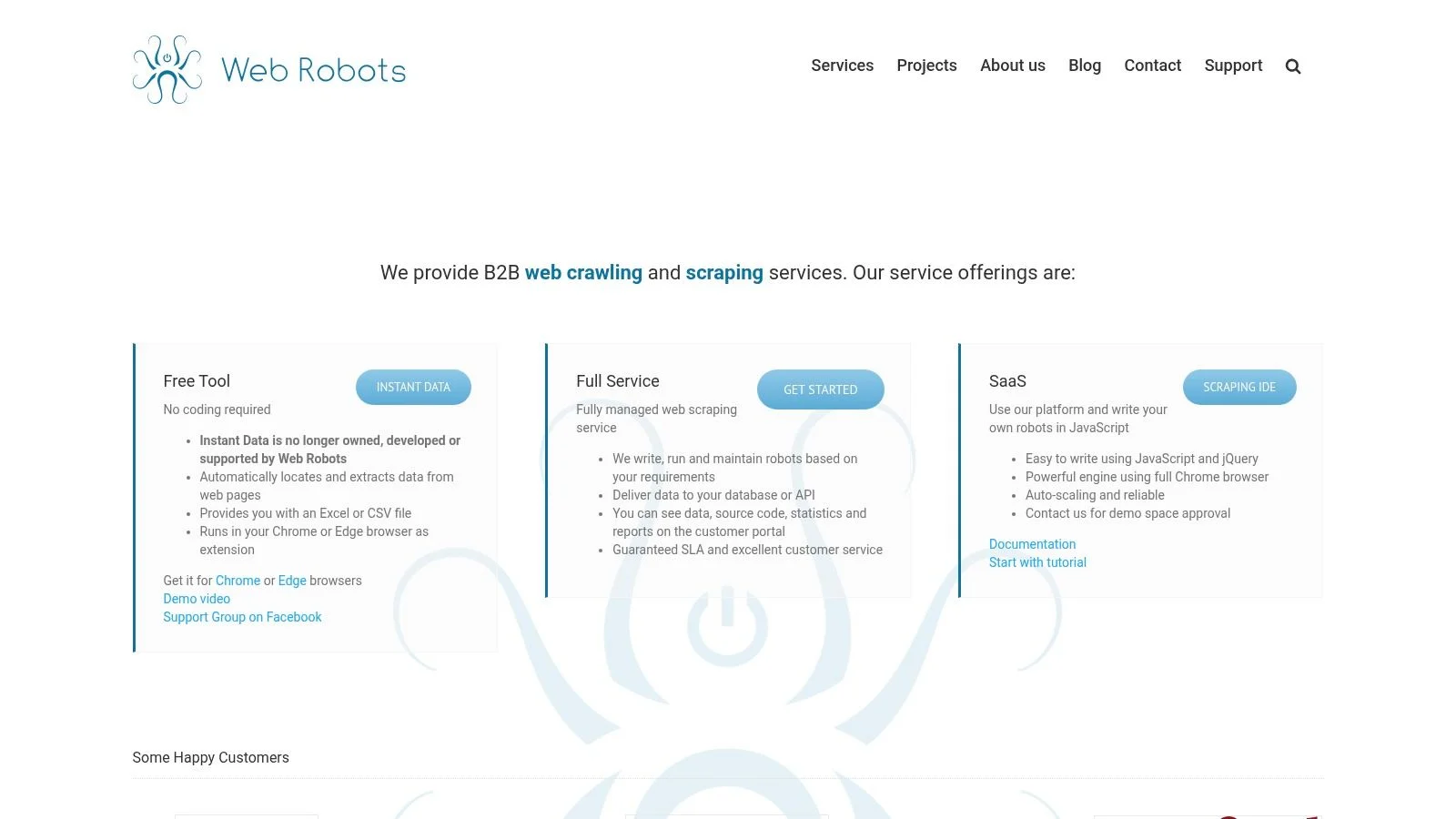
- Install the extension. Search "Instant Data Scraper" in the Chrome Web Store and click Add to Chrome.
- Open the page you want to scrape. Navigate to a webpage with a table, list, product grid, directory, or other repeating data.
- Click the Instant Data Scraper icon. The extension scans the page and shows a preview of the data it detected.
- Review the detected structure. If it picked the wrong dataset, use the extension controls to try another detected structure.
- Adjust columns. Rename, reorder, remove, or filter columns before export.
- Handle more records. Use the pagination or scrolling controls when you need data across multiple result pages.
- Download CSV or XLSX. Export the result as a spreadsheet.
Instant Data Scraper is strongest when the job is quick and finite: detect a page, review the data, export a file, and move on.
Where Instant Data Scraper Becomes Limited
Instant Data Scraper is useful for quick exports, but it is not designed as a complete data workflow for recurring agents, enrichment, connectors, sub-page scraping, monitoring, and organized business datasets.
The limitation is less about whether IDS can detect a table or list. The current product can handle many common extraction cases. The limitation appears when scraping becomes part of an ongoing workflow instead of a one-time export.
- No recurring agent workflow. If you want to monitor Reddit searches, LinkedIn mentions, competitor pages, product listings, or directories over time, you need an agent-style workflow rather than another manual export.
- No enrichment workflow. A spreadsheet export is only the first step. Clura can support workflows where scraped rows are enriched, cleaned, and prepared for follow-up.
- No connector-first output. IDS is centered on CSV/XLSX export. Clura is built toward moving scraped data into tools and connectors when the workflow needs more than a file.
- Sub-page scraping is not the core workflow. Many real scraping jobs require opening each listing or profile detail page and collecting extra fields. Clura is better positioned for that kind of multi-step extraction.
- Manual repeat work adds up. If you run the same search every week, check new listings daily, or monitor price changes, a manual export flow becomes operational friction.
For a direct feature-by-feature breakdown, see Clura vs Instant Data Scraper. For the technical side of browser scraping, read the web scraper Chrome extension guide.
Instant Data Scraper Alternative: Clura vs IDS
Instant Data Scraper is best for free one-time CSV and Excel exports. Clura is better when scraping becomes a repeatable workflow with agents, enrichment, connectors, sub-page scraping, and monitoring.
Both tools run in Chrome and both are built for non-technical users. The difference is the shape of the job. IDS is a strong quick-export tool. Clura is designed for browser-first scraping workflows that can continue after the first export.
| Instant Data Scraper | Clura | |
|---|---|---|
| Primary use case | Quick one-time CSV/XLSX exports | Repeatable browser scraping workflows |
| Price | Free | Free daily usage + $29.99 lifetime paid plan |
| Data detection | AI/heuristic detection for tables, lists, and repeating structures | Guided browser detection for tables, cards, lists, and page patterns |
| Pagination/infinite scroll | Listed support for pagination, automatic next-page navigation, and infinite scrolling | Guided record count, pagination, and scroll handling inside the workflow |
| Sub-page scraping | Not the core workflow | Built for multi-step scraping from list pages and detail pages |
| Agents and monitoring | Manual browser export | Agents for recurring monitoring and scheduled workflows |
| Enrichment | Spreadsheet output only | Supports enrichment-oriented workflows |
| Connectors | CSV/XLSX export | CSV/XLSX plus connector-oriented workflows |
| Data location | Chrome Web Store listing says scraped data does not leave the browser | Browser-first extraction with optional paid workflow storage |
| Best for | Fast free exports from a page you are viewing | Leads, monitoring, enrichment, connectors, and repeatable scraping jobs |
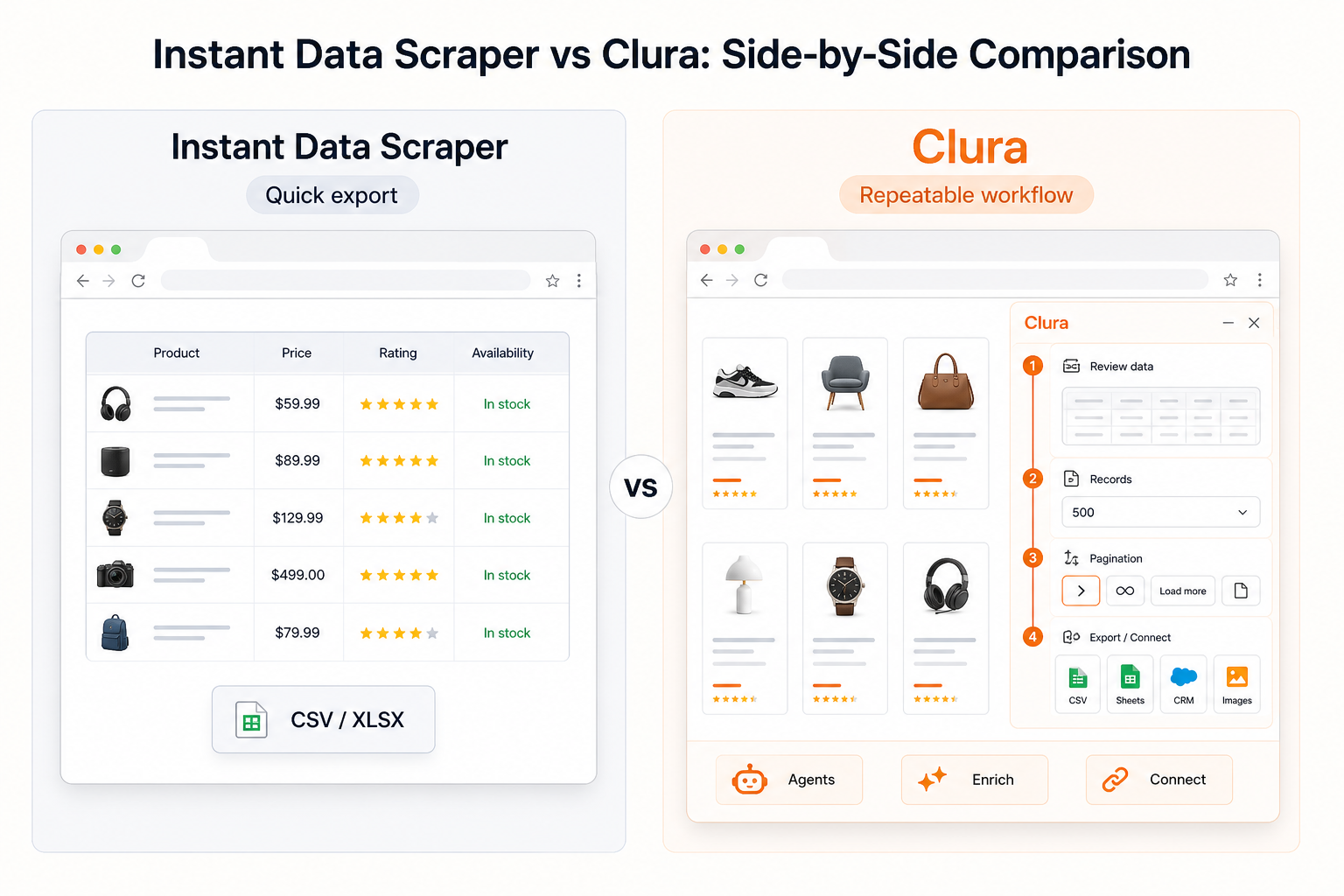
If your only goal is to export the visible data on one page, Instant Data Scraper is a reasonable first choice. If the result needs to become a repeatable lead workflow, monitoring workflow, or enrichment workflow, Clura gives you a broader system around the extraction.
That distinction matters for real-world jobs. A sales team does not only need one CSV. They may need fresh leads every week, detail-page fields, enrichment, deduping, and connector handoff. A marketer monitoring Reddit or LinkedIn mentions does not only need today's search results. They need alerts when new relevant posts appear.
For lead generation specifically, see the lead scraper guide. For dynamic pages and JavaScript-heavy sites, see how to scrape dynamic websites.
See Clura Scraping a Real Page
Clura runs inside Chrome and turns page data into a guided workflow: review detected data, choose how many records to collect, handle pagination or scrolling, and export or send the result onward.
Clura stays close to the user because most scraping work starts in the browser. Open the page, run Clura, review the detected data, choose the record count, let Clura handle pagination or scrolling, and export the finished dataset.
The same approach applies across directories, product pages, social listening workflows, and lead sources. For exporting the results, see how to scrape website data to Excel.
When to Use Instant Data Scraper (and When to Switch)
Use Instant Data Scraper for quick free spreadsheet exports. Switch to Clura when you need repeatable scraping workflows, agents, monitoring, enrichment, connectors, sub-page scraping, or organized data pipelines.
Use Instant Data Scraper when:
- You need a free one-time export from the page currently open in Chrome
- The detected preview already looks clean enough for your spreadsheet
- You are happy with CSV or XLSX as the final destination
- You do not need recurring monitoring, enrichment, connectors, or detail-page extraction
Switch to Clura when:
- You need the same scrape to run again later as an agent or monitoring workflow
- You want to monitor Reddit keyword results, LinkedIn mentions, Facebook groups, competitor pages, price changes, or new directory listings
- You need to enrich rows after extraction instead of only downloading a raw spreadsheet
- You need to scrape detail pages or sub-pages for extra fields
- You want connector-ready data instead of a manual file-only process
- You are building repeatable lead, research, ecommerce, or social listening workflows
For a focused head-to-head page, read Clura vs Instant Data Scraper. For broader Chrome extension options, see the data scraping Chrome extension guide.
Frequently Asked Questions
What is Instant Data Scraper?
Instant Data Scraper is a free Chrome extension that detects tables, lists, and repeating structures on webpages, previews the data, and exports rows to CSV or Excel. It is best for quick one-time exports when the page structure is easy to detect.
Is Instant Data Scraper free?
Yes. Instant Data Scraper is listed as a free Chrome extension. Clura also has free daily usage, while newer paid-plan workflows such as enrichment, agents, sub-page scraping, and connectors are part of Clura's paid plan.
Is Instant Data Scraper still a good tool?
Yes, for quick one-time spreadsheet exports. It is especially useful when the detected preview already looks correct and your goal is simply to download CSV or Excel. Clura is a better fit when scraping becomes repeatable work involving agents, enrichment, monitoring, connectors, or sub-page scraping.
Can Instant Data Scraper handle pagination and infinite scroll?
Its Chrome Web Store listing describes support for pagination, automatic next-page navigation, and infinite scrolling. Clura's difference is workflow depth: it guides record count, pagination or scroll handling, review, scraping progress, and export as part of the same browser-first flow.
What is the best Instant Data Scraper alternative?
Clura is a strong alternative if you want a Chrome-extension-first scraper that goes beyond one-time exports. It is built for repeatable browser workflows, agents, enrichment, connectors, sub-page scraping, and monitoring use cases.
What is the difference between Instant Data Scraper and Clura?
Instant Data Scraper is strongest for free one-off spreadsheet exports from the page you are viewing. Clura is designed for ongoing browser scraping workflows: pagination, detail pages, enrichment, recurring agents, connectors, monitoring, and organized datasets.
Does Instant Data Scraper keep data in the browser?
The Chrome Web Store listing says scraped data does not leave the browser. Clura is also browser-first, with optional workflow storage and paid capabilities when users need more organized data workflows.
Should I use Instant Data Scraper or Clura for lead generation?
Use Instant Data Scraper if you only need a quick export from one visible page. Use Clura if you need recurring lead collection, sub-page fields, enrichment, monitoring, or connector-ready output for a repeatable sales workflow.
Conclusion
Instant Data Scraper is a genuinely useful free tool for quick browser exports. If your job is simple, one-time, and spreadsheet-only, it may be exactly enough.
Clura is the better fit when scraping becomes a repeatable workflow: monitoring new pages, collecting leads, opening detail pages, enriching rows, sending data to connectors, and keeping the process organized beyond a single CSV.
That is the practical choice: use Instant Data Scraper for quick exports, and use Clura when browser scraping becomes part of your recurring work.
Explore related guides:
- Clura vs Instant Data Scraper — direct feature-by-feature comparison for Chrome-based web scraping workflows
- Lead Scraper Guide — scraping LinkedIn, Google Maps, directories, and other lead sources
- How to Scrape Dynamic Websites — why modern pages need browser-aware scraping workflows
Build repeatable scraping workflows in Chrome
Use Clura for agents, monitoring, enrichment, sub-page scraping, connectors, and clean exports when a one-time spreadsheet is not enough.
Add to Chrome — Free →