
LinkedIn Scraper GitHub: Why Every Repo Either Breaks or Bans Your Account
Search GitHub for "linkedin scraper" and sort by recently updated. You'll find two categories: repos with open issues saying "broken", "returns empty", "login wall on every request" — and repos based on the unofficial linkedin-api library that technically work, right up until LinkedIn permanently bans the account running them.
LinkedIn GitHub scrapers have a shorter working lifespan and a higher failure cost than any other job board scraper. The linkedin scraper github ecosystem is littered with abandoned repos — not because the developers gave up, but because LinkedIn actively invalidates every approach as soon as it becomes popular.
Done losing LinkedIn accounts to broken GitHub repos? Get the data in 2 minutes
Clura uses your existing LinkedIn session at human browsing speed — no GitHub repo, no session files, no account ban risk. Open LinkedIn, click Clura, export CSV.
Add to Chrome — Free →Why Do LinkedIn Scraper GitHub Repos Break Faster Than Any Other?
LinkedIn scraper GitHub repos fail for three stacked reasons: JavaScript rendering blocks requests-based scrapers, LinkedIn's bot detection blocks headless browsers at ~45%, and the unofficial linkedin-api library — used by many popular repos — gets accounts permanently banned within 3–7 days. No other job board combines all three failure modes simultaneously.
The lifecycle of a LinkedIn scraper repo on GitHub is predictable: published, gets stars, works briefly, accumulates issues, maintainer patches it, breaks again in a different way, maintainer loses the account, repo goes unmaintained. The three layers of failure:
| Failure Layer | What It Breaks | Most Repos' Response | Does It Work? |
|---|---|---|---|
| JavaScript rendering | requests, BeautifulSoup, urllib | Switch to Playwright/Selenium | Partially |
| Bot detection (~45% headless) | Playwright/Selenium without stealth | Add stealth + proxies | ~20% still blocked |
| Account ban (rate limiting) | Any approach above human speed | Add delays — usually too late | Account already flagged |
| linkedin-api token detection | Unofficial mobile API approach | Rotate accounts | Each new account banned in days |
The linkedin-api layer is what separates LinkedIn from Indeed and Glassdoor. On those platforms, a broken scraper means failed requests — annoying, recoverable. On LinkedIn, a scraper that runs too fast or uses the wrong API approach means a permanently banned account. Maintainers who lose their account mid-project tend not to come back. See why JavaScript-rendered sites break most scrapers for the underlying rendering failure.
The most-starred linkedin-api based repo on GitHub has 600+ open issues. The top ones: 'Account restricted after 2 days', 'CHALLENGE_REQUIRED on every request', 'Works for 6 hours then banned'. All filed within the past 12 months.
What Types of LinkedIn Scraper Repos Are on GitHub and Which Work?
LinkedIn scraper repos on GitHub fall into three categories: requests-based (fail immediately), browser-based Playwright/Selenium (work with full setup but ~20% block rate), and linkedin-api based (work briefly, ban accounts within 3–7 days). The linkedin-api category has the most stars and the most account restriction issues.
Auditing the top 15 most-starred LinkedIn scraper repos on GitHub as of May 2026:
| Repo Type | Count | How Long It Works | Account Ban Risk |
|---|---|---|---|
| requests + BeautifulSoup | 4 | Never — fails immediately | None (no account used) |
| Selenium / Playwright (basic) | 3 | 1–3 months before LinkedIn updates detection | Medium — if rate limits exceeded |
| Playwright + stealth + proxies | 2 | 3–6 months with maintenance | Medium — rate limiting still an issue |
| linkedin-api (unofficial mobile API) | 6 | 3–7 days before account ban | Very High — accounts banned permanently |
The linkedin-api repos dominate the starred list because they return clean JSON immediately — no browser setup, no stealth configuration. They look like a working solution right up until the account gets restricted. The GitHub issues on these repos are full of developers who learned this the hard way using their real professional LinkedIn profile.
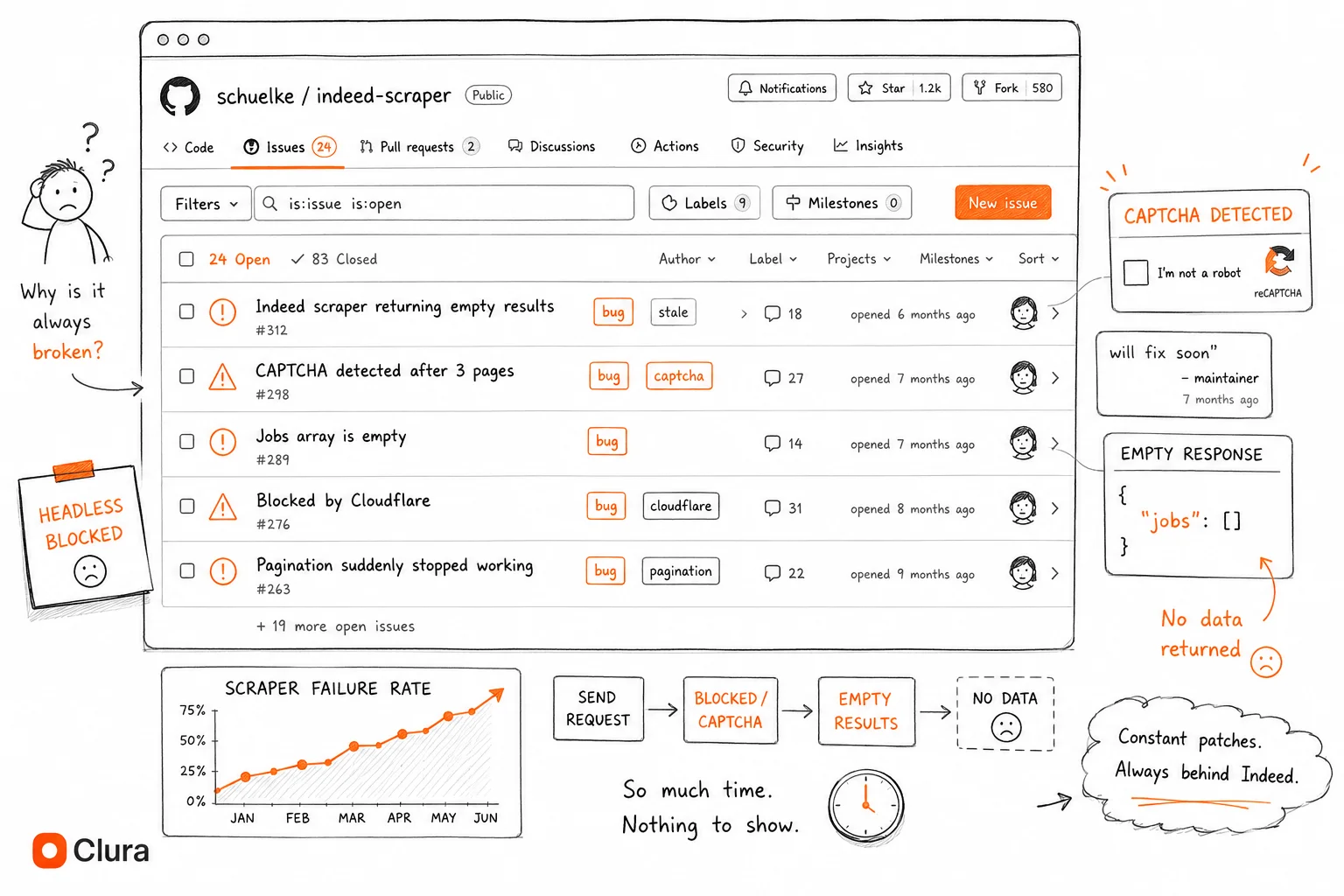
How Long Does a LinkedIn GitHub Scraper Stay Working Before It Breaks?
LinkedIn scraper GitHub repos have a shorter working lifespan than any other job board: linkedin-api repos get accounts banned in 3–7 days, browser-based repos last 1–3 months before LinkedIn updates its detection. Repos based on linkedin-api have an additional failure dimension — they don't just break, they destroy the account running them.
| Repo Type | Time Until Failure | How It Fails |
|---|---|---|
| requests-based | Immediately | Login redirect — no JavaScript rendering |
| linkedin-api (unofficial) | 3–7 days | Account permanently restricted by LinkedIn |
| Playwright headless (no stealth) | Hours to days | Bot detection blocks session |
| Playwright + stealth (no proxies) | Days to weeks | IP flagged, account checkpoint triggered |
| Playwright + stealth + proxies | 1–3 months | LinkedIn updates detection rules, selectors change |
The selector problem applies here too. LinkedIn uses data-anonymize attributes and dynamic class names that change between deployments. A script hardcoding .pv-text-details__left-panel stops working when LinkedIn redesigns that component — which happens roughly quarterly. There's no changelog. The first sign is an empty CSV.
Commit history is a useful signal — but less reliable than on Indeed or Glassdoor because LinkedIn scrapers can appear to work while quietly accumulating account restriction risk. A repo last updated 2 weeks ago might work technically but still get your account banned on first use.
What Do Developers Actually Use Instead of GitHub Repos for LinkedIn Scraping?
Developers who gave up on LinkedIn GitHub repos use browser extensions (Clura) for on-demand exports with zero account ban risk, Phantombuster for cloud-based automation, or Bright Data's LinkedIn scraper for enterprise volume. Most avoid building and maintaining their own Playwright setup after losing an account to rate limiting.
| Alternative | Account Ban Risk | Block Rate | Cost | Best For |
|---|---|---|---|---|
| Clura Chrome Extension | None — human-speed browsing | ~5% | Free / $29.99 lifetime | On-demand exports, recruiters, sales |
| Phantombuster | Low — managed safely | ~18% | $56/mo+ | Scheduled automation, cloud-based |
| Bright Data LinkedIn Scraper | None — managed infrastructure | ~8% | $500+/mo | Enterprise volume |
| Apify LinkedIn Scraper | Low — managed | ~22% | $49/mo+ | Scheduled automation, no infra |
| DIY Playwright + proxies | Medium — rate limit risk | ~20% | $0 + $50–200/mo proxies | Custom logic, experienced devs only |
| GitHub repo (open source) | High if linkedin-api based | Varies | Free | Learning only — never production |
Phantombuster is worth calling out specifically for LinkedIn — it's built around LinkedIn's rate limits and has session management built in. It handles the ~10 profile/minute threshold automatically. For developers who need scheduled LinkedIn automation without managing infrastructure, it's the most practical managed option. For everything else, a Chrome extension using your live session has the lowest block rate (~5%) and no account risk because it operates at human browsing speed by design. See the full LinkedIn scraper Python guide for the technical breakdown of each approach.
Stop losing LinkedIn accounts to repos that can't handle rate limits
Clura runs inside your browser at human speed — LinkedIn sees normal user behavior. No account restrictions, no repo maintenance, no proxy bills. Open LinkedIn, click Clura, export CSV.
Add to Chrome — Free →Should I Build My Own LinkedIn Scraper or Use an Existing Tool?
Build your own LinkedIn scraper only if you need fully scheduled, unattended automation with custom logic no managed tool provides — and only if you're willing to use throwaway accounts, manage rate limiting under 8 requests/minute, and accept ongoing maintenance. For every other use case, the account ban risk and maintenance burden make existing tools faster and safer.
| If you need... | Use |
|---|---|
| One-time LinkedIn profile or search export | Chrome extension (2 min, zero risk) |
| Weekly recruiter export from LinkedIn search | Chrome extension or Phantombuster scheduled |
| Daily automated LinkedIn pulls without opening browser | Phantombuster or Bright Data |
| Custom data pipeline with LinkedIn signals | Apify (post-processing) or DIY Playwright on throwaway accounts |
| Enterprise LinkedIn data at scale | Bright Data or enterprise Phantombuster plan |
| Understanding how LinkedIn scraping works | GitHub repo — learn from it, never run on your real account |
If you do build your own, the LinkedIn scraper Python guide covers the minimum viable setup — Playwright with stealth, storage_state session management, residential proxies, and hard rate limiting under 8 requests/minute. Use a throwaway account. Never use your real LinkedIn profile. Budget 8–12 hours for the initial setup and expect quarterly maintenance when LinkedIn updates its detection.
Frequently Asked Questions
Is there a working LinkedIn scraper on GitHub in 2026?
Playwright-based repos with stealth plugins and residential proxies work — briefly, with the right setup. Avoid any repo built on the unofficial linkedin-api library: these work for 3–7 days before LinkedIn permanently bans the account. Check the last commit date, read the open issues, and look for whether the repo uses linkedin-api or a browser-based approach before running it.
Why do LinkedIn scraper GitHub repos get my account banned?
Two reasons: the unofficial linkedin-api library makes non-browser token requests that LinkedIn's security system flags within days, and browser-based scrapers that run faster than ~10 profile views/minute trigger LinkedIn's rate limit detection, which escalates from a session checkpoint to a permanent account restriction. LinkedIn's enforcement is more aggressive than Indeed or Glassdoor because profile data is more commercially sensitive.
What is the best LinkedIn scraper on GitHub?
The most reliable GitHub-based approach is Playwright + playwright-stealth + residential proxies with hard rate limiting under 8 requests/minute. No single maintained public repo includes all four components. Build your own setup from the LinkedIn scraper Python guide — and use a throwaway account, not your real LinkedIn profile, regardless of which approach you use.
Why does the GitHub LinkedIn scraper return an empty list or login page?
If it's requests-based: LinkedIn requires JavaScript rendering — requests returns the login page or an empty shell. If it's Playwright-based but returns the login page: your saved session has expired and needs to be regenerated. If it returns empty data after login: LinkedIn's selectors have changed since the repo's last update. Check the open issues — if others report the same, the repo is outdated.
Can I use a LinkedIn scraper GitHub repo commercially?
Most repos are MIT-licensed — no restriction from the repo itself. The legal question is LinkedIn's ToS, which prohibits automated scraping. Under hiQ v. LinkedIn (9th Circuit, 2022), scraping publicly accessible data is generally legal. The practical risk is account restriction, not criminal liability. Don't scrape private data or data behind premium walls you haven't paid for.
Conclusion
LinkedIn scraper GitHub repos have a worse track record than any other job board — not because the developers are less capable, but because LinkedIn actively restricts accounts that scrape, not just requests. A broken Indeed scraper means a failed run. A broken LinkedIn scraper can mean losing your professional account permanently.
The repos built on linkedin-api have the most stars and the worst outcomes. The browser-based repos with full stealth and proxy setup work the longest but still require ongoing maintenance and carry rate limit risk.
Developers who've been through a LinkedIn account restriction once tend not to go back to GitHub repos for production use. The tooling ecosystem — Phantombuster, Bright Data, browser extensions — exists specifically because the DIY path is so unreliable on LinkedIn.
Explore related guides:
- Best LinkedIn Scraping Tools — full comparison of every LinkedIn scraping approach — Chrome extensions, Playwright, Phantombuster, and managed APIs — ranked by block rate
- LinkedIn Scraper Chrome Extension — the browser-based alternative to GitHub scrapers — no setup, no account ban risk, ~5% block rate
- LinkedIn Scraper Python — the minimum working Playwright setup — rate limits, session management, and account ban risk explained
- Scrape LinkedIn Sales Navigator — export Sales Navigator search results to CSV — browser-based, no account ban risk
- Indeed Scraper GitHub — how Indeed GitHub repos break — same patterns but without the account ban risk
- Glassdoor Scraper GitHub — why Glassdoor repos break faster than Indeed — CSRF rotation and session management failures
- Scraping Dynamic Websites — why JavaScript rendering breaks most scrapers — the foundation of every LinkedIn fix
Done losing LinkedIn accounts to repos that don't work? Get the data in 2 minutes
Clura runs in your Chrome browser at human browsing speed. LinkedIn sees a normal user. No account restrictions, no selectors to maintain, no proxy bills. Open LinkedIn, click Clura, export to CSV.
Add to Chrome — Free →