12 Best Data Collection Software Tools for 2024

12 Best Data Collection Software Tools for 2024

Discover the top 12 data collection software strategies and tips. Complete guide with actionable insights.

Tired of manually copying and pasting information from websites? You've come to the right place. This guide will help you find the perfect data collection software to automate your work and supercharge your business. Whether you're hunting for leads, monitoring competitors, or sourcing candidates, the right tool can save you hundreds of hours.

The market is crowded, and it's tough to know which platform is right for you. That's why we've done the heavy lifting. We created a detailed breakdown of the top 12 tools available today. Forget generic marketing fluff. We're giving you the real-world scoop on what each platform does best, its core features, and clear pricing information.

This article is designed to be practical. You'll find:

  • Short profiles of leading tools like Clura, Apify, and Bright Data.

  • A feature-comparison matrix for at-a-glance analysis.

  • Actionable tips and workflow examples to get you started fast.

Our goal is simple: to help you confidently choose the best software for your needs and start collecting valuable web data immediately. Let's find your perfect match.

1. Clura

Clura earns our top spot by making web-based data collection incredibly simple. It’s an AI-powered browser agent, delivered as a Chrome extension, that turns tedious manual copy-pasting into a one-click workflow. For teams in sales, marketing, and e-commerce, this tool is a game-changer, automating the extraction of clean, structured data from any public website.

Imagine needing a list of conference speakers from a website, contact details from LinkedIn profiles, or pricing from competitor stores. Clura handles these tasks instantly. Its AI agents and pre-built templates for common use cases mean you can start collecting valuable information without any technical help or complex setup. The focus shifts from mind-numbing data entry to immediate action.

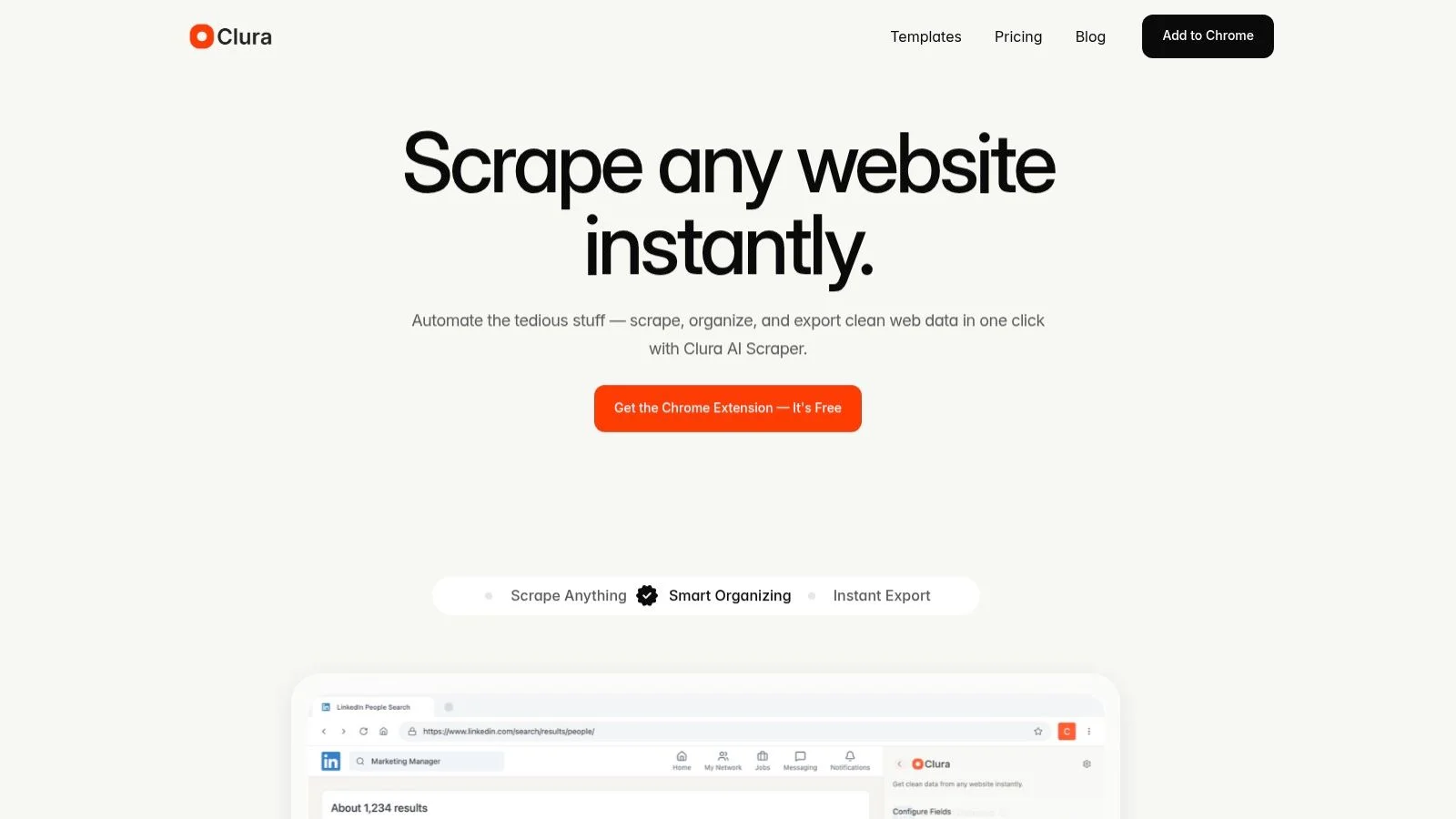
A screenshot of Clura's interface showing how to scrape data from a website, a key feature of this data collection software.

Why Clura Stands Out as a Top Data Collection Software

What truly distinguishes Clura is its combination of power and accessibility. It makes web scraping easy for everyone by wrapping a sophisticated AI engine in a user-friendly, no-code interface. While other tools may require technical knowledge or lengthy setup, Clura lets you install the extension and run your first data extraction in minutes. This is a massive advantage for non-technical users who need reliable data fast.

The platform consistently produces clean, organized CSV files, saving teams hours of manual data cleaning each week.

Key Features and Use Cases

  • One-Click AI Scraping: Use pre-built templates to instantly extract data for lead generation, price monitoring, competitor tracking, and more.

  • Broad Website Support: Works seamlessly on major platforms like LinkedIn and Amazon, as well as niche job boards and company directories.

  • Instant, Clean Exports: Data is automatically structured and ready for export to CSV, eliminating manual cleanup.

  • No-Code Workflow Automation: Ideal for building repeatable processes, like daily price checks or weekly lead list updates, without coding. For those interested in the fundamentals, you can learn more about how to scrape data and apply those principles within the tool.

Pros & Cons

Pros

Cons

Extremely easy to adopt; the no-code Chrome extension gets you started in minutes.

Chrome-only; teams using other browsers will need a different solution.

AI agents and templates accelerate common business workflows.

Relies on front-end scraping, which can be affected by a target site's anti-bot measures.

Supports a vast range of sources, from major social networks to niche marketplaces.

Free tier limits (300 rows/10 runs per month) may be too restrictive for high-volume or power-user needs.

Consistently clean and structured output saves significant time on data prep.


Generous free plan and affordable paid tiers make it accessible for individuals and small teams.


Pricing & Access

Clura’s pricing is designed to scale with your needs. It offers a Free plan with 300 rows and 10 agent runs per month, perfect for occasional tasks. The Grow plan starts at an affordable $15/month for 1,000 rows and unlimited agent runs. Higher-volume plans are available for teams with more extensive data collection software requirements.

Website: https://www.clura.ai

2. Apify

Apify is a powerful and flexible platform that bridges the gap between no-code simplicity and full developer control. It's designed around "Actors"—serverless cloud programs that can perform any web scraping or automation task. This unique approach makes it a standout piece of data collection software, appealing to teams who want to start fast with pre-built solutions but need the option to build custom tools later. You can find hundreds of ready-made Actors for scraping everything from social media profiles to e-commerce product listings.

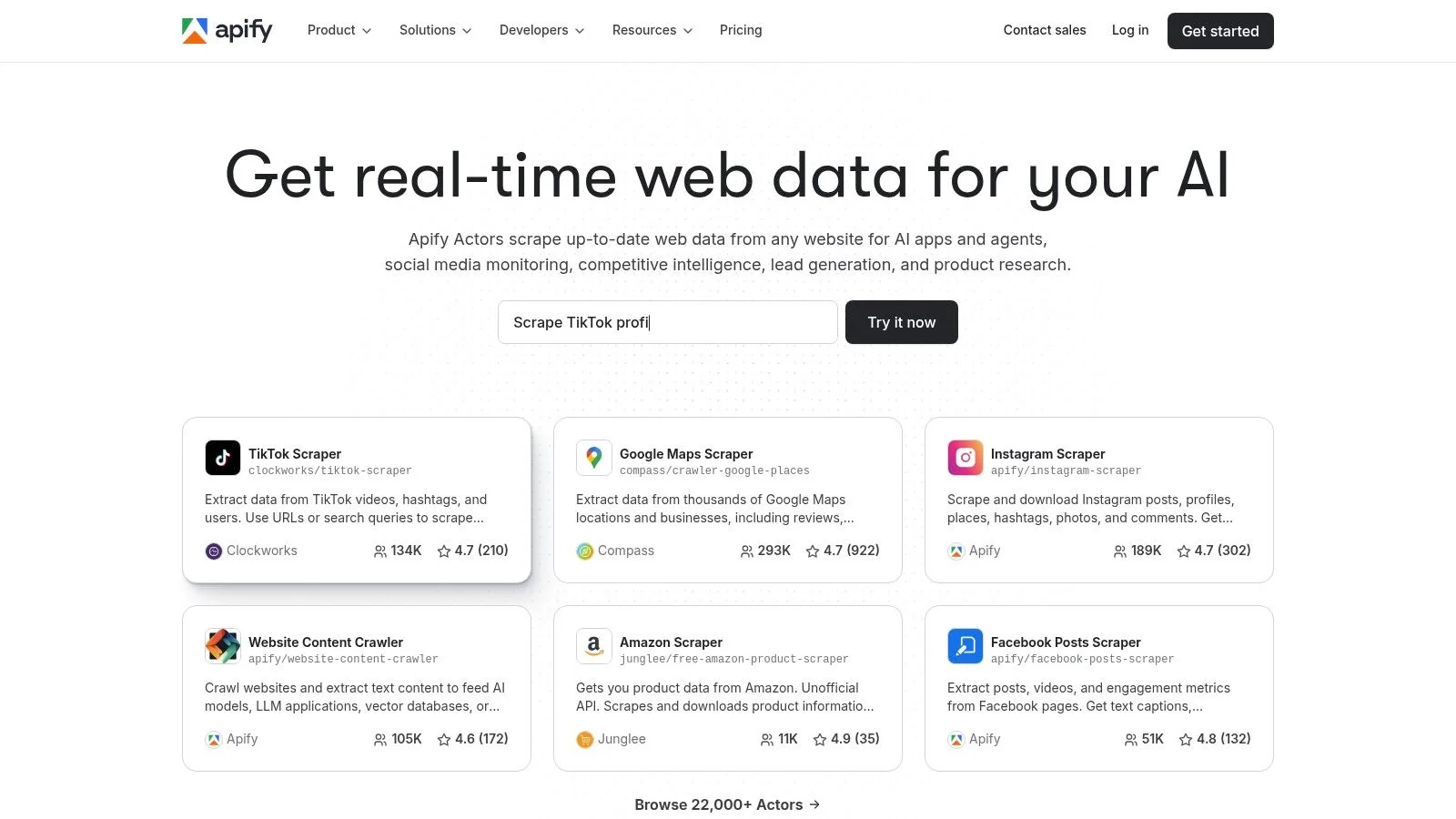
Apify Actors marketplace for data collection

The platform is a complete web automation ecosystem. It includes built-in proxy management, headless browser support, and scheduling, allowing you to run complex data extraction workflows at a massive scale. For developers, the provided SDKs (for JavaScript/Node.js) and a robust API open the door to limitless customization.

Key Features & User Experience

  • Apify Store: An extensive library of pre-built scraping "Actors."

  • Developer Tools: Includes an SDK and API for creating custom solutions.

  • Integrated Proxies: Manages residential and datacenter proxies to avoid blocks.

  • Pay-as-you-go Model: Fine-grained cost control based on usage.

Pros: Incredibly fast to get started with the Actor marketplace, excellent documentation, and a flexible pricing model for scaling.

Cons: The pricing structure can be confusing for new users. Custom development requires JavaScript knowledge.

Pricing: Apify offers a free tier with a monthly credit. Paid plans start at $49/month, scaling up based on usage.

Visit Apify

3. Zyte (formerly Scrapinghub)

Zyte is a go-to solution for developer teams who need enterprise-grade web data extraction infrastructure. It centers around a unified Zyte API that handles the most frustrating aspects of scraping, like proxy rotation, JavaScript rendering, and ban evasion. This makes it a fantastic piece of data collection software for projects built on Scrapy, the popular open-source framework, or for any team that wants a robust API to power their custom scrapers.

Zyte (formerly Scrapinghub)

With Scrapy Cloud, you can deploy, run, and schedule your Scrapy spiders in a managed environment, removing the headache of server maintenance. Zyte’s API also offers a unique pricing model: you pay for successful requests, which aligns costs directly with the value you receive. This simplifies budget forecasting for large-scale data collection operations.

Key Features & User Experience

  • Zyte API: A unified API that manages proxies, JavaScript rendering, and CAPTCHAs.

  • Scrapy Cloud: Managed hosting environment for deploying and scaling Scrapy spiders.

  • Success-Based Pricing: You only pay for successful data requests.

  • Automatic Unblocking: The system automatically handles ban evasion techniques behind the scenes.

Pros: Transparent, success-based pricing is great for cost management. Offers a mature ecosystem for Scrapy developers.

Cons: Primarily built for developers, so it lacks no-code tools. Estimating costs requires some initial testing.

Pricing: Zyte offers a pay-as-you-go plan starting at a low entry point. API pricing is tiered per 1,000 successful requests.

Visit Zyte

4. Bright Data

Bright Data is a full-scale web data platform, providing an industrial-strength solution for companies that need reliable access to public web sources. Its core strength lies in its massive infrastructure, including one of the world's largest proxy networks. This makes it a go-to piece of data collection software for teams requiring high success rates against sites with strong anti-bot protections. Whether you need to pull complex e-commerce pricing data or track social media trends, Bright Data offers tools designed for resilience and scale.

Bright Data data collection software homepage

The platform caters to two main users: developers who want powerful APIs and businesses that prefer ready-made datasets. The Web Unlocker automatically handles IP rotation, CAPTCHAs, and browser fingerprinting, simplifying extraction. For those who want to skip the collection process entirely, the Dataset Marketplace offers pre-collected and structured data on-demand. This dual approach provides flexibility.

Key Features & User Experience

  • Web Unlocker: An API that automates the process of unblocking websites.

  • Vast Proxy Network: Access to residential, ISP, datacenter, and mobile proxies.

  • Scraping Browser: A browser API for controlling headless browsers at scale.

  • Dataset Marketplace: A library of ready-made datasets for purchase.

Pros: Extremely high success rates on heavily protected websites. Offers a choice between powerful developer APIs and pre-built datasets.

Cons: Can be more expensive than other tools. The sheer breadth of products can present a learning curve.

Pricing: Bright Data uses a pay-as-you-go model for its APIs and offers monthly subscription plans starting at $500/month. Datasets are priced individually.

Visit Bright Data

5. Oxylabs

Oxylabs is an enterprise-grade powerhouse for large-scale public web data acquisition. It’s built for businesses that require high reliability and precision, combining a massive proxy network with advanced scraping APIs. This makes it a premier piece of data collection software for companies needing to gather search engine results, e-commerce listings, and other open web data without interruption. The platform is designed for high-volume, compliance-minded operations.

Oxylabs

The core of the Oxylabs ecosystem is its Web Scraper API and Web Unblocker, which handle the technical heavy lifting of data gathering. These tools manage JavaScript rendering, CAPTCHA solving, and IP rotation automatically, allowing your team to focus on the data itself. With a clear focus on ethical data practices and 24/7 expert support, Oxylabs is a trusted partner for organizations that prioritize performance and responsible data collection.

Key Features & User Experience

  • Web Scraper API: Manages JS rendering and CAPTCHA bypass for simplified data extraction.

  • Vast Proxy Network: Offers residential, mobile, datacenter, and ISP proxies with geo-targeting.

  • Enterprise Support: Provides dedicated account management and round-the-clock technical assistance.

  • Success-Based Billing: Some products offer billing models where you only pay for successful requests.

Pros: Excellent reliability and speed for high-volume tasks. Clear product lineup for API or proxy needs.

Cons: The best value is realized at enterprise scale; smaller users may find more budget-friendly options elsewhere.

Pricing: Web Scraper API plans start at $49/month. Proxy plans are priced based on traffic, with residential proxies starting at $75/month.

Visit Oxylabs

6. Octoparse

Octoparse democratizes data gathering with a powerful yet easy-to-use desktop and cloud-based tool designed for non-coders. It shines with its visual, point-and-click interface that lets you build scraping workflows simply by interacting with a website. This approach makes it a fantastic piece of data collection software for business users, marketers, and researchers who need to extract web data without writing a single line of code.

Octoparse

The platform is designed for rapid deployment. You can use pre-built templates for common tasks like scraping e-commerce sites or build your own custom "task" in minutes. Its ability to scale from a free desktop application to a robust cloud service with scheduled extractions and IP rotation gives it a wide appeal. For those needing a hands-off solution, Octoparse also offers data services, handling the entire extraction process for you.

Key Features & User Experience

  • Visual Workflow Designer: A point-and-click interface that automatically generates a scraper.

  • Template Library: A large collection of ready-to-use templates for popular websites.

  • Cloud Extraction & Scheduling: Run tasks 24/7 on the cloud with IP rotation.

  • Data Export & API: Export data to CSV, Excel, or databases, and access it via an API.

Pros: Quick to learn with robust tutorials. Scales well from free local runs to paid cloud scheduling. Excellent for users with no coding background.

Cons: Heavy or highly interactive sites may require manual workflow adjustments. Advanced features are reserved for higher-tier plans.

Pricing: Octoparse has a free plan with limited local runs. Standard plans start at $89/month.

Visit Octoparse

7. ParseHub

ParseHub offers an approachable entry point into web scraping, making it an excellent piece of data collection software for non-technical users. It operates via a desktop application with a visual, point-and-click interface for building data extractors. This model is fantastic for teams who need to pull data from dynamic websites—sites that use JavaScript, AJAX, or have infinite scroll—without writing any code. You can visually select the data you want, and ParseHub learns the patterns to extract it.

ParseHub visual selection interface for data collection

Once your project is built, you can run it on ParseHub's cloud servers. This means you can schedule recurring data pulls and have the platform handle complexities like IP rotation behind the scenes. It’s particularly well-suited for small-to-medium business use cases, like tracking competitor prices or gathering local business leads. The ability to export to formats like JSON, CSV, and Google Sheets makes it easy to integrate the data into your workflows.

Key Features & User Experience

  • Visual Point-and-Click Interface: Build scrapers by clicking on the elements you want to extract.

  • Handles Dynamic Websites: Easily scrapes data from sites with infinite scroll, pop-ups, and complex JavaScript.

  • Cloud-Based Scheduling: Set up projects to run automatically on an hourly, daily, or weekly schedule.

  • Built-in IP Rotation: Automatically rotates IP addresses to help avoid being blocked.

Pros: Very approachable for non-developers, powerful enough for complex sites, and well suited for recurring data pulls.

Cons: The desktop client can feel restrictive for large-scale pipelines. The price jump from the free to paid tiers is significant.

Pricing: ParseHub has a free plan that includes 200 pages per run. Paid plans start at $189/month for faster speeds and IP rotation.

Visit ParseHub

8. Web Scraper (webscraper.io)

For those who prefer a hands-on, visual approach, Web Scraper offers a remarkably accessible entry point. It operates as a browser extension for Chrome and Firefox, allowing you to build "sitemaps" by clicking on the data elements you want to extract. This point-and-click method makes it a fantastic piece of data collection software for marketers and researchers who need to scrape data without writing code. Its simplicity is its greatest strength, perfect for straightforward tasks like collecting product prices and names.

Web Scraper (webscraper.io)

Beyond the free extension, Web Scraper provides a Cloud service that elevates its capabilities. With the cloud platform, you can run multiple scraping jobs in parallel, schedule recurring tasks, and access your data through an API or export it to services like Google Sheets. This dual-model approach allows you to learn the ropes for free and then scale up to more automated workflows as your needs grow.

Key Features & User Experience

  • Visual Sitemap Builder: Create scraping recipes by pointing and clicking on website elements.

  • Cloud Service: Offers parallel jobs, scheduling, and integrations with Google Sheets and API.

  • Free Browser Extension: The core tool is free to use, making it ideal for beginners.

  • Community Support: A large user base provides numerous examples and templates.

Pros: Very low entry cost and a gentle learning curve. The community and available examples accelerate the setup process.

Cons: Complex sites with heavy JavaScript can be difficult to scrape reliably. The extension-based method can require frequent maintenance.

Pricing: The browser extension is free. The Web Scraper Cloud has paid plans starting at $50/month.

Visit Web Scraper

9. Browse AI

Browse AI introduces a brilliant no-code approach to data extraction, empowering non-technical users to create powerful automation "robots" with ease. Instead of writing code, you simply record your actions in a browser, and the platform turns that process into a repeatable task. This makes it an incredibly accessible piece of data collection software for teams who need to monitor competitors, gather leads, or track pricing without a developer. The platform also offers pre-built robots for common websites.

Browse AI

Its real strength lies in monitoring. You can set up robots to run on a schedule and receive alerts when data on a page changes, complete with screenshots highlighting the updates. This is perfect for tracking product availability or price adjustments. The platform integrates seamlessly with tools like Google Sheets, Airtable, and Zapier, making it simple to move your collected data into your existing workflows.

Key Features & User Experience

  • Action Recorder: Train a robot by showing it what to click and extract, no code needed.

  • Prebuilt Robots: A library of ready-to-use robots for popular platforms.

  • Scheduled Monitoring: Automate data checks and get alerts on changes with screenshots.

  • Simple Integrations: Connects directly to Sheets, Airtable, Zapier, and webhooks.

Pros: Extremely fast setup for non-technical users. Excellent monitoring features with visual change alerts. Clear credit-based pricing model.

Cons: Complex websites with heavy anti-bot measures may consume more credits. Less flexible than developer-focused APIs.

Pricing: Browse AI offers a free plan with a small number of credits. Paid plans start at $49/month, providing more credits for larger-scale tasks.

Visit Browse AI

10. PhantomBuster

PhantomBuster is the go-to platform for sales and marketing professionals looking to automate lead generation from social media. It operates using "Phantoms," which are individual cloud-based automations designed to perform specific tasks like scraping profiles or extracting lists. This focus on action-oriented recipes makes it a uniquely powerful piece of data collection software for teams who want to build automated outreach funnels without writing code. Its large library of pre-built Phantoms allows users to get started in minutes.

PhantomBuster workflow builder for lead generation

The platform shines with its "Workflows" feature, which lets you chain multiple Phantoms together to create sophisticated sequences. For example, you can extract a list of conference attendees from a LinkedIn event, enrich their profiles, and then send personalized connection requests automatically. The cloud-based model means your automations run 24/7 without needing your browser to be open. With built-in scheduling and proxy rotation, PhantomBuster gives non-technical users the tools to execute complex data strategies.

Key Features & User Experience

  • 100+ Phantoms & Workflows: A massive library of pre-made automations for social media, sales platforms, and more.

  • Cloud Execution: Runs automations on a schedule from the cloud, freeing up your local computer.

  • API & Integrations: Connects to other tools and allows for CSV/JSON exporting.

  • Bundled Credits: Includes email discovery credits for enriching contact data.

Pros: Excellent for sales and recruiting workflows. Huge library of ready-made automations. Very user-friendly for non-developers.

Cons: Can be limited by the rate limits of target websites. The execution time/slot model can be confusing at first.

Pricing: PhantomBuster offers a 14-day free trial. Paid plans begin at $69/month, with tiers based on the number of execution slots and monthly hours.

Visit PhantomBuster

11. Captain Data

Captain Data is an API-first platform built for go-to-market teams who need structured B2B data pipelines. It provides finely-tuned automations for searching, extracting, and enriching company and people data. This makes it an exceptional piece of data collection software for sales teams wanting to feed clean, real-time information directly into their CRMs or products without building scrapers from scratch. The focus is on creating reliable, scalable workflows that integrate with tools like Salesforce and HubSpot.

Captain Data

The platform operates around pre-built automations that you can chain together. For example, you can find companies on LinkedIn Sales Navigator, enrich them with firmographic data, find key decision-makers, and then find their professional email addresses, all in one automated sequence. This API-centric approach allows for deep product integrations and massive scale, backed by support options for enterprise clients.

Key Features & User Experience

  • People & Company Endpoints: Specialized APIs for searching and enriching B2B contact and company information.

  • Workflow Orchestration: Chain multiple automations together for complex, real-time data pipelines.

  • Usage-based Credits: A pay-as-you-go model where you only pay for the data you consume.

  • White-glove Support: Dedicated support options are available for larger customers.

Pros: Excellent for structured B2B data pipelines. Integrates directly into CRMs and products. Can scale to millions of records per month.

Cons: Not a general-purpose web scraper. The credit-based pricing requires careful planning to estimate costs accurately.

Pricing: Captain Data uses a credit-based model with an interactive pricing calculator. Plans are available for different scales.

Visit Captain Data

12. Diffbot

Diffbot moves beyond simple scraping by using AI to automatically understand and structure web pages without needing manual rules. Instead of telling it where to find data, you just point it to a page, and its AI models identify and extract structured information from articles, products, and company pages. This makes it an exceptional piece of data collection software for teams that need high-quality, structured data at scale but want to avoid building individual scrapers for every site.

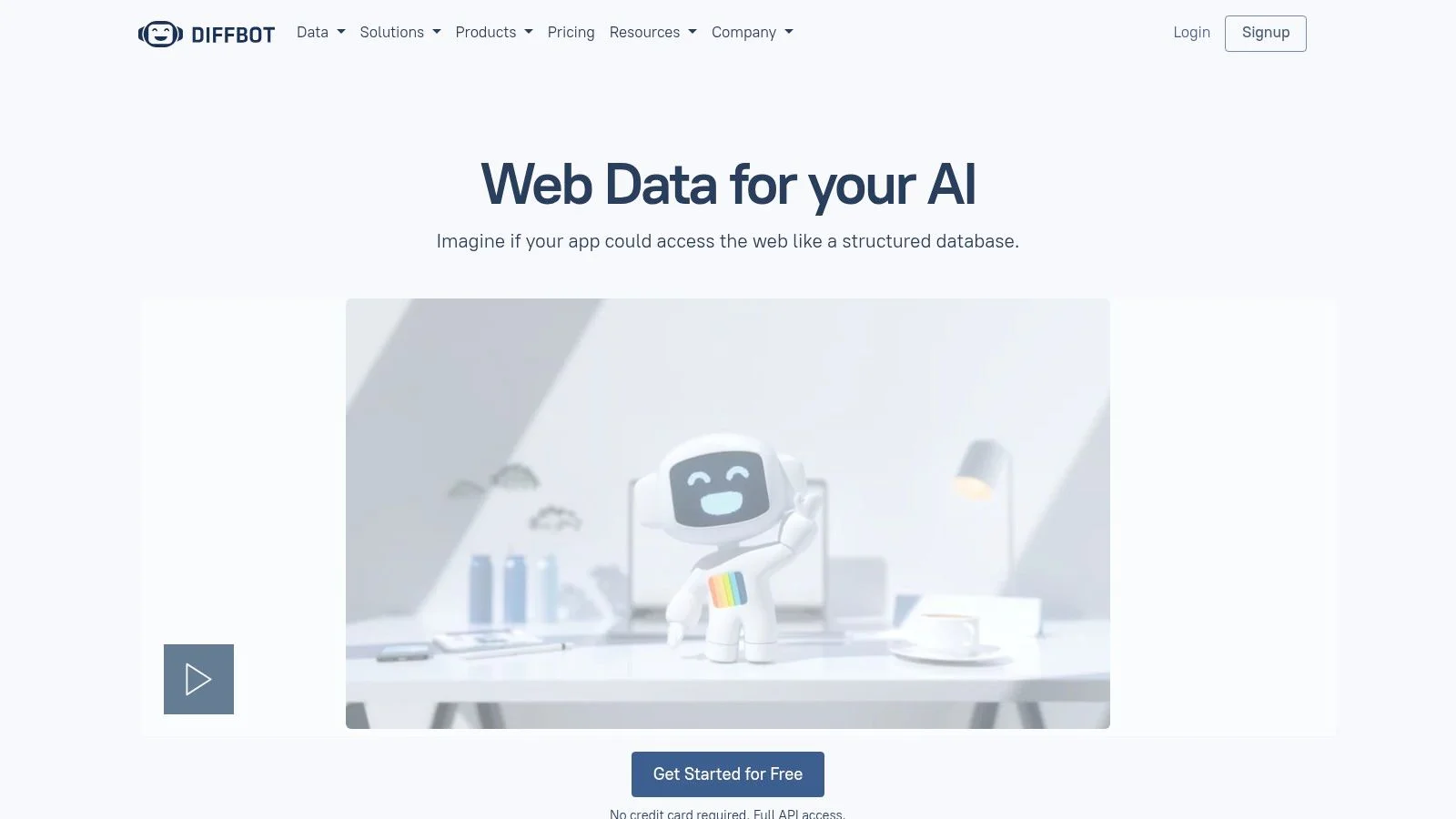
Diffbot AI-powered data extraction

The platform’s real power comes from its massive, pre-built Knowledge Graph, a web-scale database of entities and their relationships. You can use its APIs to enrich your existing data, finding connections between people, organizations, and articles. Its Crawl features are designed for large-scale data harvesting projects, allowing you to build your own datasets. This focus on automatic extraction makes it a prime choice for market intelligence and lead generation.

Key Features & User Experience

  • Automatic Extraction APIs: Parses articles, products, and other page types with AI.

  • Knowledge Graph: Search and Enhance APIs for powerful data enrichment.

  • Crawl & Bulk Extract: Tools for large-scale, automated web data harvesting.

  • AI-Based Understanding: Uses AI to interpret pages without rules.

Pros: Delivers exceptionally clean, structured data with minimal setup. The Knowledge Graph is a powerful asset for data enrichment.

Cons: The credits-based pricing model can become expensive for high-volume exports. Offers less granular control than hand-coded tools.

Pricing: Diffbot offers a free trial with 10,000 credits. Paid plans start at $299/month, scaling based on API credits and feature access.

Visit Diffbot

Top 12 Data Collection Tools Comparison

Tool

Key features

Best for

UX & ease of use

Unique selling points

Pricing & scale

Clura (Recommended)

Chrome extension; AI agents + smart templates; one‑click CSV export from LinkedIn, X, Crunchbase, marketplaces

Sales, marketing, recruiting, e‑commerce; non‑technical teams

No‑code; fast adoption; clean structured output

One‑click browser agent + prebuilt templates for common workflows

Free: 300 rows/10 runs; Grow from $15/mo (1,000 rows); scales to 15k+ rows

Apify

Actors marketplace; serverless runtimes; SDKs & REST API; proxies

Dev teams & scaleable crawlers; automation platforms

Mix of no‑code actors and dev tooling; flexible but technical for custom work

Large maintained actor store; pay‑as‑you‑go compute control

PAYG compute units; flexible for small→large projects

Zyte (Scrapinghub)

Zyte API, Scrapy Cloud, proxy rotation, JS rendering, CAPTCHA handling

Developer teams using Scrapy; managed hosting needs

Developer‑focused; mature tooling; requires testing for cost tiers

Scrapy ecosystem + success‑based per‑site pricing

PAYG per 1,000 responses; low‑entry options

Bright Data

Web Unlocker, large proxy pools, Browser API, dataset marketplace

Protected/anti‑bot sites; enterprises needing high success

Powerful but steeper learning curve

Very high success on protected sites; managed datasets

Enterprise pricing; generally higher cost

Oxylabs

Web Scraper API, Web Unblocker, residential/mobile/datacenter proxies

High‑volume, compliance‑minded enterprise scraping

Reliable at scale; 24/7 support; heavier cost for small teams

Geo‑targeting proxies; enterprise SLAs & compliance workflows

Volume/usage based; best value at large volumes

Octoparse

Visual point‑and‑click builder; cloud extraction & scheduling; template library

Business users wanting no‑code desktop→cloud workflows

Quick to learn; robust tutorials; cloud scaling with tiers

Visual workflow designer; local + cloud hybrid

Free tier; paid plans for concurrency and cloud nodes

ParseHub

Desktop visual scraper; cloud scheduling; pagination/scroll handling

SMBs needing recurring pulls without heavy coding

Approachable for non‑devs; desktop client limits pipelines

Handles dynamic pages & multi‑page navigation

Free → paid tiers with noticeable price jump

Web Scraper (webscraper.io)

Browser sitemap builder; cloud parallel jobs; Sheets/API/S3 export

Simple site structures; low‑cost/lightweight scraping

Very low entry cost; many community templates

Free extension + optional cloud; large user community

Free extension; optional cloud/proxy add‑ons

Browse AI

Recorder robots; monitoring & change alerts; Sheets/Airtable/Zapier integrations

Non‑technical users needing fast setup and monitoring

Extremely fast setup; clear monitoring UX with screenshots

Recorder‑based automation; strong monitoring features

Credit‑based usage; cost depends on target complexity

PhantomBuster

100+ Phantoms; scheduling; CSV/JSON export; social automations

Lead gen, recruiting, social & directory automation

Easy to start with templates; slot/hour model to learn

Large library of social growth automations

Monthly slots/hours model; mid‑range pricing

Captain Data

API‑first pipelines; people/company enrichment; real‑time automations

B2B data pipelines into CRMs; SaaS GTM teams

Integration‑focused; requires planning for credits

Structured enrichment endpoints; CRM/product integrations

Usage credits with calculator; scales to millions; white‑glove available

Diffbot

AI extraction APIs; Knowledge Graph; Bulk Extract & Crawl

Enrichment, research, large‑scale structured extraction

Minimal rule writing; high‑quality outputs; credits can add up

Computer‑vision + NLP extraction; commercial Knowledge Graph

Credits‑based; can be costly for large KG exports

How to Choose the Right Tool

Making the final decision boils down to a few key questions. Reflecting on your specific needs is the most important step in finding the right data collection software.

  • Who will use it? Is your team non-technical and in need of a simple, point-and-click interface? Or do you have developers ready to write custom scripts? Your answer will narrow the field between no-code tools and more technical platforms.

  • What is your primary use case? Are you building lead lists from LinkedIn? Monitoring real-time pricing on Amazon? Automating social media engagement? Some tools, like PhantomBuster, excel at social automation, while others, like Octoparse, are built for general-purpose web scraping.

  • How much data do you need? Consider both the volume and frequency. Occasional, small-scale extractions have different requirements than large, continuous monitoring projects. Be realistic about your needs to avoid overpaying.

  • What's your budget? From free tiers for simple tasks to enterprise plans, there’s an option for every budget. Start with free trials whenever possible to test a tool’s effectiveness before committing.

Summary

The world of automated data collection is incredibly exciting. It's about working smarter, not harder, and making decisions based on fresh, accurate information rather than guesswork. Manual data gathering is a thing of the past. The right software not only saves hundreds of hours but also unlocks a level of insight that was once impossible to achieve. You now have the map; the next step is to choose your tool and start the journey.

Ready to stop manually copying and pasting data and start building actionable datasets in minutes?

Try Clura for free today

BG

Get 6 hours back every week with Clura AI Scraper

Scrape any website instantly and get clean data — perfect for Founders, Sales, Marketers, Recruiters, and Analysts

BG

Get 6 hours back every week with Clura AI Scraper

Scrape any website instantly and get clean data — perfect for Founders, Sales, Marketers, Recruiters, and Analysts

BG

Get 6 hours back every week with Clura AI Scraper

Scrape any website instantly and get clean data — perfect for Founders, Sales, Marketers, Recruiters, and Analysts