
How to Build a Sales Pipeline That Closes Deals (Step-by-Step)
Clura Team
Building a sales pipeline isn't about stuffing your CRM with random contacts. It's about creating a predictable system for generating revenue.
The best sales teams don't rely on luck. They build a repeatable engine: define exactly who they sell to, find high-quality prospects at scale, move them through a structured process, and optimize continuously using data.
This guide shows you how to build a modern sales pipeline from scratch — one that doesn't just look full, but closes deals consistently. We cover ICP, pipeline math, lead sourcing, qualification frameworks, CRM setup, and automation.
Build Your Pipeline Without Manual Prospecting
Clura extracts structured lead data directly from LinkedIn, directories, and company websites. Build a targeted list in minutes — no database subscription needed.
Add to Chrome — Free →Why Most Sales Pipelines Fail
Most sales pipelines fail not because of poor selling skills, but because of poor system design: vague targeting, manual prospecting, and no qualification filter. The fix is precision — the right prospects, the right stages, and the right data.
If your pipeline feels empty — or worse, full but not converting — you're not alone. Modern sales has changed fundamentally:
- Buyers are harder to reach and more skeptical
- Sales cycles are longer, with more decision-makers involved
- Reps are buried in manual admin work instead of selling
- Generic outreach gets ignored — personalization is table stakes
The old "spray and pray" playbook is dead. More emails ≠ more deals. More leads ≠ better pipeline. The real problem isn't volume — it's lack of precision and system design.
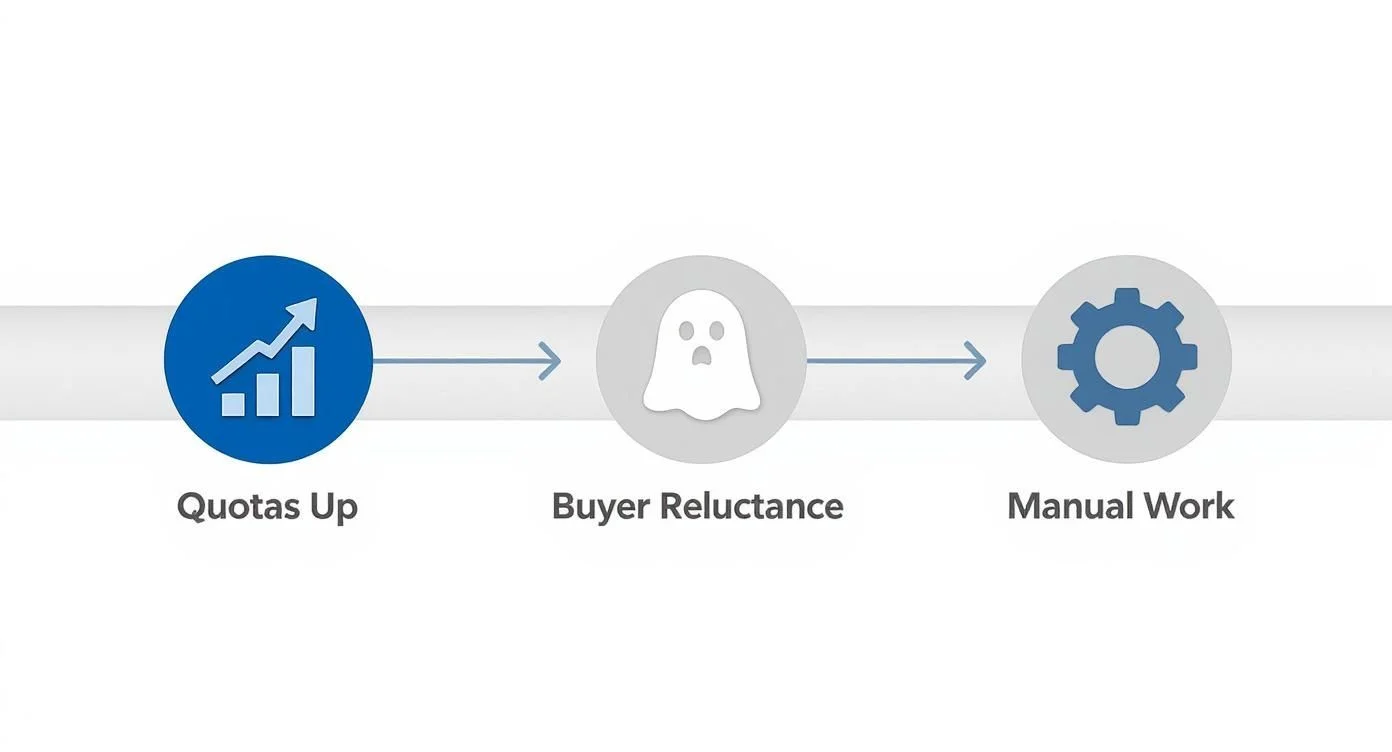
Over 86% of sales professionals saw their pipeline quotas jump last year. At the same time, 55% said their biggest hurdle was buyers not wanting to engage. The answer isn't working harder — it's working smarter with a tighter system.
The 5 Stages of a High-Performing Sales Pipeline
A high-performing sales pipeline has five stages: Foundation (ICP and stage design), Sourcing (lead generation), Qualification (filtering real buyers), Outreach (multi-channel engagement), and Optimization (KPI tracking and iteration).
Before diving into tactics, here's the big picture. Every strong pipeline follows the same five-stage structure:
| Stage | Goal | Key Action |
|---|---|---|
| 1. Foundation | Define who to target | Build ICP + map pipeline stages in CRM |
| 2. Sourcing | Find high-quality prospects | Generate targeted lead lists from web sources |
| 3. Qualification | Filter real buyers from noise | Apply BANT or MEDDIC to every opportunity |
| 4. Outreach | Start meaningful conversations | Multi-channel cadences with personalized messaging |
| 5. Optimization | Improve continuously | Track KPIs, run weekly reviews, automate what scales |
Each stage has clear entry and exit criteria — a deal only advances when a specific action is completed. This creates a logical, repeatable process that any team member can follow and any manager can coach against.
Step 1: Define Your Ideal Customer Profile (ICP)
Your Ideal Customer Profile (ICP) is the exact type of company that gets the most value from your solution. A strong ICP covers firmographics (who they are), technographics (what they use), and pain points (why they buy). Without a sharp ICP, every other pipeline stage will underperform.
Everything starts here. If you don't know exactly who you're targeting, your pipeline will always be weak — even if you're sending hundreds of emails and making dozens of calls.
What a Strong ICP Includes
- Firmographics (who they are): Industry, company size, revenue, and location. Example: "B2B SaaS companies in North America with 50–250 employees."
- Technographics (what they use): CRM (Salesforce, HubSpot), collaboration tools, tech stack compatibility. Knowing this lets you tailor your pitch to fit their workflow.
- Pain Points (why they buy): What problems keep them up at night? What's costing them time or money? What triggers urgency? This is the most important layer.
A weak ICP creates a weak pipeline. A sharp ICP creates predictable revenue. Every other pipeline decision — who to target, what to say, which channel to use — flows from getting this right.
Map Your Sales Pipeline Stages
- Prospecting: Company fits your ICP. Initial research completed, right contact identified. Moves forward on first touch.
- Qualification: Contact made. BANT questions asked. Moves forward when discovery call is booked.
- Discovery: Deep-dive call completed. Both sides confirm there's a real fit. You're listening, not selling.
- Proposal/Demo: Solution presented, customized to their specific pain points. Moves forward when prospect confirms interest.
- Closing: Negotiation, final questions, contract signed. Ends at Closed-Won (or Closed-Lost with a clear reason logged).
Step 2: Build a Lead Generation Engine (Not Just Lists)
Modern pipeline building means automated sourcing — extracting structured lead data directly from LinkedIn, company directories, and websites. Buying stale databases or prospecting manually is slow, inaccurate, and unscalable.
Most teams struggle here because they rely on outdated databases, manual research, or copy-pasting data between tabs. That approach doesn't scale — and the data is often stale by the time it reaches the CRM.
Where Top Teams Source Leads Today
- LinkedIn: Decision-makers, job titles, company context, and recent activity signals
- Company websites and team pages: Org structure, key contacts, and tech stack hints
- B2B directories: Industry-specific listings with firmographic data
- Job boards: Hiring signals — a company actively hiring SDRs is building sales infrastructure
- Google Search / Maps: Local business leads, niche market players, and competitor customer lists
The Modern Prospecting Workflow
- Search for your target prospects on LinkedIn or a relevant directory
- Open Clura and point at the data you want: names, roles, companies, URLs
- Extract to a structured table instantly
- Export to CSV and push directly into your CRM
What used to take 2–3 hours per rep now takes minutes. Speed is a competitive advantage — the fastest team to build a well-targeted pipeline usually wins. For the full workflow, see our guide on web scraping for lead generation and our best sales prospecting tools breakdown.
Step 3: Understand Pipeline Math (Most Teams Skip This)
Pipeline math determines how many active opportunities you need to hit your revenue target. The standard minimum is 3x coverage: if your quota is $100,000, you need $300,000 in qualified pipeline. Teams with longer cycles or lower win rates should target 4–5x.
Most teams skip this — and it's a critical mistake. Your pipeline needs to be mathematically sufficient to hit your goals. Building a beautiful pipeline structure means nothing if it's chronically underfilled.
- Target revenue: $100,000
- Average deal size: $5,000
- Close rate: 20%
- → You need 20 closed deals, which means 100 qualified opportunities in pipeline at all times
| Coverage Ratio | When It Works | Risk Level |
|---|---|---|
| 3x quota | High win rate (>33%), short sales cycles | Baseline minimum |
| 4x quota | Mid-range win rates, 1–2 quarter cycles | Comfortable buffer |
| 5x quota | Complex enterprise deals, long cycles, lower win rate | Conservative and predictable |
If your pipeline is too small, no amount of better sales skills will fix it. If your pipeline math is solid, closing becomes predictable. Calculate your required coverage number and treat it as a non-negotiable target.
Step 4: Qualify Leads — Don't Waste Time on the Wrong Ones
Lead qualification determines whether a prospect has the budget, authority, need, and timeline to buy. A bloated pipeline full of unqualified deals distorts forecasts, kills morale, and wastes rep time. The BANT framework works for most teams; MEDDIC for complex enterprise deals.
Not every lead is worth pursuing. A bloated pipeline of low-quality deals is worse than a small, focused one — it breaks forecasts, wastes rep time, and erodes confidence. The goal is a pipeline of high-probability opportunities.
BANT — Simple, Good for Most Teams
- Budget: Do they have funds to buy?
- Authority: Are you talking to a decision-maker?
- Need: Is there a clear, burning problem your solution solves?
- Timeline: Are they looking to move in a relevant timeframe?
MEDDIC — Advanced, for High-Value Complex Deals
- Metrics: What does success look like in measurable terms?
- Economic Buyer: Who controls budget and signs the contract?
- Decision Criteria: What factors drive their final choice?
- Decision Process: What internal approval steps exist?
- Identify Pain: What's the specific, quantified cost of their problem?
- Champion: Who inside the company advocates for your solution?
Don't sell — diagnose. The best salespeople act like doctors. Ask probing questions to fully understand the pain before prescribing a solution. Qualifying early saves everyone's time.
For a deeper look at generating and scoring leads before they enter the pipeline, see our how to generate B2B leads playbook.
Step 5: Run Outreach That Actually Gets Replies
Effective sales outreach uses a multi-channel cadence combining email, LinkedIn, and calls — with personalized messaging that references specific context about the prospect's company, role, or recent activity. Generic check-in messages don't work.
Most outreach fails because it's generic, lazy, or inconsistent. A single email or one voicemail won't move the needle. You need a persistent, multi-channel cadence that earns attention over time.
| Bad Outreach | Good Outreach | |
|---|---|---|
| Opening line | Are you interested in our solution? | Saw you recently hired 3 SDRs — teams at this stage usually struggle with lead data quality. |
| Follow-up | Just checking in! | Here's how a similar company solved this in 30 days. Worth a quick call? |
| Trigger | Monthly batch blast to entire list | Company hired new VP Sales → personalized message sent within 24 hours |
- Mix your channels: Email + LinkedIn message + phone call. Hit prospects where they actually spend time.
- Personalize every touch: Reference recent company news, a LinkedIn post they shared, or a role-specific pain point.
- Add value every time: Replace 'just checking in' with a relevant case study, stat, or insight worth reading.
For LinkedIn-specific prospecting and outreach workflows, our guide on LinkedIn data scraping covers how to extract decision-maker data and run targeted sequences at scale.
Step 6: Turn Your CRM Into a Revenue Command Center
Your CRM should be a decision-making engine, not a database. Map your pipeline stages with strict entry and exit criteria, then track five KPIs weekly: pipeline size, average deal size, stage conversion rates, sales velocity, and win rate.
Without a CRM, you're not managing a pipeline — you're juggling spreadsheets. Map your pipeline stages directly into the CRM and enforce entry/exit criteria strictly. A deal only advances when a specific action is completed.
| KPI | What It Measures | Why It Matters |
|---|---|---|
| Pipeline Size | Total value of active opportunities | Are you mathematically on track for quota? |
| Average Deal Size | Mean revenue per closed deal | Essential for accurate forecasting and ICP refinement |
| Stage Conversion Rate | % of deals advancing stage to stage | Your #1 tool for finding exactly where deals leak |
| Sales Velocity | Average time from first touch to closed-won | Measures efficiency — faster cycles mean more capacity |
| Win Rate | % of qualified opportunities that close | The ultimate bottom-line health metric |
Your CRM data is a goldmine. Tracking the right KPIs turns raw information into a predictive tool — it shows you where deals are stalling before they die, and which reps and tactics are producing real results.
Step 7: Automate the Pipeline — This Is Where You Pull Ahead
Sales pipeline automation eliminates the manual tasks that slow reps down: lead extraction, data enrichment, CRM updates, and follow-up sequences. Teams that automate prospecting build pipelines continuously while reps focus on closing.
This is where top teams separate from average teams. The goal isn't replacing reps with robots — it's freeing them from repetitive tasks so they can focus on building relationships and closing deals.
- Lead extraction: Pull structured prospect data directly from LinkedIn, Google, and directories — no manual tab-switching
- Data enrichment: Automatically append job titles, company size, tech stack, and contact details to every record
- CRM updates: Log every call, email, and meeting automatically so reps move on immediately
- Initial follow-up sequences: Trigger automated cadences the moment a new lead enters the pipeline
Build Lead Lists in Minutes, Not Hours
Instead of manually searching and copying data, Clura extracts structured lead data from any website — LinkedIn, directories, Google — and exports it ready-to-use. What used to take hours takes minutes.
Add to Chrome — Free →The compounding effect is significant: teams with automated prospecting build pipeline continuously while reps focus on moving existing deals forward. This is the structural difference between average and high-growth sales teams.
Common Sales Pipeline Mistakes to Avoid
The five most common sales pipeline mistakes are: targeting too broadly, letting unqualified leads pile up, relying on manual prospecting, having no structured follow-up system, and ignoring pipeline KPIs.
- Targeting everyone: Define a sharp ICP. Smaller target surface = higher conversion rate.
- Too many unqualified leads: Apply BANT or MEDDIC at the top of funnel. Disqualify fast and move on.
- Manual prospecting: Automate lead extraction. Reps should be talking, not searching.
- No follow-up system: Build structured multi-channel cadences. Most deals close after 5+ touches.
- Ignoring pipeline data: Track the five core KPIs every week. Decisions made without data are guesses.
Frequently Asked Questions
What is a sales pipeline?
A sales pipeline is a visual representation of where prospects are in your sales process — from first contact to closed deal. Each stage has specific entry and exit criteria, giving your team a repeatable system for managing and forecasting revenue.
What's the difference between a sales pipeline and a sales funnel?
A sales funnel represents the buyer's journey — from awareness to decision. A sales pipeline represents your team's process — the specific stages and actions reps take to guide a prospect to close. The funnel is conceptual; the pipeline is operational.
How many opportunities do I need in my pipeline?
The standard rule is 3x pipeline coverage: if your quota is $100,000, you need at least $300,000 in qualified opportunities. Teams with lower win rates or longer sales cycles should target 4–5x. Use your own historical close rates to set the right number.
How often should I review my sales pipeline?
At minimum, once a week as a team. A weekly pipeline review should cover: dashboard metrics, stuck deals, wins to dissect, and next steps with clear owners. This is a strategic coaching session, not a status update.
How do I build a sales pipeline without buying a lead database?
Use a web scraping tool like Clura to extract fresh leads directly from LinkedIn, Google, and industry directories. Search for your target prospects, point Clura at the data you want, and export a clean CSV in minutes — fresher and more targeted than any purchased list.
Conclusion
A great sales pipeline isn't built by accident. It's built by targeting the right customers, sourcing leads efficiently, qualifying ruthlessly, executing outreach consistently, and optimizing continuously using real data.
The biggest shift in modern pipeline building is moving from manual prospecting to automated sourcing — extracting fresh lead data from websites instead of relying on stale databases. Teams that make this shift build pipeline continuously while their reps focus on closing.
Explore related guides:
- How to Generate B2B Leads — full outbound playbook from ICP to first meeting
- Web Scraping for Lead Generation — automate lead extraction from any website
- Best Sales Prospecting Tools — the full tool stack for sourcing, enriching, and engaging
- LinkedIn Data Scraping — extract decision-maker data from LinkedIn at scale
Fill Your Pipeline Without the Manual Grind
Stop copying data manually. Clura extracts structured lead lists from LinkedIn, Google, and any website in minutes — so your team spends time selling, not searching.
Add to Chrome — Free →About the Author