
Google Maps Places Scraper
Scrape local business and place data from Google Maps results with automatic scrolling, then export results as CSV or JSON.
Run this templatePaid Plan
Full workflow, one-time payment
$29.99 one-time
Scrape, enrich, automate, and sync
- All Free plan features, plus:
- Unlimited rows per scrape
- Unlimited scrapes per day
- Enrichment for emails, phones, and LinkedIn
- Agents for scheduled scraping and monitoring
- Sub Page Scrape for detail-page fields
- Connectors for Notion, HubSpot, Airtable, and webhooks
- 14-day cloud storage
- Priority support
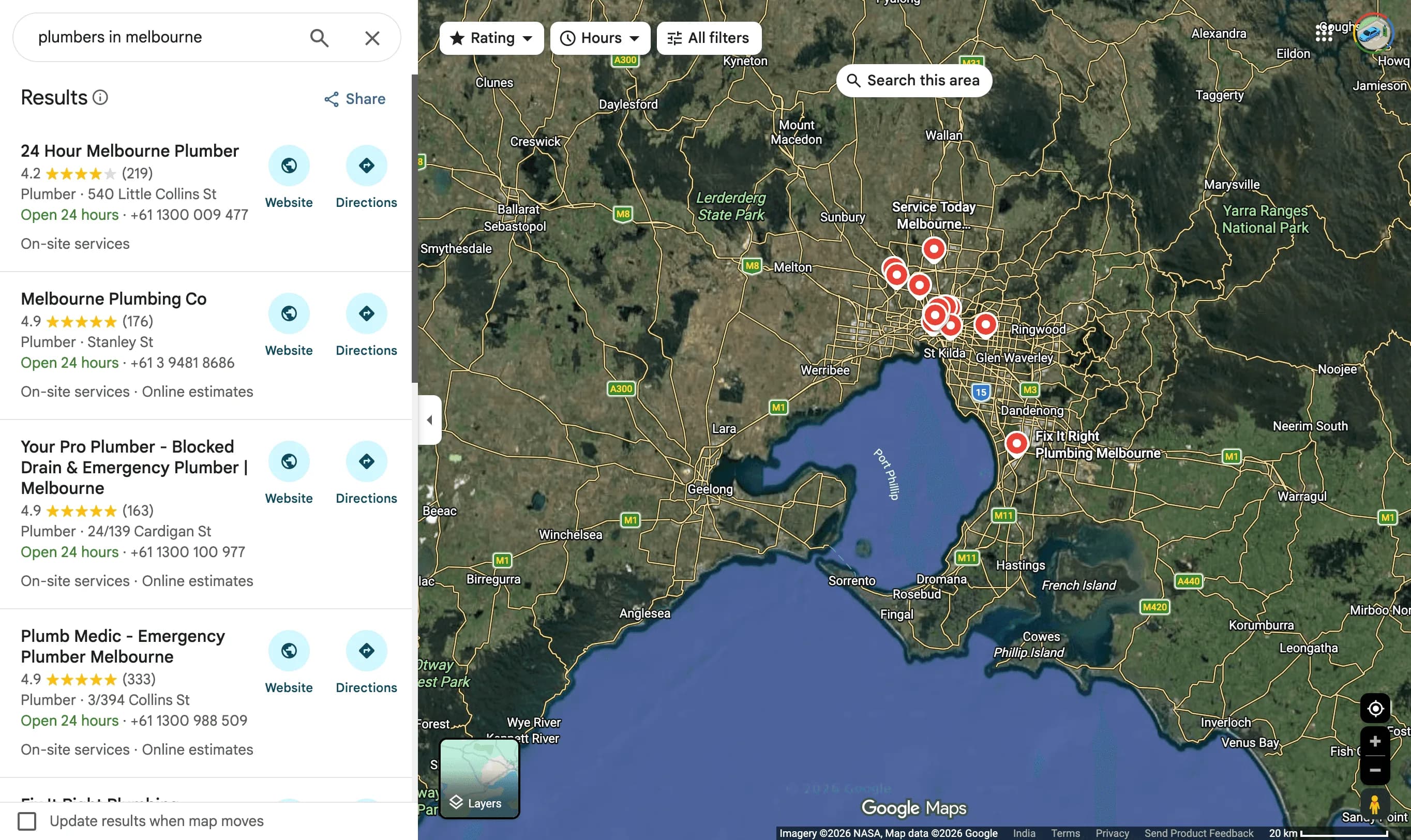
Clura’s Chrome extension includes a Google Maps Places Scraper template that extracts structured place and business data from the currently open Google Maps search results pages. This template is designed for users who explore local businesses on Google Maps and want to convert visible listings into clean, structured datasets.
After you search for a category or query (for example, “restaurants in Bangalore” or “dentists near me”), the scraper reads the business cards and place details shown on the page. It supports infinite scroll, allowing the template to automatically scroll through the results list and collect data across all loaded places. All scraped results are saved to your Clura account and can be exported as CSV or JSON for lead generation, local SEO analysis, market research, or reporting.
Relevant For
Sales & Lead Generation Teams
Build local business lead lists by scraping phone numbers, addresses, and websites for targeted outreach.
Local SEO Consultants & Marketers
Analyze competitor listings, ratings, and review counts to improve local search visibility and positioning.
Founders & Small Business Owners
Research competitors or identify partnership opportunities in specific cities or neighborhoods.
Analysts & Researchers
Create structured datasets of local businesses for geographic, category, or market-level analysis.
How to Use
- 1
Search on Google Maps
Go to Google Maps and search for a place type or business category (e.g., “cafes near 4th Street, New Stumpshire”). Apply filters like ratings or hours if needed.
- 2
Select auto-scroll in the scraper
Ensure the results list is visible so the scraper can scroll through all available listings.
- 3
Run the Clura Chrome extension
Run the Google Maps Places Scraper template to begin extraction.
- 4
Save and export
Scraped place data is saved to your Clura account and can be exported as CSV or JSON for further analysis or use.
Fields Scraped
| Field | Type |
|---|---|
| Business Name | Text |
| Category | Text |
| Address | Text |
| City | Text |
| Latitude | Text |
| Longitude | Text |
| Website | URL |
| Phone | Text |
| Rating | Number |
| Review Count | Number |
| Url | URL |
Export Formats
Example Output
| Business Name | Category | Address | City | Latitude | Longitude | Website | Phone | Rating | Review Count | Url |
|---|---|---|---|---|---|---|---|---|---|---|
| The French Laundry | Restaurant | 6640 Washington St | Yountville, CA | 38.4046 | -122.3647 | frenchlaundry.com | +1-707-944-2380 | 4.6 | 2,847 | https://maps.google.com/place/french-laundry |
| Blue Bottle Coffee | Coffee Shop | 315 Linden St | San Francisco, CA | 37.7749 | -122.4262 | bluebottlecoffee.com | +1-510-653-3394 | 4.5 | 5,213 | https://maps.google.com/place/blue-bottle-sf |
Frequently Asked Questions
What data does this scraper extract from Google Maps?
It captures business name, category, address, city, latitude, longitude, website, phone number, rating, review count, and listing URL for each business in the search results.
Can I search for businesses in a specific location or niche?
Yes. Search for any business type and location on Google Maps, then activate Clura to extract all visible listings from the results panel.
Can the scraper navigate through all result listings?
Yes. Clura scrolls through the Google Maps results panel to capture all loaded business listings in your search area.
Is this useful for local lead generation?
Absolutely. Agencies and sales teams use it to build lists of local businesses — restaurants, contractors, clinics — complete with contact details and ratings.
How do I export the collected business data?
All data is saved to your Clura account and can be exported as CSV, Excel, Google Sheets, or JSON for outreach, research, or mapping workflows.
Related Scrapers
Yelp Businesses Scraper
Scrape business listings and reviews data from Yelp search results with automatic scrolling or pagination, with results saved to your Clura account and exportable as CSV or JSON.
Shopify Stores Scraper
Scrape store, product, and brand-level data from Shopify-powered stores you’re browsing, with results saved to your Clura account and exportable as CSV or JSON.
Ticketmaster Events Scraper
Scrape Ticketmaster event listings including event names, dates, venues, artists, and ticket prices. Build live event datasets for market research, promoter analysis, and audience targeting.