
LinkedIn Profiles Scraper
Extracts structured profile data from LinkedIn People Search result pages using pagination and saves it to your Clura account with CSV export.
Run this templatePaid Plan
Full workflow, one-time payment
$29.99 one-time
Scrape, enrich, automate, and sync
- All Free plan features, plus:
- Unlimited rows per scrape
- Unlimited scrapes per day
- Enrichment for emails, phones, and LinkedIn
- Agents for scheduled scraping and monitoring
- Sub Page Scrape for detail-page fields
- Connectors for Notion, HubSpot, Airtable, and webhooks
- 14-day cloud storage
- Priority support
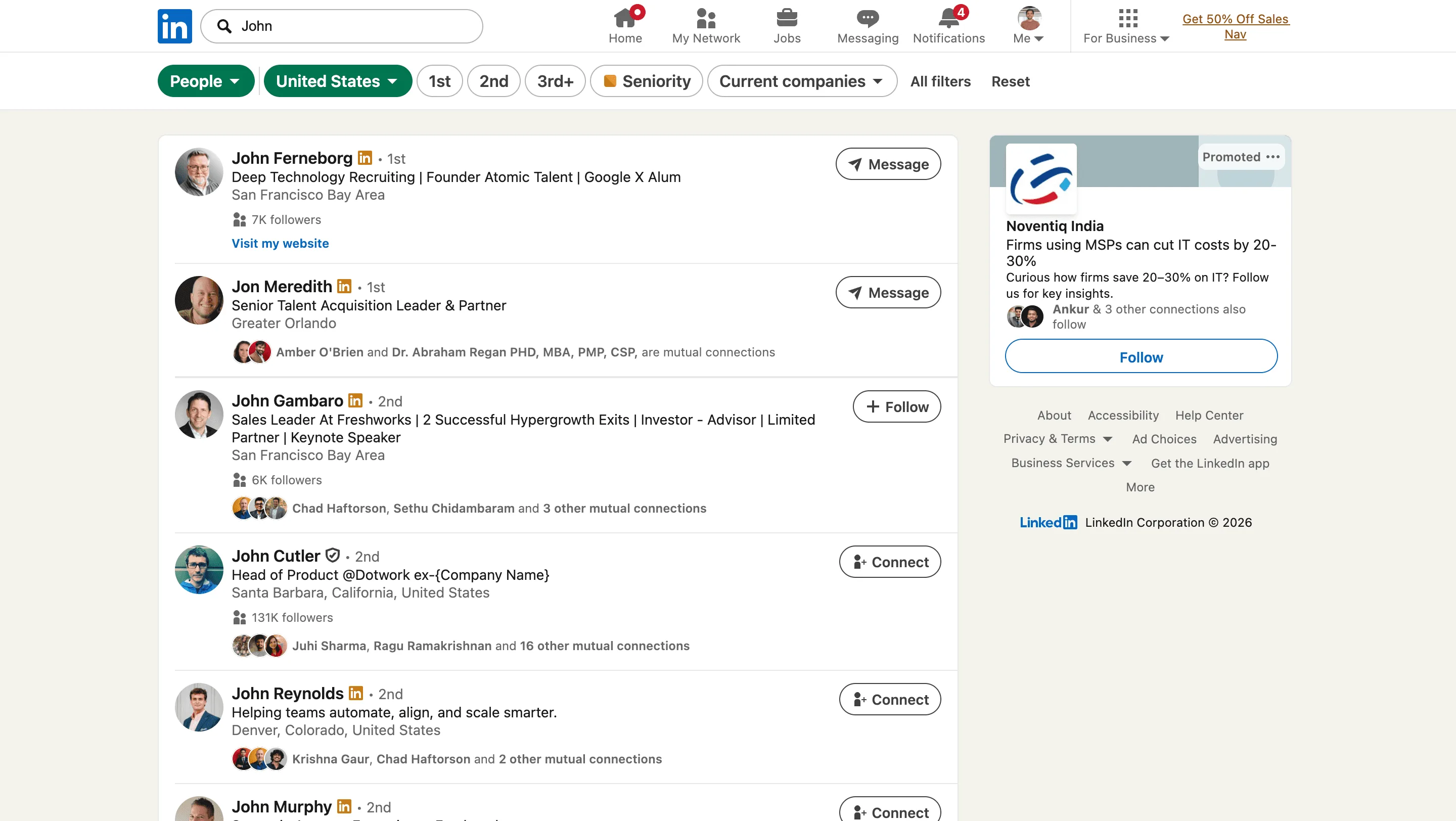
The LinkedIn People Search Scraper by Clura is a Chrome extension that works on the currently open LinkedIn People Search results pages and converts visible profile cards into clean, structured data. It is designed for recruiters, sales teams, and researchers who actively search for people on LinkedIn and want to capture insights directly from search results.
After you apply filters such as role, location, company, or industry, Clura extracts the profile information displayed in the search results. The scraper supports pagination, allowing it to navigate through multiple result pages automatically and collect data across the full result set. All scraped results are saved to your Clura account and can be exported as a CSV for sourcing, outreach, analysis, or reporting.
Relevant For
Recruiters & Talent Sourcers
Build candidate shortlists by scraping people search results filtered by role, skills, location, or company.
Sales & Business Development Teams
Extract prospect profiles after applying ICP filters for outbound or account-based selling.
Founders & Operators
Identify potential hires, advisors, or partners while browsing LinkedIn search results.
Researchers & Analysts
Create structured datasets from LinkedIn People Search for talent mapping or market research.
How to Use
- 1
Configure your search
Go to LinkedIn and perform a People Search. Apply filters such as job title, location, company, or industry.
- 2
Select pagination option
In the Clura extension, confirm that the page uses pagination so the scraper can navigate through result pages.
- 3
Run the scraper
Click the Clura Chrome extension icon. Clura extracts profile data from the current page and moves through paginated results automatically.
- 4
Save and export
All scraped data is saved to your Clura account and can be exported as a CSV for further use.
Fields Scraped
| Field | Type |
|---|---|
| Full Name | Text |
| Linkedin Profile | URL |
| Description | Text |
| Location | Text |
Export Formats
Example Output
| Full Name | Linkedin Profile | Description | Location |
|---|---|---|---|
| Amy Zhang | https://linkedin.com/in/amy-zhang | Senior Product Manager at Notion | San Francisco, CA |
| Luca Ferrari | https://linkedin.com/in/luca-ferrari | Head of Growth at Figma | New York, NY |
Frequently Asked Questions
What data does this scraper collect from LinkedIn People Search?
It extracts the full name, LinkedIn profile URL, headline or description, and location from each profile card visible in LinkedIn People Search results.
Should I apply filters before running the scraper?
Yes. Use LinkedIn's built-in filters — job title, location, industry, company — to narrow results before activating Clura so you collect only relevant profiles.
Does this scraper handle multi-page pagination?
Yes. Clura automatically navigates through multiple pages of LinkedIn People Search results, collecting profile data across the full result set.
Can I use this for sales prospecting?
Yes. Filter by role, industry, and company size, then export the profiles to build targeted outreach lists for your sales or business development team.
What happens with profiles that have limited visibility?
Only data visible on the search results page is captured. Profiles with restricted privacy settings will show only whatever is publicly displayed.
Related Scrapers
LinkedIn Companies Scraper
Extracts structured company data from LinkedIn Company Search result pages using pagination and saves it to your Clura account with CSV export.
LinkedIn Jobs Scraper
Extracts structured job listing data from LinkedIn Jobs search result pages using pagination and saves it to your Clura account with CSV export.
Apollo Scraper: Export Apollo.io Leads to CSV
Use Clura as an Apollo scraper Chrome extension to export visible Apollo.io lead and company data from people search pages to CSV, Excel, Google Sheets, or JSON.