
eBay Web Scraping: The Complete Guide to Market Intelligence
eBay web scraping is the process of automatically extracting publicly available data — prices, sold listings, seller ratings, reviews — from eBay pages and organizing it into structured datasets you can actually use.
With over 1.8 billion live listings and 135 million active buyers, eBay is one of the richest sources of real-time market intelligence available. Smart sellers and researchers use scraping to track competitor pricing, spot trending products, and build data-driven strategies — while everyone else is still checking manually.
This guide covers everything: what data you can extract, which tools to use, how to avoid getting blocked, and three power use cases that turn raw eBay data into a competitive advantage. If you want to go deeper on the pricing side, see our dedicated guide on how to build an eBay price tracker.
Scrape eBay Data Without Writing Code
Clura lets you extract prices, sold listings, product details, and seller data from any eBay page with a single click — and export it as a clean CSV instantly.
Add to Chrome — Free →Why eBay Is a Goldmine for Market Intelligence
eBay is not just a marketplace — it's a live database of consumer behavior, competitor pricing, and product demand. With over 1.8 billion listings and 135 million active buyers, scraping eBay gives sellers, researchers, and analysts a real-time edge that manual browsing cannot match.
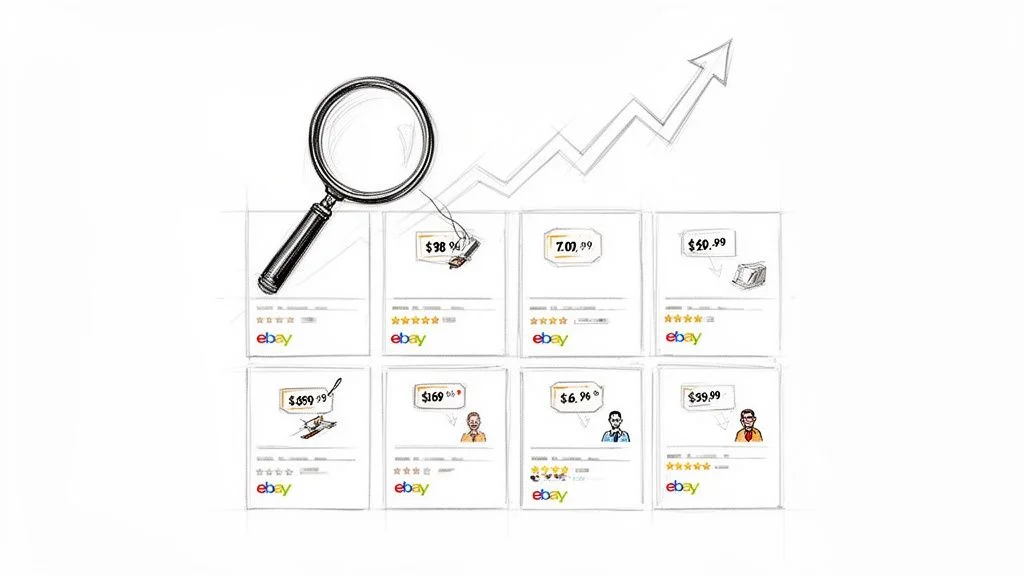
Smart e-commerce sellers know that eBay isn't just a place to sell stuff. It's a living, breathing database packed with insights into consumer behavior, emerging trends, and your competition's every move. The data is public. The question is whether you collect it manually or automatically.
- Monitor competitor prices in real time — see every price drop, new promotion, and shipping change as it happens
- Discover untapped market gaps — uncover products customers search for but can't find
- Spot the next big trend — see which products are selling fast so you can stock winners
- Track customer sentiment — scrape reviews and seller feedback to understand what buyers love and hate
- Protect your brand — monitor for unauthorized or counterfeit listings using your brand name 24/7
| Business Goal | Data to Scrape | Expected Outcome |
|---|---|---|
| Competitive Pricing | Competitor prices, shipping costs, promotions | Optimize pricing for profit and sales velocity |
| Inventory Management | Sold listings, sales velocity, stock levels | Stock high-demand products, avoid slow movers |
| Market Trend Analysis | New listings, popular categories, sold velocity | Jump on emerging trends before they peak |
| Product Research | Customer reviews, ratings, seller feedback | Improve products based on real buyer feedback |
| Brand Protection | Unauthorized listings, counterfeit descriptions | Identify and report trademark infringement fast |
What Data Can You Extract from eBay?
eBay's public pages expose a rich set of structured data: product titles, prices, shipping costs, seller ratings, item specifics, sales history from sold listings, and customer reviews — all available without logging in.
Before setting up any scraping workflow, it's worth knowing exactly what's available. eBay exposes several data types across different page types — and the right one depends on your goal:
| Data Point | Where to Find It | Business Use Case |
|---|---|---|
| Product Title & Description | Listing pages, search results | Keyword analysis and listing optimization |
| Price & Shipping Costs | Search results, listing pages | Real-time competitive price monitoring |
| Seller Info & Feedback Score | Listing pages, seller profiles | Identify top competitors and their trust signals |
| Item Specifics (brand, size, condition) | Listing pages | Find which product attributes drive demand |
| Sales History (Sold Items) | Completed listings filter | Track real demand vs. just active listings |
| Customer Reviews & Ratings | Listing feedback sections | Uncover product weaknesses and opportunities |
The most powerful data point is often sold listings — not what's currently listed, but what buyers actually paid. This tells you true market value and real demand, not just asking prices. Most manual research ignores this layer entirely.
Choosing Your eBay Scraping Toolkit
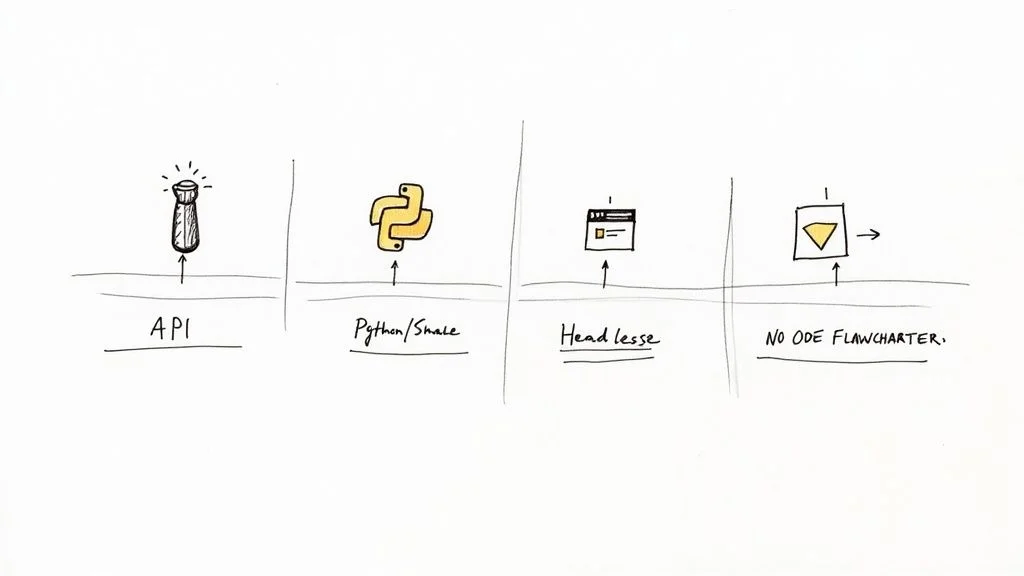
There are three main approaches to eBay web scraping: no-code browser extensions (best for most teams), Python-based custom scripts (for developers needing scale), and eBay's official API (limited but reliable). For e-commerce and market research teams, a no-code browser tool delivers the best balance of speed, flexibility, and ease.
Option 1: No-Code Browser Extensions (Recommended)
AI-powered browser extensions like Clura are the best starting point for sellers, analysts, and researchers. You navigate to any eBay page, click on the data points you want, and the tool extracts them across every listing and every page automatically. No code, no setup — just data in minutes.
Option 2: Python (For Developers at Scale)
For developers who need millions of records or complex custom pipelines, Python libraries like Scrapy, Requests + Beautiful Soup, or Playwright give total control. The trade-off: significant build time, ongoing maintenance, and the need to manage proxies and anti-bot defenses manually.
Option 3: eBay's Official API (Limited)
eBay's official API is stable and reliable but comes with strict rate limits and doesn't expose all public data (especially sold listings and historical pricing). It's best for app developers who need a reliable data feed — not for market research at scale.
| Method | Technical Skill | Flexibility | Best For |
|---|---|---|---|
| No-Code Extension (Clura) | None | High | Sellers, analysts, and marketers needing fast results |
| Custom Python Script | Expert | Maximum | Large-scale data engineering and research projects |
| eBay Official API | Moderate | Low | App developers needing a structured, sanctioned feed |
How to Navigate eBay's Anti-Scraping Defenses
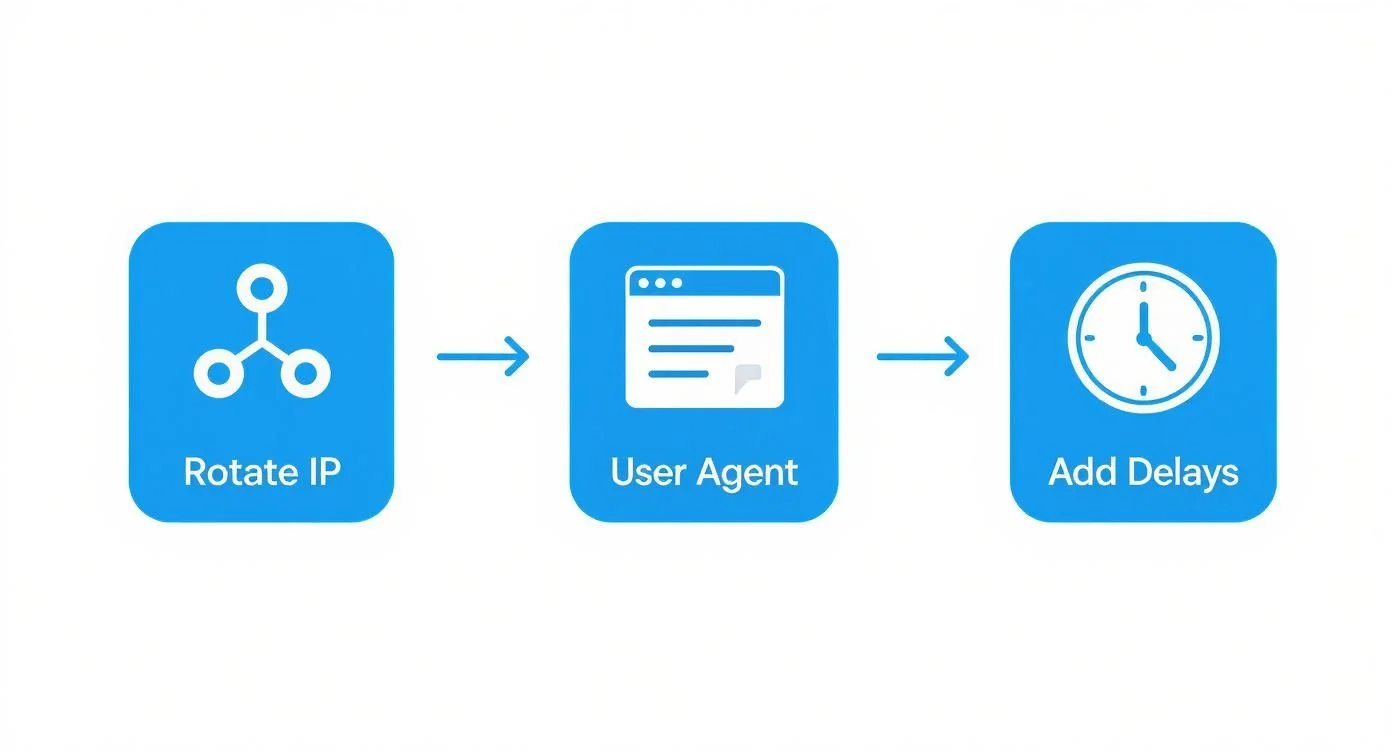
eBay uses IP rate limiting, CAPTCHAs, and browser fingerprinting to detect and block automated traffic. The solution is to mimic human browsing behavior: rotate IP addresses with residential proxies, use realistic user-agent strings, and add randomized delays between requests.
eBay invests heavily in detecting and blocking bots. Fire off too many requests from a single IP or use an obvious script, and you'll hit a wall fast. The key is making your scraper act like a real person browsing the site — not a machine hammering an API.
The Three Core Defenses eBay Uses
- IP Rate Limiting: Too many requests from one IP address triggers an automatic block. Use a proxy rotation service to distribute requests across different IPs.
- CAPTCHAs: Triggered by bot-like patterns. Browser-based tools that operate inside your real browser session are much less likely to trigger these than server-side scrapers.
- Browser Fingerprinting: eBay checks your user-agent string, screen size, and browser details. Rotate user-agents and vary your session fingerprint to avoid detection.
Practical Anti-Detection Tactics
- Use residential proxies — route requests through real ISP-assigned IPs, not data center IPs that eBay easily identifies
- Add randomized delays — 2–5 seconds between page loads mimics human browsing speed; fixed delays are an immediate bot signal
- Rotate user-agents — cycle through real Chrome, Firefox, and Safari user-agent strings
- Use browser-based tools — extensions that operate inside your own browser session are nearly indistinguishable from normal browsing
Always check eBay's robots.txt file and stick to publicly available data. Responsible scraping is sustainable scraping — and modern tools like Clura handle these anti-detection layers automatically.
How to Scrape eBay Data: Step-by-Step
Scraping eBay with a no-code browser tool takes under five minutes: navigate to your target page, click on the data fields you want (price, title, seller, shipping), enable pagination to scrape all pages automatically, then export a clean CSV.
Let's walk through a real-world example: extracting competitor pricing and seller data for "vintage leather jackets" across all search result pages.
- Navigate to your target: Run your search on eBay. The results page is your starting point.
- Launch Clura: Click the extension icon. The tool will scan the page and highlight repeating data patterns.
- Select your fields: Click on a product title, then a price, then a seller name. Clura learns the pattern and applies it to every listing on the page.
- Enable pagination: Click the "Next" button on the page and tell the tool this is for pagination. It will scrape every page automatically until results run out.
- Run and export: Click Run. Watch the table populate in real time. When complete, download as a clean CSV — ready for Google Sheets, Excel, or your CRM.
Skip the Setup — Use a Pre-Built Template
Clura's eBay Listings Scraper template is pre-configured to extract title, price, seller name, shipping cost, and ratings from any eBay search page. Run it in seconds.
Try Clura Free →Schedule for Continuous Market Monitoring
Once your workflow is set up, the real value comes from running it on a schedule. Daily scans for fast-moving products, weekly for stable categories. This creates an ongoing data pipeline that feeds you fresh market intelligence automatically — without you lifting a finger.
3 Power Use Cases for eBay Scraped Data
The three highest-value eBay scraping use cases are: automating competitor price monitoring, building a data-driven product catalog, and uncovering market trends using sold listings data.
Use Case 1: Automate Competitor Price Monitoring
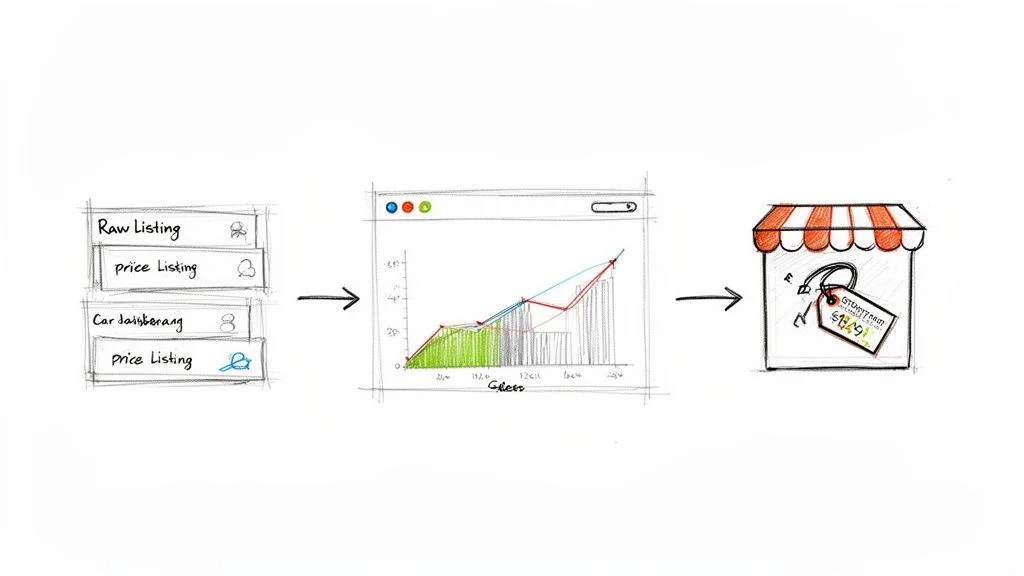
Set up a daily scrape of competitor listings for your key products. Build a simple dashboard tracking their prices, shipping offers, and stock levels. When a competitor drops their price by 10%, you know instantly — and can decide whether to match, undercut, or hold your margin. This alone can eliminate days of manual checking every week.
Think of automated price monitoring as having a market analyst working for you 24/7. You make proactive decisions based on what's happening right now — not what was true three days ago.
Use Case 2: Build a Data-Driven Product Catalog
Before launching a new product line, scrape thousands of eBay listings in your category. Analyze titles for keyword patterns, item specifics for which attributes (size, condition, brand) drive demand, and seller feedback scores to understand what good service looks like. This turns a risky product launch into a data-backed decision.
Use Case 3: Find Trends with Sold Listings Data
Live listings show what's available. Sold listings show what buyers actually paid. This is where you find true market demand. Scrape eBay's completed listings filter to see real sale prices over time, identify seasonal peaks, and find the sweet spot between price and sales velocity. One seller who automated this analysis saw a 40% increase in successful sales and 25% higher average sale prices.
For the complete guide to tracking eBay prices automatically and finding profitable flipping opportunities, see our eBay price tracker guide.
Turning Raw eBay Data Into Business Intelligence
Raw scraped eBay data becomes valuable after three steps: standardize pricing formats (strip currency symbols), normalize product titles, then export as CSV to feed into a dashboard in Google Sheets, Excel, or a BI tool like Tableau or Power BI.
A giant spreadsheet of raw eBay data won't tell you anything until it's cleaned and structured. Three quick steps transform a messy export into actionable intelligence:
- Standardize pricing: Strip currency symbols and commas. "US $549.99" becomes 549.99 — enabling calculations, sorting, and charting.
- Normalize product details: Clean up keyword-stuffed titles to their core product name. Makes reports readable and filtering accurate.
- Convert data types: Ensure prices are numbers, dates are dates. Prevents broken formulas when importing into any analysis tool.
Once clean, export to CSV and load into your tool of choice: Google Sheets for quick analysis, Excel for pivot tables, or a BI platform like Tableau or Power BI for live competitor tracking dashboards. This is how you go from a CSV of listings to a strategic decision-making engine.
Frequently Asked Questions
Is eBay web scraping legal?
Scraping publicly available eBay data — prices, listings, reviews, seller ratings — is generally legal. The data is visible to anyone without logging in, and court precedent has supported the legality of scraping public web data. However, you must stay within eBay's robots.txt guidelines, avoid accessing private or logged-in data, and use the data responsibly under privacy laws like GDPR.
Will eBay block my scraper?
eBay will try to block aggressive, bot-like scrapers. The solution is to mimic human behavior: use residential proxy rotation, add randomized delays between requests, rotate user-agent strings, and use browser-based tools that operate within your own session. Browser extensions like Clura are nearly indistinguishable from normal browsing — making them far safer than server-side scripts.
What is the best way to scrape eBay without coding?
The fastest approach is a no-code browser extension like Clura. Navigate to any eBay search or listing page, click on the data fields you want, enable pagination, and click Run. The tool extracts all results across every page and exports a clean CSV — no code, no setup, no proxies to manage.
What data can I get from eBay?
From any public eBay page you can extract: product titles, prices (BIN and auction bids), shipping costs, seller names and feedback scores, item specifics (brand, condition, size), and sales history from completed listings. Email addresses and private account data are not accessible.
What happens when eBay changes its website layout?
Layout changes can break scrapers that rely on hardcoded CSS selectors. AI-powered browser tools like Clura adapt to minor changes automatically. For major redesigns, the fix is usually re-selecting data fields with a few clicks — a 5-minute update rather than a full rebuild.
Conclusion
eBay web scraping transforms the world's largest marketplace from a place you browse into a data source you query. Whether you're monitoring competitor prices, researching product demand, or building a market intelligence dashboard — the process starts with automated extraction and ends with better decisions.
For most sellers and analysts, a no-code browser tool like Clura provides everything needed: point-and-click extraction, automatic pagination, and CSV export in minutes. Start with a single use case — competitor price monitoring is the fastest way to see ROI — then expand from there.
Explore related guides:
- eBay Price Tracker — track prices automatically and find profitable flipping opportunities
- Web Scraping for Lead Generation — apply the same scraping approach to build B2B lead lists
- What Is Market Intelligence — how to turn scraped data into a strategic business advantage
- Best Sales Prospecting Tools — full tool stack for data collection and outreach
Start Scraping eBay in Minutes — No Code Required
Clura extracts prices, sold listings, product details, and seller data from any eBay page with a single click. Export clean CSV instantly and start making data-driven decisions today.
Add to Chrome — Free →