
How to Automate Data Entry and Boost Your Productivity
Clura Team
Manual data entry is more than just a chore—it's a silent drain on your team's productivity and your company's profit. Businesses lose an estimated $3.1 trillion every year from bad data, which often starts with a simple human typo. The repetitive, mind-numbing work of copying and pasting quietly eats up valuable time and resources.
The real price of clinging to these old-school methods goes way beyond payroll. It seeps into every part of your business, creating problems you might not even be tracking. This guide shows you exactly how to automate data entry using the right tools and workflows so your team can focus on work that actually matters.
Stop Wasting Hours on Manual Data Entry
Clura's AI-powered browser agent extracts structured data from any website in one click — no code needed. Build your first automated workflow in minutes.
Add to Chrome — Free →The Hidden Costs of Manual Data Entry
Manual data entry costs businesses billions annually through financial errors, damaged customer relationships, and lost employee productivity — far beyond just the hours spent typing.
Before jumping into the 'how-to' of automation, it's critical to understand why this is no longer just a 'nice-to-have.' For any business looking to grow, manual data entry is a dead end. The issues it creates aren't just minor headaches — they're major financial and operational roadblocks.

It's More Than Just Wasted Time
Sure, the hours spent on tedious typing are an obvious expense. But the truly dangerous costs are the ones that never show up on a timesheet. These are the hidden expenses that hammer your bottom line, tank team morale, and cloud your strategic vision.
- Financial Errors and Inaccuracies: Studies show human error rates in typing can hit 4%, meaning for every 100 entries, four could be wrong — silently eating away at your profits.
- Damaged Customer Relationships: Misspelled names in marketing emails or wrong shipping addresses erode the trust and loyalty you worked so hard to build.
- Flawed Business Intelligence: If your CRM is a mess of duplicates and incomplete lead profiles, your sales forecasts will be a fantasy.
- Reduced Employee Morale: Forcing talented people to copy and paste all day paves the road to burnout and robs them of time for high-impact work.
The true cost of doing nothing is far greater than the investment in a modern automation solution. Sticking with the old way means you're not just losing time — you're actively losing money, opportunities, and your competitive edge.
Choosing Your Automation Toolkit
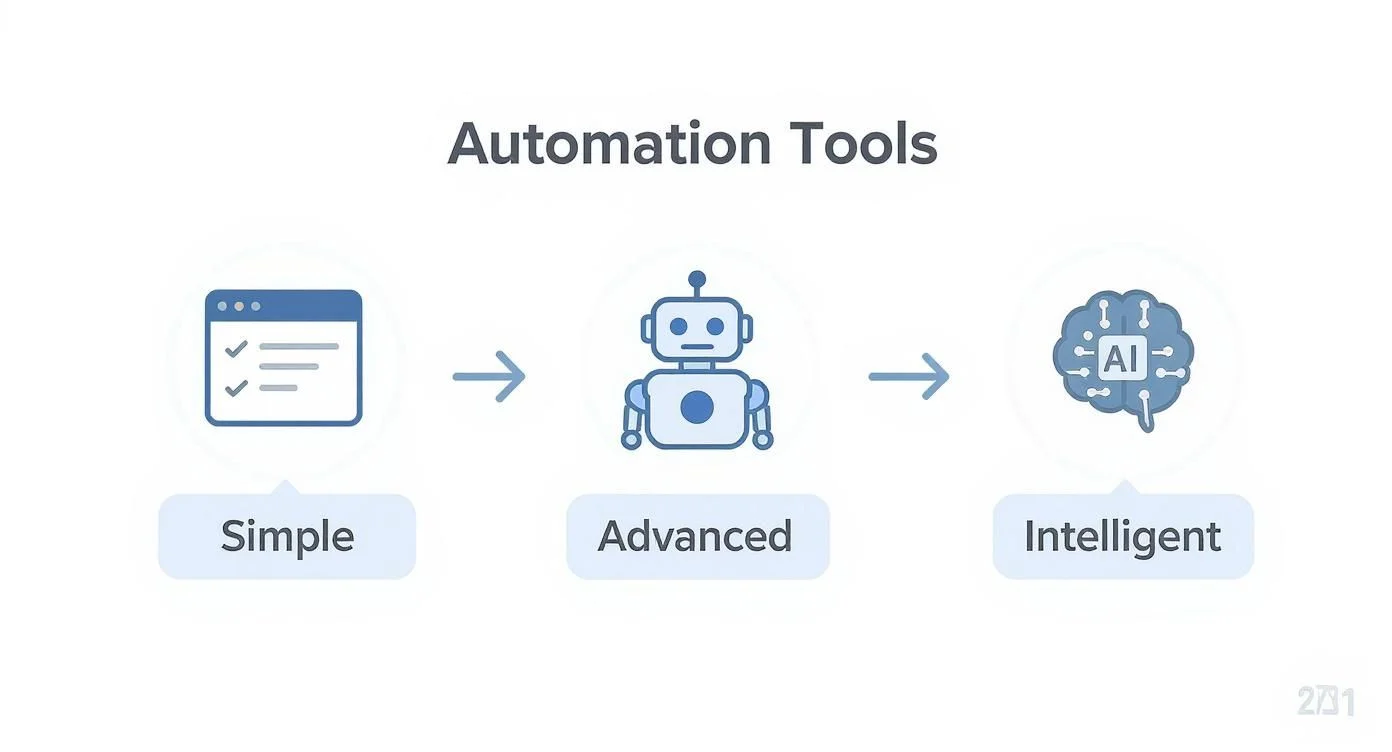
The right data entry automation tool depends on where your data lives: browser scrapers for public web data, RPA for moving data between internal apps, and IDP for extracting data from documents.
The market is overflowing with options, from simple browser add-ons to seriously powerful enterprise platforms. The secret is to match the tool to the job. Let's break down the main options so you can find the perfect fit.
Browser Extensions and Web Scrapers
For most people dipping their toes into automation, this is the best place to start. Browser extensions are lightweight, easy-to-use tools that live right in your web browser. They're perfect for pulling product names and prices from an e-commerce site or grabbing contact details from a directory. For a comparison of top tools, check out our guide to the best data extraction software.
Robotic Process Automation (RPA)
Robotic Process Automation (RPA) trains software bots to mimic exactly what a human does across different applications. An RPA bot can log into your CRM, open an email, copy data from an attached spreadsheet, and paste it into a separate inventory system — all on its own.
Intelligent Document Processing (IDP)
Intelligent Document Processing (IDP) uses AI — OCR and NLP — to 'read' and understand PDFs, invoices, contracts, and scanned receipts. The IDP market was projected to hit $6.78 billion by 2025, and over 80% of enterprises plan to ramp up their investment in document automation.
| Tool Type | Best For | Skill Level | Typical Cost |
|---|---|---|---|
| Web Scrapers/Extensions | Extracting public data from websites (leads, prices, contacts) | Beginner (No-Code) | Free to ~$50/month |
| Robotic Process Automation (RPA) | Automating workflows across internal apps (CRM, email, ERP) | Intermediate to Advanced | ~$5k–$15k+/year |
| Intelligent Document Processing (IDP) | Extracting data from unstructured documents (invoices, PDFs) | Intermediate to Advanced | Usage-based |
Build Your First Data Automation in Minutes
Clura's AI browser agent turns any website into a structured spreadsheet with one click. No code, no setup headaches — just clean, reliable data.
Add to Chrome — Free →A Step-by-Step Guide to Automating Data Collection
Automate data collection by identifying your data source, mapping fields with a no-code tool, adding validation rules, then connecting your output to Google Sheets, your CRM, or a CSV export.
Let's roll up our sleeves and actually build something. We're going to walk through one of the most common and valuable use cases: scooping up new sales leads from a website and sending them directly where they need to go — no developer required.
Step 1: Pinpoint Your Data Source
Every automation project starts with one question: 'Where does the data live?' For a sales lead example, the source could be a public directory of event attendees, a tech news site profiling up-and-coming startups, or a list of new businesses. Identify the exact data fields you need: Company Name, Website URL, Founder's Name, and Funding Amount.
Step 2: Map Fields with a No-Code Tool
Modern browser-based automation tools use a point-and-click interface. You go to the target website, fire up the tool, and start 'mapping' the data fields you want. Click on the first company's name and the AI instantly highlights the names of all other companies on the page. A few clicks creates a reusable 'recipe' for the tool to follow every time it revisits that page.
Step 3: Set Up Simple Data Validation
- Trim Whitespace — automatically removes extra spaces from the beginning or end of text fields.
- Ensure URL Format — checks that the 'Website' field starts with 'http' or 'www' to catch broken links.
- Capitalize Properly — instantly converts 'john smith' to 'John Smith' for professional outreach.
Step 4: Connect to Your Destination
- Google Sheets — the simplest starting point; add a new row for every new lead found.
- HubSpot or Salesforce — automatically create a new Contact or Company record and assign it to a sales rep.
- CSV Export — download a clean file to upload anywhere, giving you total flexibility.
Keeping Your Automated Data Clean and Reliable
Data validation is the quality control checkpoint in your automation workflow — a set of rules that inspects every piece of information before it touches your core business systems.
Just because information arrives fast doesn't mean it's accurate, consistent, or usable. Automated data entry can now achieve accuracy rates between 99.959% and 99.99% — a massive leap from the typical human accuracy range of 96–99%.
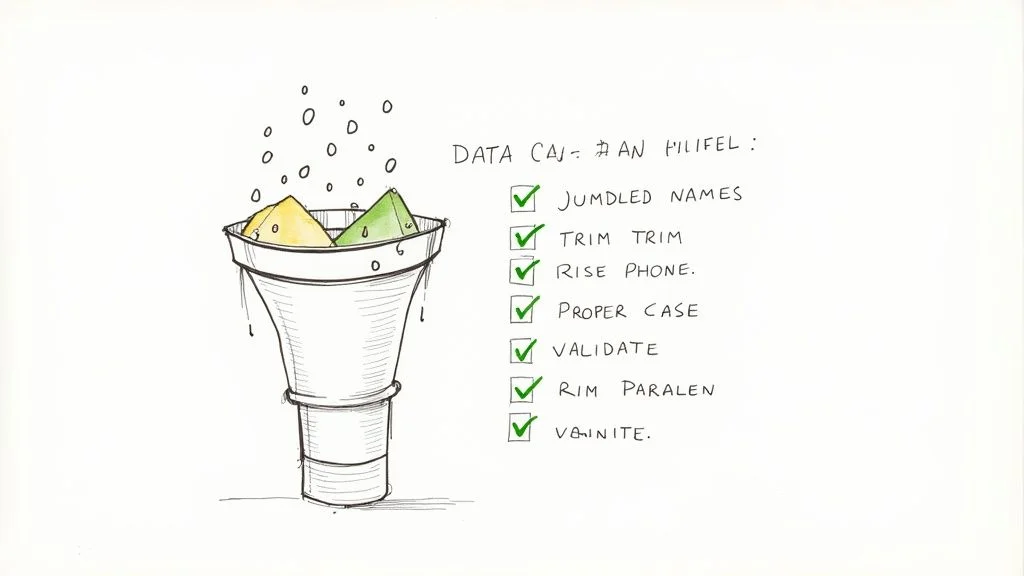
- Trim Extra Spaces — removes sneaky leading and trailing whitespaces from text fields.
- Standardize Case — converts 'john doe' or 'JOHN DOE' to the professional 'John Doe'.
- Format Phone Numbers — ensures all phone numbers follow a consistent pattern.
- Validate Email Addresses — checks for '@' and a valid domain structure to filter out junk.
- Flag Incomplete Records — sets aside any record missing mission-critical fields for manual review.
Setting up automated checks transforms your workflow from a simple time-saver into a powerful guardian of your company's data integrity. It's the difference between collecting data and collecting intelligence.
Studies show that automation can slash manual data entry workloads by about 80%, freeing your team for quality control and high-level analysis. You can dig into more of these data entry statistics to see the full picture.
Getting Your Data Where It Needs to Go
Connect your automation tool to downstream systems using direct CSV exports, native API integrations with tools like Salesforce or HubSpot, or middleware platforms like Zapier that link any two apps together.
The real magic happens when clean data flows right into the business systems you use every single day. Connecting your automation tool to other platforms might sound like a job for a developer, but modern tools have made it a breeze.
Choosing Your Integration Path
- Direct CSV/Excel Exports — the simplest and most universal method; upload to pretty much any platform on the planet.
- Direct API Integrations — built-in connections to heavy hitters like Salesforce, HubSpot, or Slack for real-time updates.
- Middleware Platforms (like Zapier) — acts as a translator between thousands of apps, letting you create 'if this, then that' workflows automatically.
Using a middleware tool like Zapier, you can set a trigger of 'New Row Added' in Google Sheets, define an action of 'Create New Candidate' in your ATS, and map the columns once. The whole pipeline runs 24/7 without anyone lifting a finger.
Your automated data is only as valuable as its accessibility. A seamless integration pipeline ensures the right information gets to the right people at the right time, turning passive data collection into active business intelligence.
Frequently Asked Questions
Do I need to know how to code to automate data entry?
Not at all. The best tools today are built for people who don't code. Most have a super intuitive, visual setup where you just point and click on the bits of data you want to grab from a website. These no-code platforms do all the complicated stuff in the background, letting you build powerful automations without touching a line of code.
What is the biggest mistake to avoid when automating data entry?
Jumping the gun and skipping data validation. It's easy to get excited seeing data pour in automatically and forget to check if it's actually good data. If you don't set up a few simple rules to clean and standardize your data, you're just automating the process of filling your systems with junk. Always take a few minutes to set up validation rules.
How much does it cost to automate data entry?
You can get started for $0. The cost runs the gamut from free browser extensions perfect for smaller tasks to robust platforms that run a few hundred dollars a month for heavy-duty work. Many of the most powerful tools have generous free plans that are more than enough to automate a huge chunk of your workflow before you ever spend a dime.
Will automation replace data entry jobs?
Automation is here to augment human effort, not replace it entirely. Even with all this automation, job postings for Data Entry Specialists jumped by 7% over the last year. Businesses know they need a human expert in the loop for quality control — 85% of employers say a specialist's sharp eye for detail is their most valuable contribution. The future is a partnership between people and technology.
Conclusion
Ditching manual data entry is one of the most impactful changes you can make to boost productivity and grow your business. By choosing the right tool, building a simple workflow, and ensuring your data is clean, you can reclaim countless hours and empower your team to focus on what they do best.
Start small: identify one repetitive data task your team does manually today, pick a no-code browser tool, build your first workflow, and set it on a schedule. The time savings and data quality improvements will be immediately obvious — and they compound over time.
Explore related guides:
Automate Your Data Entry Workflows Today
Clura makes it simple to build powerful, no-code data entry automations in minutes. Extract, clean, and deliver data exactly where your team needs it.
Add to Chrome — Free →About the Author