
How to Scrape Google Shopping (Without Any Code)
When you scrape Google Shopping, you're tapping into a real-time database of over 1 billion products — competitor prices, stock levels, seller strategies, and market trends all in one place. For any e-commerce brand, this data is the difference between guessing and knowing.
This guide covers every approach: no-code browser automation for marketers and analysts who need results fast, the technical code-driven path for developers who need custom pipelines, and the ethical best practices that keep your scraping running long-term.
Scrape Google Shopping Without Writing a Line of Code
Clura's AI browser agent extracts product titles, prices, seller names, and product links from Google Shopping automatically. Export to CSV in one click.
Add to Chrome — Free →Why Scrape Google Shopping for E-commerce Intelligence?
Google Shopping is a real-time database of over 1 billion products across 100 billion monthly searches — scraping it gives you live competitor pricing, stock visibility, and trend data that manual research can never match.
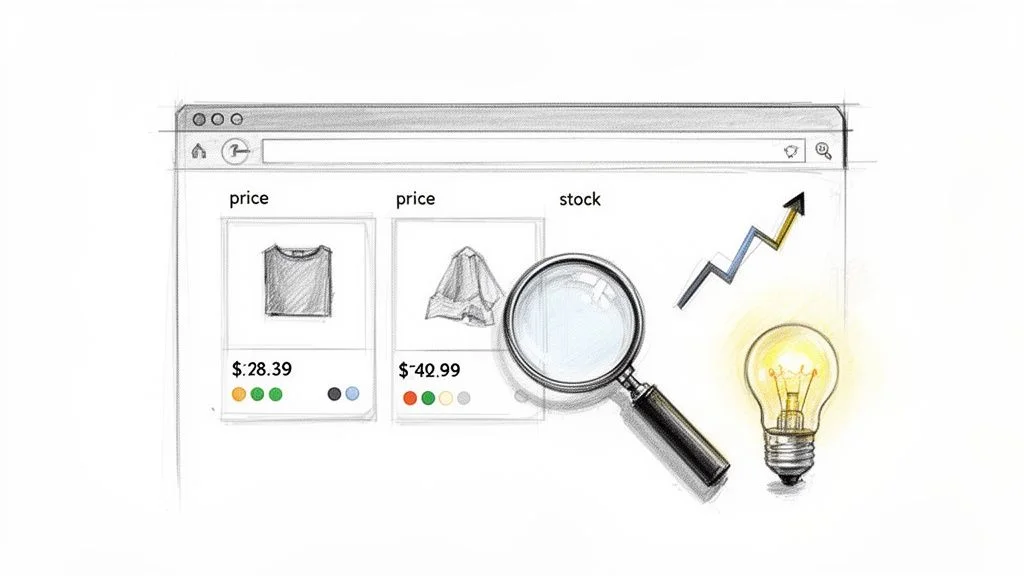
Shopping clicks on Google Shopping have jumped by 200% in recent years — this is where today's buyers make decisions. Scraping it turns that traffic signal into actionable intelligence for your business. Here is what you can actually do with the data:
- Nail your pricing: See exactly how competitors are pricing products and adjust your own strategy to stay competitive without hurting margins.
- Monitor rivals: Get alerts on new product launches, promotions, and competitor stock levels — anticipate their next move before it hits.
- Spot hot trends: Analyze search data and popular products to find emerging niches or underserved demand before competitors do.
- Perfect your listings: Study competitor product descriptions, images, and reviews to find what works and improve your own positioning.
Staying ahead really boils down to monitoring competitor prices and product data effectively — and doing it continuously rather than once a quarter.
The ability to automatically collect and analyze competitor data transforms market research from a quarterly task into a continuous, real-time feedback loop that drives smarter business decisions.
How to Choose Your Google Shopping Scraping Method
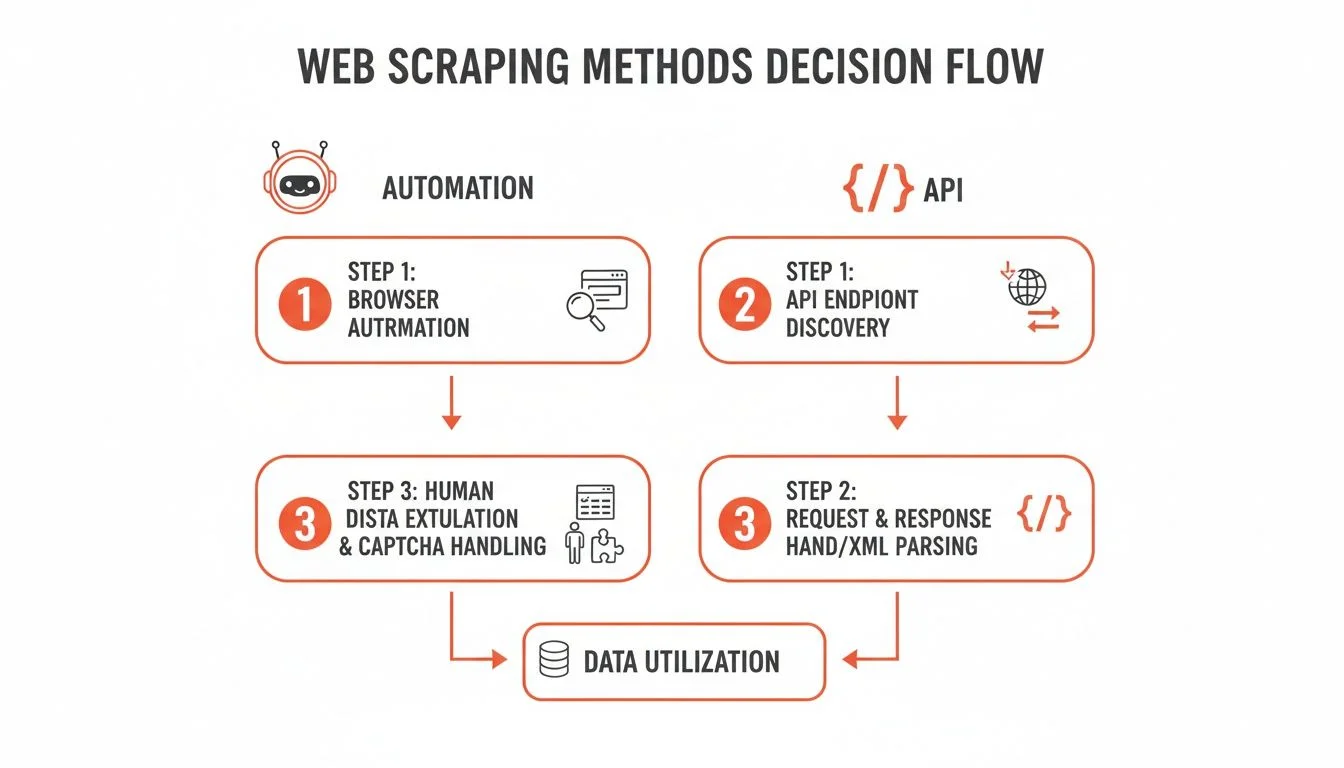
There are two main paths to scrape Google Shopping: no-code browser automation (fast, visual, beginner-friendly) and scraping APIs (flexible, scalable, developer-focused). The right choice depends on your technical skills and project scale.
Getting this choice right from the start saves headaches later. It comes down to matching the tool to your team's skills and what you're trying to achieve.
The No-Code Route: Browser Automation
Browser automation tools like Clura work right inside your browser. You point at the data you want — product titles, prices, seller names — and the agent learns the pattern and grabs it. It handles pagination, infinite scroll, and pop-ups without a single line of code. This approach is built for:
- Marketers who need to monitor competitor campaigns without waiting on a developer.
- E-commerce analysts who want to pull pricing data into a spreadsheet for number-crunching.
- Founders and small business owners who need results fast without a steep learning curve.
The Developer Path: Scraping APIs
Scraping APIs are for developers who need ultimate control and scale. You write a script in Python or JavaScript that sends programmatic requests to an API — specifying exactly what data you want and where. The API returns structured JSON. This is the go-to for massive operations scraping thousands of pages on a tight schedule. The catch: it requires real technical expertise.
The choice between automation and APIs isn't about which is 'better' — it's about which is better for you. Your technical skills, project timeline, and the scale of your data needs should be your guide.
| Feature | Browser Automation (Clura) | Scraping API |
|---|---|---|
| Skill Level | Beginner-friendly. No coding required. | Developer-focused. Requires programming skills. |
| Setup Time | Minutes. Install and start clicking. | Hours to days. Involves coding, testing, and setup. |
| Flexibility | High. Easily adapts to visual changes. | Very High. Total control over requests and data flow. |
| Best For | Quick analysis, non-technical teams, market research. | Large-scale data pipelines, custom integrations. |
| Example | A marketer checking competitor prices with a template. | A developer building a real-time price monitoring dashboard. |
How to Scrape Google Shopping with Code: The Technical Deep Dive
Building a Google Shopping scraper from scratch involves four steps: identifying HTML element selectors, handling dynamic content and pagination, bypassing anti-scraping measures with proxies, and extracting structured data into a clean CSV or JSON dataset.
Step 1: Pinpoint Your Data Targets on the Page
Before writing a single line of code, open your browser's Developer Tools (right-click → Inspect) on a Google Shopping results page. Find the specific HTML tags and class names for the data you need:
- Product Title: Look for
<h3>or<h4>tags with a consistent class name Google uses for all product titles. - Price: Prices are almost always wrapped in a
<span>tag — find the unique class name that signals 'price.' - Seller Name: The merchant name is usually right next to the price, often as a link.
- Product ID: Sometimes found tucked in an element attribute like
data-id.
Step 2: Tame Dynamic Content and Pagination
Google Shopping is dynamic — it doesn't load everything at once. As you scroll, more products appear via JavaScript. A basic script that only fetches initial HTML will miss most of the data. You need a tool like Selenium or Puppeteer that pilots a real browser, executes JavaScript, and waits for new products to load before grabbing them.
For pagination, your script needs to: (1) scrape all products on the current page, (2) find the 'Next Page' button using its selector, (3) click it to load the next batch, and (4) repeat until no pages remain.
Step 3: Outsmart Anti-Scraping Measures
Google has sophisticated systems to spot and block bots. Fire off too many requests too quickly from one IP and you'll hit CAPTCHAs and temporary bans. Rotating proxies are non-negotiable for any serious scraping project — they route your requests through different IP addresses, making your scraper look like dozens of different users. This guide on how to scrape Google search results covers advanced techniques that apply here as well.
Using a rotating proxy service is non-negotiable for any serious scraping project. It's the difference between grabbing a handful of records and successfully building a massive dataset.
Step 4: Extract and Structure Your Data
Once your script has pulled the raw data, the final step is structure. Extract text from each identified selector and write it to a CSV or JSON file. Then clean: strip currency symbols from prices, trim whitespace from titles, and deduplicate records. Here is what a clean output looks like:
| Product Title | Price | Seller | Availability | Product ID |
|---|---|---|---|---|
| Smartwatch Pro X | $199.99 | TechGiant | In Stock | 847291 |
| Wireless Earbuds | $79.50 | AudioVerse | In Stock | 563302 |
| 4K Ultra HD TV | $450.00 | VisionElec | Limited Stock | 910234 |
How to Scrape Google Shopping in Minutes (The Easy Way)
With a browser-based AI agent, you can scrape Google Shopping without any code — install the extension, activate a pre-built Google Shopping template, and export a clean CSV in minutes.
Let's skip the code, proxy juggling, and debugging sessions. You can scrape Google Shopping with a few clicks using Clura's AI-powered browser agent. The result is a perfectly clean CSV file, packed with structured data and ready for analysis. For context on how this fits into a broader automated data extraction workflow, see our full guide.
Use the Pre-Built Google Shopping Template
Clura has a ready-to-run Google Shopping scraper template. Install the extension, activate the template, and get structured product data in your browser in minutes.
Add to Chrome — Free →Step 1: Get Up and Running in Clicks
Add the Clura extension to Chrome, head to Google Shopping, and search for whatever you're interested in — say, 'wireless noise-canceling headphones.' From here, everything is visual. Launch the pre-built Google Shopping template and let the AI agent do the heavy lifting.
Step 2: Use a Pre-Built Template
Instead of burning hours building a scraper from scratch, activate the Google Shopping template. The AI agent gets to work immediately, pulling:
- Product Titles: The full name of every product listed.
- Pricing: The current price for each item, extracted cleanly.
- Seller Info: The merchant name for each listing.
- Product Links: Direct URLs to every product page.
The agent handles infinite scroll automatically — it keeps scrolling exactly like a human would, loading and capturing every product in the results without any extra commands.
An AI-powered agent adapts. Google changes its layout constantly, and when it does, traditional scripts break. Clura's AI understands the new structure on its own and keeps collecting data without missing a beat.
Step 3: Turn Data into Market Insights
Google Shopping Ads drive 85.3% of all clicks on Google Ads campaigns and consume 76% of retail search ad spend. See Google Shopping Ads statistics from bind.media for the full breakdown. The data you pull lets you dissect competitor ad strategies, monitor prices in real-time, and find gaps in the market. Once the agent finishes, export everything to a clean CSV with one click — ready for Google Sheets, Excel, or your analytics tool of choice.
A Guide to Smart and Ethical Scraping
Ethical Google Shopping scraping means throttling your request rate, respecting the Terms of Service, collecting only publicly visible data, and cleaning your dataset before analysis.
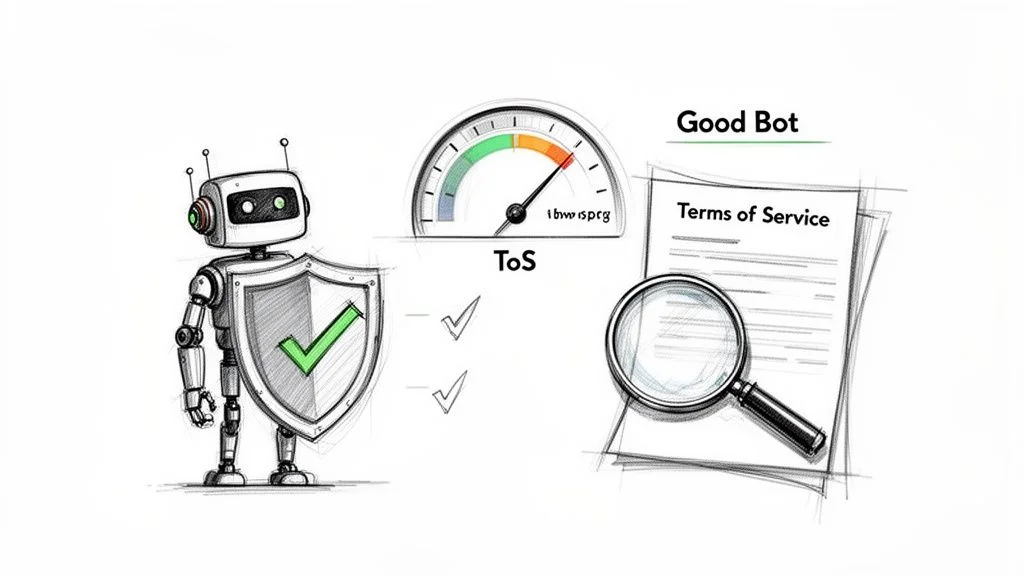
Be a 'Good Bot'
Don't hammer the servers. Firing off hundreds of requests per second is a surefire way to get your IP banned and slow things down for everyone else. Throttle your request speed and introduce deliberate delays — even a couple of seconds between requests makes your scraper behave more like a human browsing normally.
Respect the Terms of Service
Scraping publicly available data is generally legal, but automating the process may conflict with a site's specific rules. A quick scan of Google's ToS shows you're doing your homework. The safest rule: only collect data that's publicly visible without logging in. Stay clear of personal info, copyrighted material, or anything behind a paywall.
You don't need a law degree, but a quick scan of the ToS shows you're doing your homework. It helps you understand the playing field and make smarter, more informed decisions about your scraping projects.
Your Data Is Only as Good as Its Quality
Raw scraped data is messy. Here's a checklist to turn it into a reliable asset:
- Ditch the duplicates: Google Shopping often lists the same product more than once. Run a deduplication pass so your analysis isn't skewed.
- Standardize everything: Strip currency symbols from prices so they're pure numbers. Trim extra whitespace from titles. Consistent formats make analysis possible.
- Cross-reference mission-critical data: If you're making major business decisions from this data, verify key data points against a second source.
Frequently Asked Questions
Is it legal to scrape Google Shopping?
Yes — scraping publicly available data is generally considered legal in most places, including the US and Europe. If you can see the information in your browser without logging in, it's typically fair game. That said, check Google's Terms of Service, never scrape personal data, and keep your request rate reasonable. For any serious commercial project, a quick consult with a legal expert familiar with GDPR or CCPA is a small step that prevents large problems.
How do I handle different product variations and multiple sellers on the same listing?
If writing a script from scratch, you need logic to loop through nested elements for each seller and variation — doable, but complex. An AI-powered browser agent handles this out of the box. It understands e-commerce structures and can be told to grab the price from every single seller on a listing, or just the main Buy Box price, without custom code.
Can I set up automated price tracking on Google Shopping?
Yes — this is where recurring scraping delivers the most value. With a custom Python script you'd use cron jobs to schedule runs. With a browser-based tool like Clura, scheduling is a few clicks. Set it to run every morning, and each export gets a timestamp — over time you build a historical price dataset that reveals competitor pricing patterns, restock cycles, and market trends.
What data can I extract from Google Shopping?
Product title, price, seller name, product URL, availability status, product ID, ratings, and review counts are all publicly visible and extractable. With a browser automation tool, you can also follow each product link to pull additional details from the merchant page — extended specs, shipping info, or store-level pricing.
Conclusion
Scraping Google Shopping gives you a powerful lens into your market — competitor strategies, pricing trends, stock movements, and emerging opportunities all in one place. Whether you choose to write your own code or use a no-code automation tool, the insights are the same: data-backed decisions instead of guesswork.
By following the steps and best practices in this guide, you can start turning public web data into a real competitive advantage — and keep it running continuously rather than as a one-off exercise.
Explore related guides:
- How to Scrape Google Search Results — the same automation techniques applied to organic search data
- Automate Data Extraction — build recurring data workflows for any website without code
- Web Scraping for Lead Generation — apply scraping to build targeted lead lists from any data source
- What Is Competitive Intelligence — the full framework for turning scraped competitor data into strategic decisions
Start Scraping Google Shopping — No Code Required
Clura makes it simple to automate data collection from Google Shopping and hundreds of other sites. Check out the pre-built templates and get your first project running in minutes.
Add to Chrome — Free →