How to Scrape a Website Without Coding: Your 2024 Guide

How to Scrape a Website Without Coding: Your 2024 Guide

Learn how to scrape website without coding using AI tools and practical steps to automate data collection for any project.

Yes, you can absolutely scrape a website without writing a single line of code, and it's much easier than you think. Forget about coding classes or hiring developers. The secret is using smart AI-powered browser tools that do all the heavy lifting for you.

You just click on the data you want—like product names, prices, or contact info—and these tools intelligently pull it all into a neat, organized spreadsheet. It's that simple. Ready to see how it works?

What Is No-Code Web Scraping?

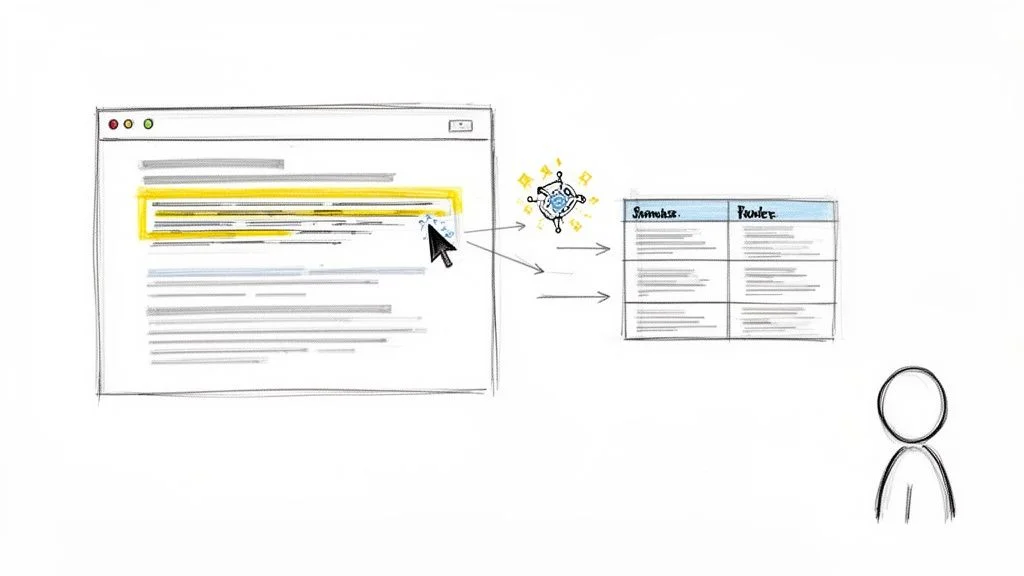
An illustration showing a cursor selecting text from a webpage, processed by an AI bot into a structured table for a user.

Ever feel like all the incredible data you need is trapped on websites, just out of reach? For years, the only way to get it was to learn complex programming languages. Well, those days are over. This guide is your ticket to the world of no-code web scraping, where anyone can become a data-gathering pro in minutes.

This shift is part of a larger trend. To understand what’s happening, it helps to know the basics of What Is No Code Development and how it’s empowering people without technical skills. These platforms swap complex code for simple, visual interfaces, making powerful technology accessible to everyone.

The Magic of AI-Powered Scraping

The latest AI-driven tools, like Clura, let you pull structured data from almost any website with just a few clicks. Imagine grabbing every product detail from an e-commerce site, building a list of sales leads from a business directory, or collecting job postings from a career board—all without a hint of code.

So how do they work? These tools "read" a webpage's structure just like a person would. When you click on a piece of information, the AI spots the pattern and instantly applies it across the entire page, or even hundreds of pages.

This means you can:

  • Build targeted lead lists by grabbing names, job titles, and company info from professional networks.

  • Monitor competitor pricing by collecting product prices from sites like Amazon or Shopify.

  • Automate your research by pulling together articles, customer reviews, or market data from all over the web.

This no-code approach has completely changed how businesses access data. The web scraping software market reached $1.03 billion in 2025 and is projected to hit $2.7 billion by 2035. This massive growth is happening because no-code solutions have finally made data extraction easy for everyone.

How to Choose Your No-Code Scraping Method

With so many options, it can be tough to know where to start. Each method has its own strengths, depending on your goal.

Here’s a quick breakdown to help you pick the right tool for the job.

Method

Best For

Ease of Use

Example Tool

Browser Extensions

Quick, simple scrapes on single pages. Perfect for beginners.

★★★★★

Clura

Web-Based Tools

Complex, multi-page scrapes and scheduled automation.

★★★★☆

Octoparse

Google Sheets Formulas

Pulling simple tables or lists directly into a spreadsheet.

★★★☆☆

=IMPORTHTML

Think of browser extensions as your go-to for fast results, web-based tools for heavy-duty projects, and Google Sheets for simple, spreadsheet-native tasks.

Finding the Right No-Code Scraping Tool

Picking your first no-code scraper can feel overwhelming, but the "best" tool is simply the one that gets your specific job done. What you're trying to achieve is everything.

Are you a sales pro building a lead list for an afternoon of calls? Or a marketer who needs to monitor competitor pricing every day? The scale and frequency of your task will point you to the right solution.

Browser Extensions for Quick Wins

For quick, one-off data grabs, a lightweight browser extension is your best friend. Tools like our own Clura Chrome extension are brilliant because they live right inside your browser, making them incredibly fast and simple. You just navigate to a site, click the extension's icon, and start pulling data in seconds.

They are the perfect solution for in-the-moment tasks, like:

  • Snagging the names and titles of every speaker from a conference agenda.

  • Pulling a list of top-rated products from a single Amazon search page.

  • Extracting company names and websites from a local business directory.

Since they operate within your browser, they see the webpage exactly as you do. This means they’re great at handling modern websites where content loads as you scroll. For anyone learning how to scrape a website without code, the learning curve is practically zero.

Web Applications for Automated Power

When your needs grow beyond simple, one-time scrapes, it’s time to explore more powerful web applications. These platforms are built for larger, automated, and recurring scraping jobs. They might take a bit more time to learn, but the power they offer is on another level.

These are the tools you'll want for projects that require you to:

  • Schedule scrapes to run automatically (like checking competitor prices every morning at 9 AM).

  • Handle pagination effortlessly, scraping data across hundreds of pages in one go.

  • Manage complex workflows, like logging into a website or clicking through menus before scraping.

  • Integrate with other apps, sending your fresh data directly to Google Sheets, Airtable, or your CRM.

So, which one is for you? If you need data right now from a page or two, an extension is your hero. If you need a massive amount of data collected on a regular schedule, a dedicated web application is the better choice. If you're curious, check out our guide on the top free web scraping tools available today.

Key Features to Compare

No matter which path you take, judge the tools based on what creates a smooth, code-free experience.

Here’s what to look for:

  1. Ease of Use: Does it have a simple point-and-click interface? Is its AI smart enough to figure out data patterns on the page for you?

  2. Data Export Options: Can you get your data as a CSV or Excel file? Does it connect directly to tools you already use, like Google Sheets?

  3. Scheduling & Automation: Can you "set it and forget it"? A scheduler is a non-negotiable feature for any monitoring project.

  4. Pricing: Is there a free plan to get started? Do the paid plans make sense for the amount of data you'll be collecting?

Start with your goal, match it to these features, and you'll find a scraper that feels like a superpower.

How to Scrape a Website: A Step-by-Step Guide

Alright, enough theory! Let's roll up our sleeves and build your first data extraction workflow. It's one thing to talk about how easy it is, but it’s another to see it in action. I’ll show you how to pull this off in just a few minutes.

We’re going to tackle a common task: pulling a list of speakers from a conference website. This is a goldmine for generating leads, finding industry experts, or building an outreach list.

Step 1: Set Up Your Scraper

First, you need a tool. For this walkthrough, we’ll use an AI-powered browser extension like Clura because it’s built for this exact kind of task.

  1. Go to the Chrome Web Store.

  2. Search for the extension and click “Add to Chrome.” That's it. You're ready to start scraping.

  3. Navigate to the webpage you want to scrape—in our case, the speakers' page for a tech conference.

  4. Click the Clura icon in your browser's toolbar to open the extension.

Step 2: Point, Click, and Extract

This is the part that feels like magic. Forget about code, CSS selectors, or any technical jargon. You just point and click.

  1. Move your cursor over the first speaker's name. You'll see it get highlighted.

  2. Give it a single click.

Instantly, the tool’s AI kicks in. It doesn't just grab that one name. It scans the page, understands the pattern, and—bam!—it identifies and pulls every single speaker's name into a clean column in seconds.

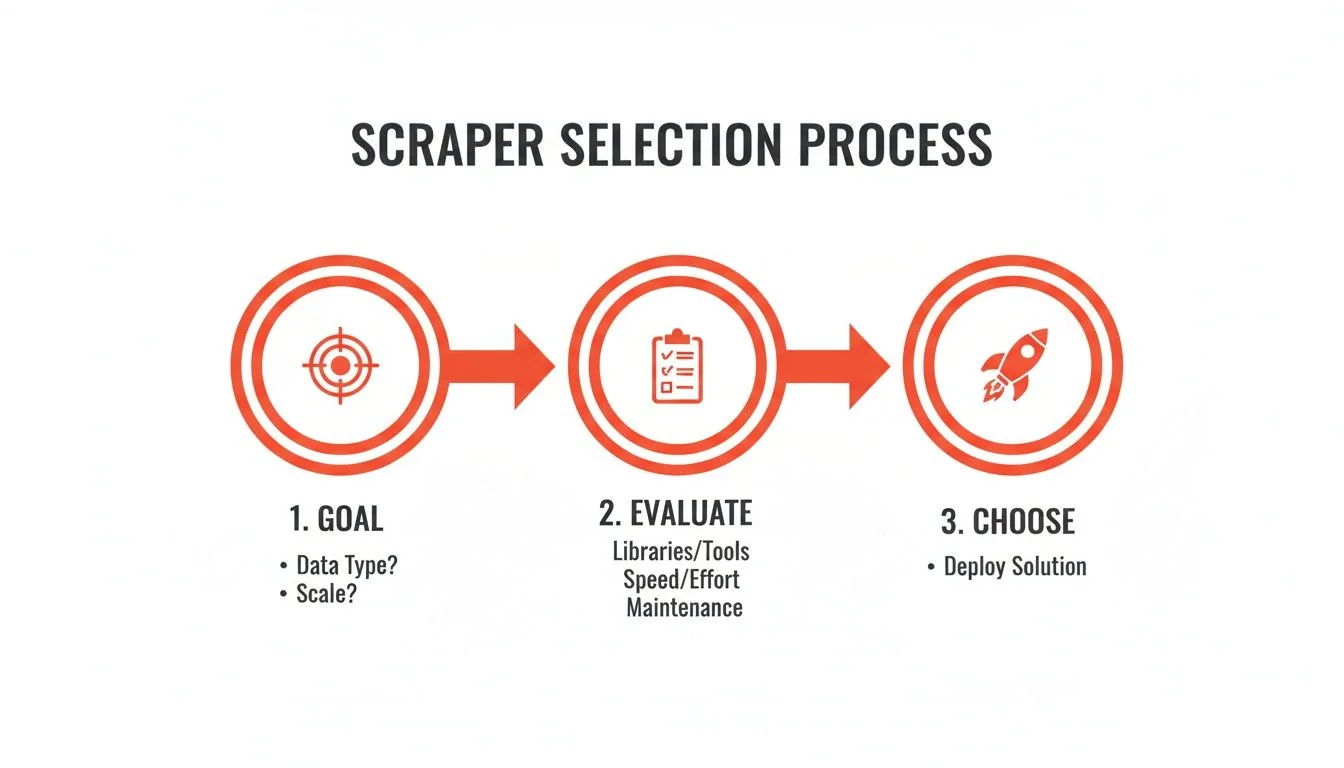
A three-step process flowchart for scraper selection, including Goal, Evaluate, and Choose phases.

Now, just rinse and repeat for other data points.

  1. Click on the first speaker's job title, and the AI will grab all the titles.

  2. Click on the first company name, and it will pull all the companies.

You’ve just built a perfect, three-column dataset in less than a minute. If you want to get even more advanced, you can learn how to automate data collection for tasks you do often.

Step 3: Review and Export Your Data

As you click, you'll see the data populating a neat table inside the extension's window. This live preview is incredibly helpful because you can immediately see if the scraper is grabbing the right info.

Once you’re happy with the results, you’re just one click away from the finish line.

Find the “Export” button. Most no-code tools let you download your data as a CSV file, which works perfectly with Excel, Google Sheets, or any other data program. Click it, and the file downloads straight to your computer.

Boom! You now have a clean, ready-to-use list for your sales campaigns, market research, or content ideas. And once you have the data, you can learn how to build data pipelines with a practical no-code approach to turn this simple scrape into a fully automated machine.

Congratulations—you just successfully scraped a website without coding!

Real-World Use Cases for No-Code Scraping

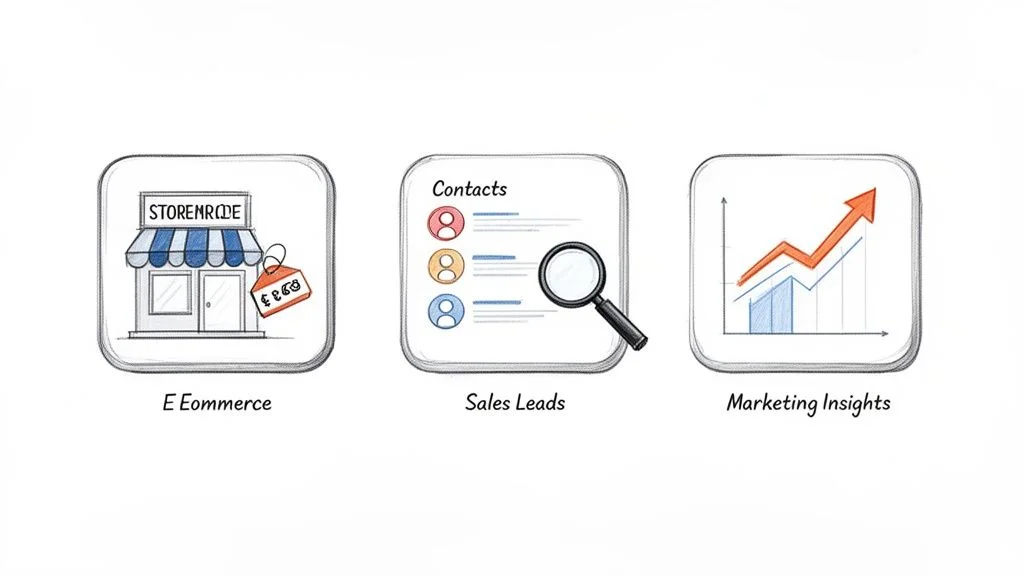
Three icons illustrating e-commerce, sales leads with contacts and a magnifying glass, and marketing insights with a growth graph.

Alright, you’ve seen the tools and learned the steps. Now for the fun part: turning that raw data into actual business wins. Data is just noise until you put it to work. This is where we move beyond how to scrape a website and get into the why—the strategic reasons it’s such a powerful move for growth.

No-code scraping is a secret weapon for every department. It's for marketers, sellers, and founders who need answers fast. Let's jump into some practical playbooks you can use today.

Supercharge Your Sales Pipeline

For any sales team, information is everything. No-code scraping lets you build a smarter pipeline without the hours of manual research.

Here are a few high-impact plays for sales teams:

  • Automated Lead Generation: Scrape business directories like Yellow Pages or industry portals to build targeted lists of potential clients. Instantly grab company names, phone numbers, and websites for a specific location or industry.

  • Enrich Your Contact Lists: Have a list of target companies but no names? Point a scraper at their "About Us" or "Team" pages to find decision-makers' names and job titles.

  • Monitor Sales Triggers: Set up a scraper to watch industry news sites for announcements like new funding or executive hires. These are perfect "trigger events" that signal the best time to reach out.

The goal isn't just more leads; it's smarter leads. Scraping helps you pinpoint prospects who have an immediate need for your solution.

Gain a Competitive Edge in Marketing

Marketing is a battle for attention, and data is your sharpest weapon. By scraping competitor websites and social media, you get a behind-the-scenes look at their strategy—from pricing and promotions to customer feedback. This is how you stop reacting and start shaping the market.

This kind of structured data is in huge demand. Its broad utility is driving the web scraper software market from $1.08 billion to $2.49 billion between 2026 and 2035. You can get a deeper look into this explosive growth by checking out the latest research on web scraping software.

Track Competitor Pricing in Real Time

One of the most powerful tactics is real-time price monitoring. Manually checking dozens of competitor product pages every day is not a good use of your time. With a no-code scraper, you can automate it.

Set up a workflow to visit key competitor sites daily and pull product names, SKUs, and prices into a single spreadsheet. Suddenly, you have a live dashboard of the market, allowing you to:

  • Spot pricing trends before anyone else.

  • Adjust your own prices to stay competitive.

  • Identify opportunities when competitors are out of stock.

This isn’t about a race to the bottom. It's about being smarter. Knowing when a competitor launches a sale gives you the intelligence to make strategic moves.

Revolutionize Your E-commerce Strategy

For any e-commerce store, the digital shelf is your entire world. No-code scraping can be your personal team of market analysts, working around the clock.

You can set up automated scrapers to monitor sites like Amazon, other Shopify stores, or niche marketplaces to gain an unbeatable edge.

For instance, a Shopify store owner could scrape their top five competitors to compare:

  • Product Availability: Get an alert the moment a competitor's hot-selling item goes out of stock. This is your chance to capture their customers.

  • Product Descriptions: Analyze the keywords and features they’re using to refine your own product copy and boost SEO.

  • Customer Reviews: Pull all their reviews into one place to find common complaints about their products—problems you can solve and highlight in your own marketing.

By turning tedious research into an automated data stream, you free yourself up to focus on growing your brand.

How to Scrape Data Ethically and Effectively

Having a no-code scraper is like getting a superpower. But with great power comes great responsibility. Now that you've seen how easy it is to pull data, we need to talk about how to do it the right way. This is about being a good digital citizen and ensuring the data you collect is actually useful.

Respect the Rules of the Road

Before you hit "scrape," you need to do a little homework. Every website is someone's digital property.

Most websites leave two key documents that tell you what’s allowed.

  1. Terms of Service (ToS): This is the legal contract you agree to by visiting a site. A quick Ctrl+F for words like "scrape," "crawl," or "automated access" will usually tell you what you need to know.

  2. Robots.txt: This is a public file that gives instructions to web crawlers. You can check it for any site by adding /robots.txt to the end of the main URL (e.g., example.com/robots.txt). It’s a clear signal about which areas are off-limits.

Here's a simple checklist:

  • Always check the ToS for rules against scraping.

  • Always respect the robots.txt file. If it says "disallow," steer clear.

  • Never scrape data from behind a login unless you have permission.

For a deeper dive into the legal nuances, check out our guide on whether scraping websites is illegal.

Scrape Like a Human, Not a Bot

Aggressive, rapid-fire scraping can slow down a website or even cause it to crash. The best no-code tools have this figured out. They often build in automatic delays between requests to mimic how a real person would browse a site. This "polite" approach is your secret weapon for avoiding IP bans.

The golden rule is simple: take only what you need, and do it slowly. A responsible scraper is an invisible scraper. This responsible approach is more important than ever. The Web Scraping Services market, valued at $479 million in 2025, is set to rocket to $762 million by 2034. We're all part of this growing ecosystem, so let's keep it healthy. You can review the market projections and trends for more details.

Know the Difference: Public vs. Private Data

Finally, let’s be crystal clear on one crucial distinction: public versus private data.

Public data is anything openly available to any visitor on a website. Think product prices on an e-commerce store, business addresses in a directory, or headlines on a news site. This information is generally fair game.

Private data, on the other hand, is anything not meant for public consumption. This is a red line you should never cross.

This includes:

  • Personal information protected by privacy laws like GDPR or CCPA.

  • Any content hidden behind a login screen or a paywall.

  • Copyrighted material you don't have the rights to reproduce.

Stick to public data, respect the website's rules, and move at a human pace. If you follow these simple guidelines, you can gather the data you need with confidence and integrity.

Your Top No-Code Web Scraping Questions, Answered

Jumping into no-code web scraping is exciting, but you probably have a few questions. That's completely normal! Let's tackle the most common ones so you can start gathering data with confidence.

Is It Legal to Scrape Data from Any Website?

The short answer is: scraping publicly available data is generally legal. We're talking about information that isn't behind a login or paywall, like product prices on a retail site.

However, you also want to be a good digital citizen.

  • Check the Terms of Service: Every website has a "Terms of Use" page. Do a quick search for words like "scrape" or "automated access" to see the site's official stance.

  • Respect the robots.txt file: This text file (e.g., domain.com/robots.txt) gives bots instructions. If it tells you an area is off-limits, it's best to respect that.

  • Stay away from personal or copyrighted data: This is the golden rule. Be ethical. Don't scrape sensitive personal information.

Modern tools like Clura are built for responsible scraping of public data, keeping you on the right side of the rules.

Can I Scrape Modern, Dynamic Websites?

Absolutely! This is where today’s AI-powered scrapers really shine. A few years ago, websites that used JavaScript to load content were a huge headache for scrapers.

But today's best no-code tools, especially browser extensions, work inside your browser. This is a game-changer. They see the webpage exactly as you do—fully loaded. This means interactive maps, "infinite scroll" feeds, and complex dashboards are no longer obstacles. If you can see the data on your screen, a modern scraper can grab it.

How Do I Avoid Getting Blocked?

Getting blocked mid-scrape is frustrating, but it's usually preventable. Websites block scrapers when they detect aggressive, machine-like behavior. The key is to act more human.

  1. Scrape at a human pace. Don't try to pull thousands of pages in seconds. Great no-code tools automatically add small delays between requests to mimic how a person browses.

  2. Avoid peak hours. If you can, run your scrapers when a site is less busy, like late at night in its local time zone.

  3. Use a reputable tool. A well-built scraping tool is designed to be "polite." They handle the technical details so you can focus on the data.

By being a "polite" scraper, you'll gather the data you need without setting off any alarms.

What’s the Best Way to Use My Scraped Data?

This is the fun part! The beauty of no-code scraping is that it gives you clean, structured data that's ready for action.

For quick analysis or one-off research, exporting to a CSV or Excel file is your best bet. It's a universal format that works with nearly every data tool.

Want to get more sophisticated? Look for tools that offer direct integrations with platforms you already use.

  • Google Sheets: Perfect for creating a live dashboard or sharing data with your team.

  • Airtable: Amazing for building flexible, database-style apps with your scraped data.

  • Your CRM: Some tools can send fresh leads directly into your sales pipeline, fully automated.

A great no-code scraper saves you hours of cleanup by delivering a perfectly organized table from the start. You get to skip the tedious work and jump straight to using your valuable new data.

Ready to stop copy-pasting and start automating? Clura is a browser-based AI agent that helps you scrape, organize, and export clean data from any website in one click. Try this workflow today.

BG

Get 6 hours back every week with Clura AI Scraper

Scrape any website instantly and get clean data — perfect for Founders, Sales, Marketers, Recruiters, and Analysts

BG

Get 6 hours back every week with Clura AI Scraper

Scrape any website instantly and get clean data — perfect for Founders, Sales, Marketers, Recruiters, and Analysts

BG

Get 6 hours back every week with Clura AI Scraper

Scrape any website instantly and get clean data — perfect for Founders, Sales, Marketers, Recruiters, and Analysts