
How to Find Shopify Stores
Most people try to find Shopify stores manually — and end up with messy, low-quality lists that waste more time than they save. The real advantage comes from combining search operators, technographic data, and automation: each method has a ceiling, and knowing when to move from one to the next is what separates a handful of weak leads from a clean, structured Shopify store database.
There are roughly 4.82 million active Shopify stores globally, with over 2.67 million in the United States alone. The opportunity is enormous — but only if you have a system for finding the right stores, not just any stores.
Build a Shopify Lead List in Minutes
Clura extracts structured data from any Shopify store directory or category page — name, URL, contact info, tech stack, and more — with no code required.
Add to Chrome — Free →Who This Guide Is For
This guide is for anyone building targeted Shopify lead lists: agencies finding eCommerce clients, SaaS teams selling to Shopify brands, freelancers offering design or ads, and sales reps building D2C outreach pipelines.
- Agencies looking for eCommerce clients to pitch web design, CRO, or paid advertising services
- SaaS teams selling apps, tools, or integrations to Shopify merchants
- Freelancers offering email marketing, photography, copywriting, or development
- Sales reps and SDRs building targeted D2C outreach pipelines
Regardless of your use case, the core challenge is the same: turning Shopify's massive ecosystem into a clean, qualified, actionable list. This guide covers three methods — manual search, tech detection tools, and AI-powered scraping — and when to use each.
Why Shopify Stores Are a Goldmine for Growth
With 4.82 million active stores globally, the Shopify ecosystem is a dense, accessible market of actively investing businesses — from scrappy D2C startups to established global brands.
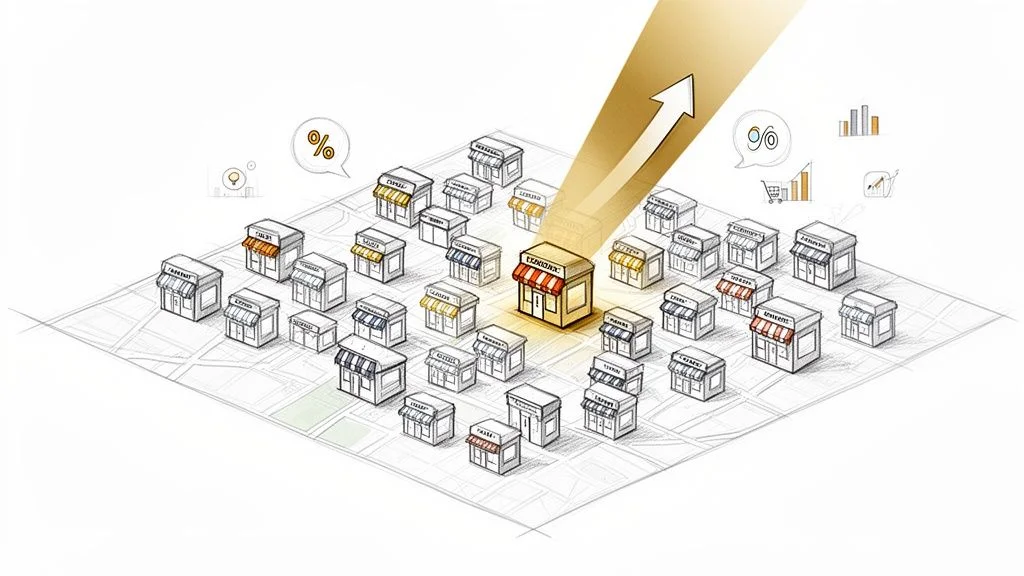
Shopify merchants are not passive businesses — they are actively investing in growth. They have proven they are willing to pay for tools, services, and expertise. Whether you sell a marketing app, offer logistics solutions, or provide design services, knowing how to find Shopify stores means your outreach lands in front of people with both budget and motivation to buy.
- Hyper-targeted outreach: Find stores in niches like 'sustainable fashion' or 'artisanal pet supplies' and craft messaging that speaks directly to their specific challenges.
- Competitive intelligence: Monitor brands in your space — pricing, product launches, marketing tactics — to sharpen your own positioning.
- Scalable lead generation: Build a reliable pipeline of qualified prospects who have already demonstrated investment in their online business. Learn what makes a great business lead and why qualification matters.
Learning how to find Shopify stores transforms your ideal customer profile from a vague idea into a concrete list of real businesses you can connect with today.
Clever Manual Search Tricks That Still Work
Google search operators — inurl:, site:, intitle: — let you target Shopify's unique URL patterns and page footprints to surface relevant stores without any tools or budget.
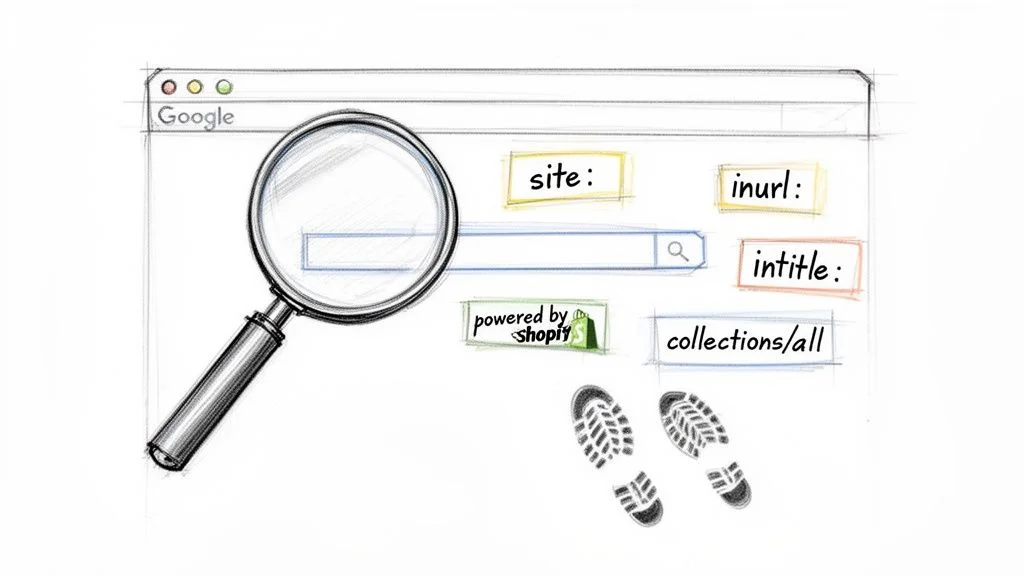
Search operators are commands you add to a query to narrow results precisely. Think of them as instructions to Google: show me only results with this word in the URL, or only within this specific domain. Combining them turns a broad search into a targeted mission. For more on the underlying logic, see our guide on Boolean search strings.
Three Operators You'll Use Constantly
inurl:— Shows only results with a specific word in the URL. Perfect for targeting Shopify's default subdomain structure.site:— Restricts results to a single domain. Use it to search withinmyshopify.comdirectly.intitle:— Finds pages with your keyword in the page title — a strong relevance signal.
Practical Search Recipes
- Classic myshopify.com:
site:myshopify.com "organic skincare"— Finds stores on Shopify's default subdomain mentioning that phrase. Great for up-and-coming brands. - Custom domain stores:
inurl:/collections/all "vintage clothing"— Finds established stores on custom domains sharing Shopify's standard URL structure. - 'Powered by Shopify' footprint:
"Powered by Shopify" AND "handmade jewelry"— Many Shopify themes include this phrase in the footer. Both terms must be present.
Pro tip: Most high-quality Shopify stores use custom domains and won't appear under myshopify.com. That's why combining multiple operators — or moving to automation — is essential for building lists at any real scale.
Beyond Google: social media bio searches (looking for myshopify.com links on Instagram or X), niche directories, and 'best of' lists are all valid hunting grounds for small, highly targeted lists.
Using Technology Detection Tools for Precision
Platforms like BuiltWith, Wappalyzer, and SimilarTech crawl the web to build a Shopify store database indexed by the technology each site runs — enabling filtering by industry, location, and installed apps.
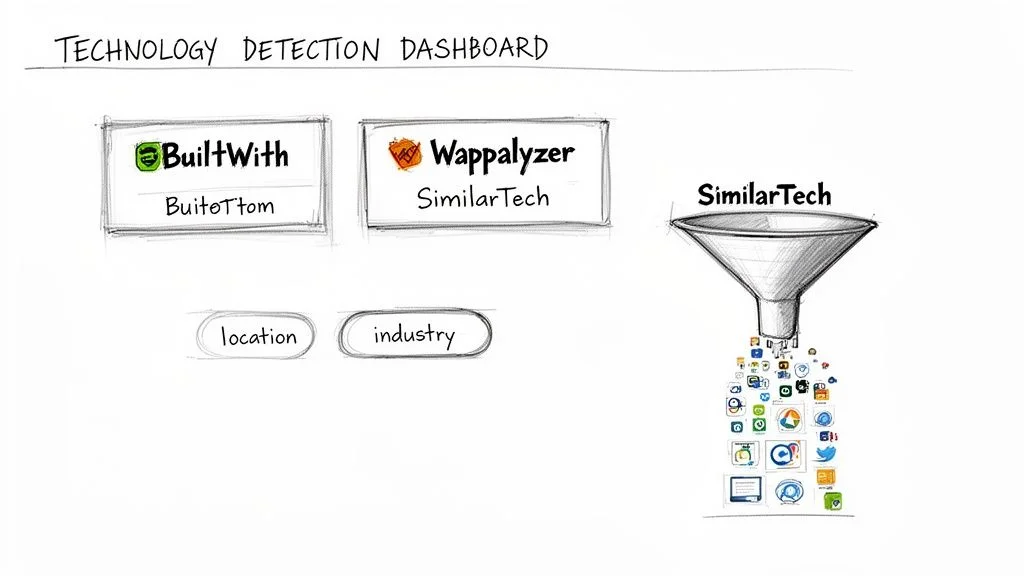
Technology detection platforms scan the underlying code of millions of websites, looking for the digital signatures left by different platforms and plugins. Shopify leaves a distinct footprint these tools can spot instantly — letting you pull massive lists of Shopify-powered websites with a few clicks.
The real power is not just finding them — it is the filtering. Start with Shopify as the platform, layer in an industry like Apparel, add a location filter for the US or UK, then get granular: find stores that also run Klaviyo or Afterpay. You have now narrowed from 4.8 million stores to a list of highly qualified prospects who match your exact ICP.
These tools are powerful for discovery — but they are best at finding stores, not extracting clean, structured data from them. You will still need a way to turn raw results into usable lead lists with enriched contact information.
| Tool | Key Features | Pricing | Best For |
|---|---|---|---|
| BuiltWith | Extensive technographics, lead lists, market share analysis, API access | Freemium; paid from ~$295/mo | In-depth market research, B2B sales teams building targeted lead lists |
| Wappalyzer | Browser extension for real-time detection, lead lists, website alerts | Freemium; credits-based from $99/mo | Quick on-the-fly tech lookups, smaller lead lists |
| SimilarTech | Technology lookup, sales intelligence, CRM integration | Premium only; custom pricing | Enterprise sales teams needing deep sales intelligence |
Manual vs. Tools vs. AI Scraping: When to Use Each
Each method has a ceiling. Manual search is free but slow; tech detection tools offer scale with filtering; AI-powered browser agents combine speed, data quality, and unlimited scale.
Choosing the right approach depends on list size, data depth, and time available. Here is how the three methods compare:
| Method | Speed | Data Quality | Scale | Cost |
|---|---|---|---|---|
| Google Search Operators | Slow — manual copy-paste | Medium — unstructured results | Low — dozens per session | Free |
| Tech Detection Tools | Medium — filtered database | High — technographic data | Medium — thousands with filters | Paid subscription |
| AI Browser Scraping | Fast — runs automatically | High — structured, enriched | High — unlimited pages | Low / per-use |
For building a Shopify store finder workflow that actually scales, manual search tops out fast. Tech detection tools get you further but hand you a list, not a structured dataset. AI-powered scraping is where you close that gap: extract, structure, and enrich in one workflow.
Automating Your Search with AI-Powered Scraping
AI browser agents extract and structure data from any Shopify store directory or page automatically — no code, no copy-pasting, and no manual work after the initial setup.
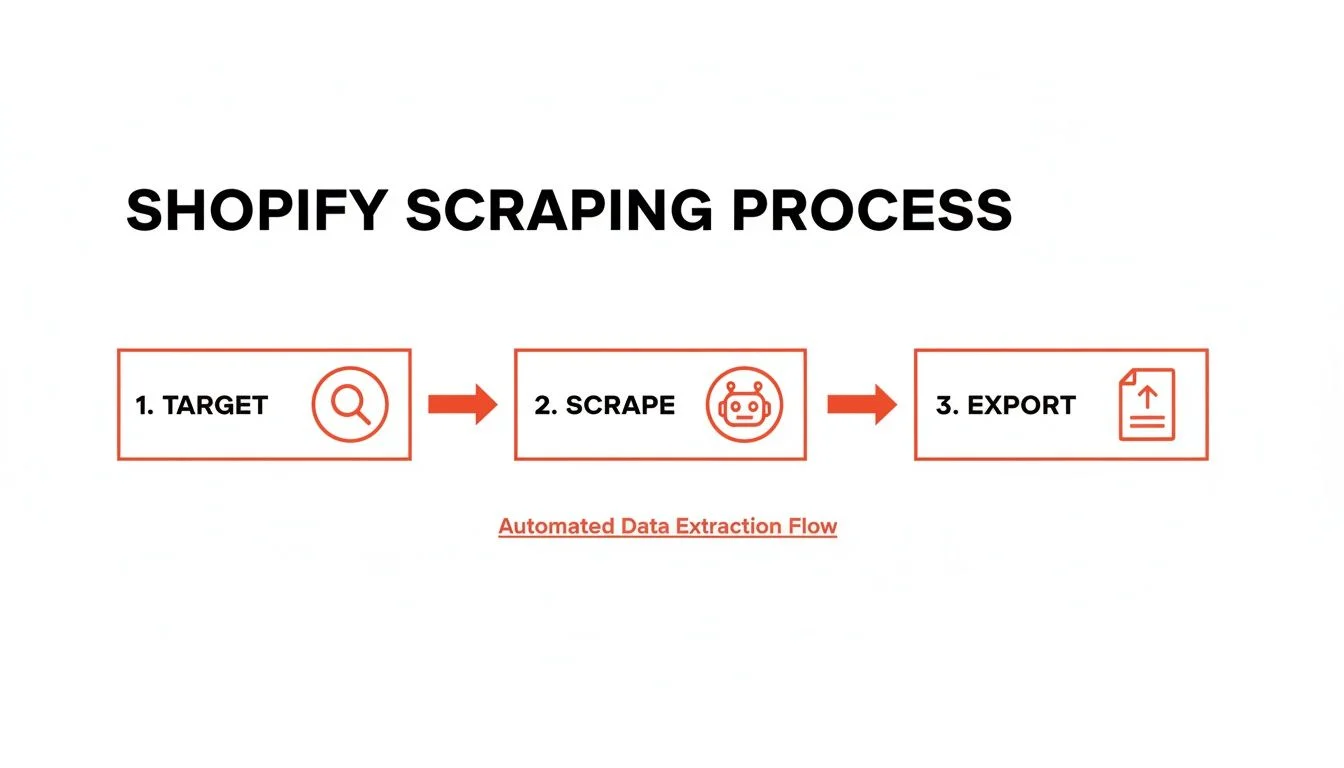
This is where AI-powered browser agents change the game. Instead of searching and copying data manually across dozens of tabs, you extract and structure Shopify lead data directly from any page in seconds. The result is not a messy list of links — it is a clean spreadsheet where every column is a specific, actionable data point.
Start With a Prebuilt Shopify Scraper
Clura's Shopify Stores Scraper template pulls store names, URLs, contact info, and tech stack data right out of the box. No code, no setup — results in minutes.
Add to Chrome — Free →Your First AI Scraping Workflow
Imagine you sell eco-friendly packaging to D2C brands. Your ideal customers are Shopify stores in the Home & Garden niche. Here is how you build that list in five minutes:
- Find your source: A blog post listing 'Top 50 Shopify Stores for Home Decor.'
- Activate Clura: Open the extension on that page. The AI is ready for your instructions.
- Click what you want: Click the store name, URL, and description from the first entry. The AI recognizes the pattern and applies it to every item on the page.
- Go deeper: Tell the agent to visit each store URL and scrape additional details — social media links, product count, contact page email.
- Export: One click exports a perfectly formatted CSV, ready for your CRM or outreach tool.
To understand how this fits into a broader automated data extraction workflow — including scheduling, enrichment, and export — see our full guide on automating data collection.
Data Points You Can Extract from Any Shopify Store
| Data Point | Description | Use Case |
|---|---|---|
| Product Count | Total products listed for sale | Filter for stores with 50+ products to target established businesses |
| Price Range | Min and max product prices | Target premium brands with average price over $100 |
| Social Profiles | Instagram, Facebook, TikTok, Pinterest links | Prioritize stores with large, engaged social followings |
| Technology Stack | Other apps and tools visible on site | Personalize pitch around their existing software (e.g., Klaviyo) |
| Contact Information | Email or contact form links from the Contact page | Populate outreach campaigns with verified direct contacts |
Turning Your Shopify Store List into Real Conversations
A spreadsheet of store URLs is raw material. The steps that follow — verifying activity, enriching contacts, and personalizing outreach — are what convert that data into actual replies.
Step 1: Verify and Qualify
Many Shopify stores are abandoned projects. A quick check before outreach saves hours of chasing ghosts. Confirm the store is active: check for recent social media posts (last 1–2 weeks), look for a 'New Arrivals' section with genuinely new products, and scan their blog for recent activity. A small, high-quality list will always outperform a massive, unqualified one.
Step 2: Enrich to Find the Decision-Maker
Emailing a generic info@store.com is a shot in the dark. Use data enrichment to layer the founder's name, LinkedIn profile, and direct email onto your store list. Cross-referencing store URLs with LinkedIn is the fastest path from a business name to the right person.
Step 3: Personalize Outreach That Actually Gets Replies
Generic templates get deleted. The enriched data you collected is your secret weapon. Show you've actually looked at their store:
- Reference a specific product: Instead of 'Hey, I help Shopify stores grow revenue…' try 'I noticed your new ceramic mugs collection — especially the blue glaze. We've helped similar stores increase repeat purchases by 30% by improving their post-purchase email flows.'
- Mention a technology they use: 'I noticed you're running Klaviyo — I had an idea for how you could increase your abandoned cart recovery rate.'
- Comment on recent activity: 'Saw your Instagram post about the summer collection launch — the product photography is excellent.' Then transition to value.
For a full framework on scaling this kind of personalized outreach across hundreds of prospects, see our guide on sales prospecting best practices.
Frequently Asked Questions
What is the best free way to find Shopify stores?
Google search operators are the most powerful free method. Try site:myshopify.com plus your niche keyword (e.g., site:myshopify.com "handmade soap") to find stores on Shopify's default subdomain, or use inurl:/collections/all plus a niche term to find established stores on custom domains. You can also search Instagram and Pinterest bios for myshopify.com links. These methods work well for small, highly targeted lists but top out quickly if you need scale.
Is it legal to scrape Shopify store data?
Scraping publicly available information is generally legal — the key word being publicly available. This means data anyone can view without logging in: store names, product listings, prices, and contact page emails. Always check a site's robots.txt file and avoid scraping personal data. Use the data for legitimate outreach and respect unsubscribe requests. The same data you could manually read from a browser can be legitimately collected by a scraper.
How do I find Shopify stores in a specific niche?
Three approaches work well in combination. For manual search: use Google operators like "Powered by Shopify" AND "your niche" or inurl:/collections/all "your niche." For tech detection: platforms like BuiltWith let you filter by industry category (e.g., Apparel, Home & Garden) and location. For AI scraping: point an AI agent at a niche directory or 'best of' blog post and extract the full list in minutes — including contact info and tech stack — in one structured dataset.
How can I tell if a Shopify store is active and worth contacting?
Check for recent social media posts (within the last 1–2 weeks), a New Arrivals section with genuinely new products, and a blog with recent content. A polished site with real customer reviews and high-quality product photography signals an active, invested operator. If their last Instagram post was six months ago, move on — your time is better spent on stores actively growing.
What data can I extract from a Shopify store automatically?
Any publicly visible information: store name and URL, product catalog size and price range, social media profile links, contact page email addresses, installed apps visible on the site (like Klaviyo or Afterpay banners), and blog content. An AI browser agent like Clura can structure all of this into a clean spreadsheet automatically, turning a Shopify store directory page into a ready-to-use lead list in minutes.
Conclusion
Finding Shopify stores is a three-layer problem: discovery (which stores exist in your niche), qualification (which ones are active and fit your ICP), and enrichment (who to contact and how). Manual search operators solve the first layer cheaply. Tech detection tools add scale and filtering. AI-powered browser scraping closes the loop — giving you structured, enriched lead data without the manual work.
The stores are out there — 4.82 million of them. The question is whether your outreach system is precise enough to turn that scale into actual pipeline. Start with one method, validate your ICP against real stores, and layer in automation as your process matures.
Explore related guides:
- Web Scraping for Lead Generation — the full framework for automating lead discovery from any website
- What Is Data Enrichment — how to turn store URLs into complete prospect profiles with verified contacts
- Automate Data Extraction — build recurring workflows that keep your Shopify lead lists fresh automatically
- Sales Prospecting Best Practices — how to turn a qualified lead list into a high-response outreach system
Find Shopify Stores, Extract Structured Data, Build Lead Lists in Minutes
Clura's AI browser agent pulls store names, URLs, contact info, and tech stack data from any Shopify directory or category page — structured, exportable, and ready for outreach.
Add to Chrome — Free →