
Extract Text from Web Pages: Your Practical Guide
Valuable sales leads, competitor pricing, and market research are locked behind web pages. Manually copying it is slow and error-prone. AI-powered browser tools now let anyone extract text from web pages in minutes — no coding required.
The web scraping software market was valued at $875 million in 2026 and is projected to hit $2.7 billion by 2035, driven by the explosion of business intelligence and automation use cases. Whether you are a marketer building a lead list or a developer building a data pipeline, this guide covers the fastest method for your skill level.
Extract Text From Any Web Page in Minutes
Clura's AI browser agent identifies, selects, and exports text data from any website — leads, pricing, reviews, job listings — with zero coding required.
Add to Chrome — Free →Choosing the Right Extraction Method
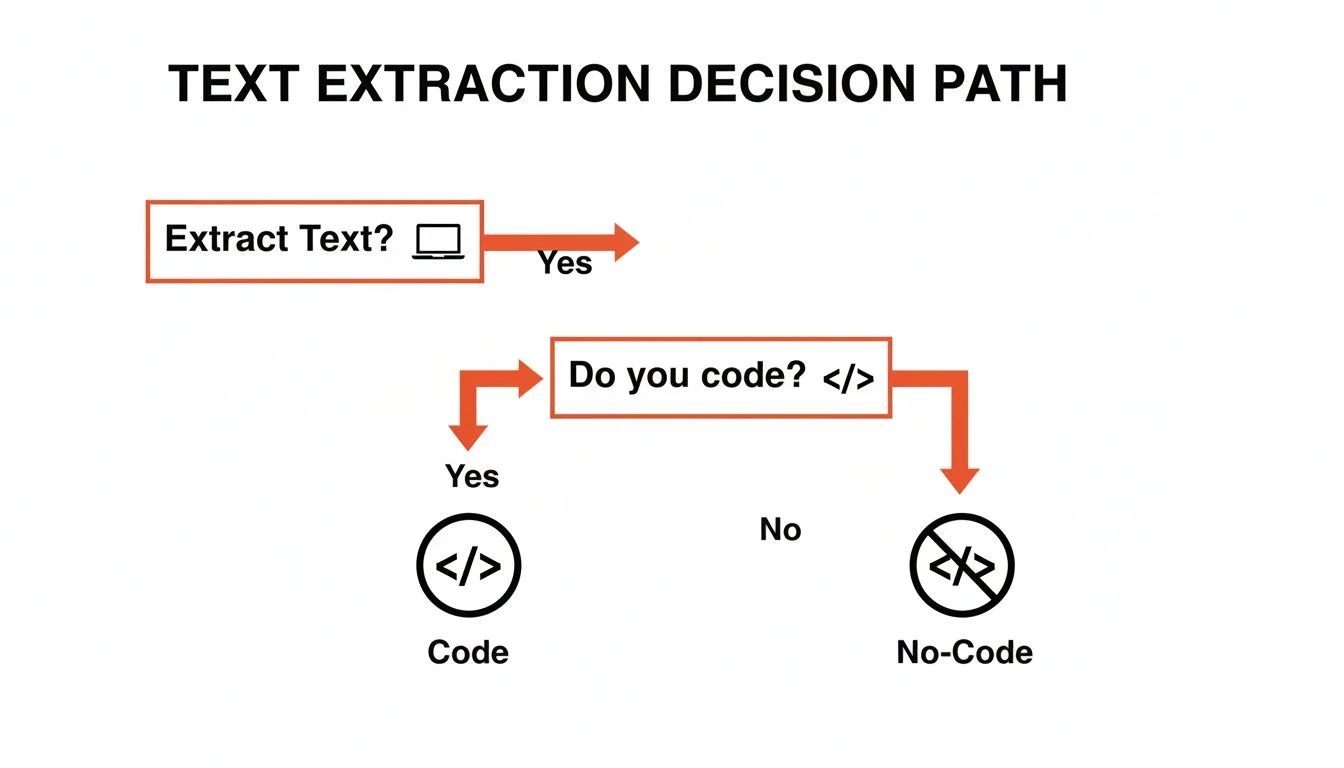
The right method for extracting text from web pages depends on your technical skill level, the volume of data you need, and whether the target page uses static HTML or dynamic JavaScript rendering.
Not every extraction task requires the same tool. Here is a decision framework comparing the four main methods. For a deeper comparison of dedicated tools, see our guide on best data extraction software.
| Method | Difficulty | Scale | Skill Required |
|---|---|---|---|
| Manual Copy/Paste | Dead simple | No scale | None |
| Browser DevTools | Moderate | Low scale | Basic HTML knowledge |
| No-Code Extensions | Very easy | High scale | Point and click |
| Custom Scripts | Complex | Very high scale | Python or JavaScript |
For one-time grabs of fewer than 20 records, manual copy/paste works fine. For anything larger — lead lists, product catalogs, review aggregation — a no-code browser extension eliminates the tedium with no technical overhead.
No-Code AI Tool Guide: 3-Step Workflow
The fastest way to extract text from web pages without coding is a three-step workflow: install an AI browser extension, navigate to your target page, then activate the agent and select the data fields you want.
AI-powered browser extensions like Clura remove every technical barrier from web text extraction. The full workflow described in our how to scrape a website guide takes under five minutes from installation to exported CSV.
- Install the Clura Chrome extension from the Chrome Web Store (free, no account required to start)
- Navigate to the web page containing the text data you want to extract
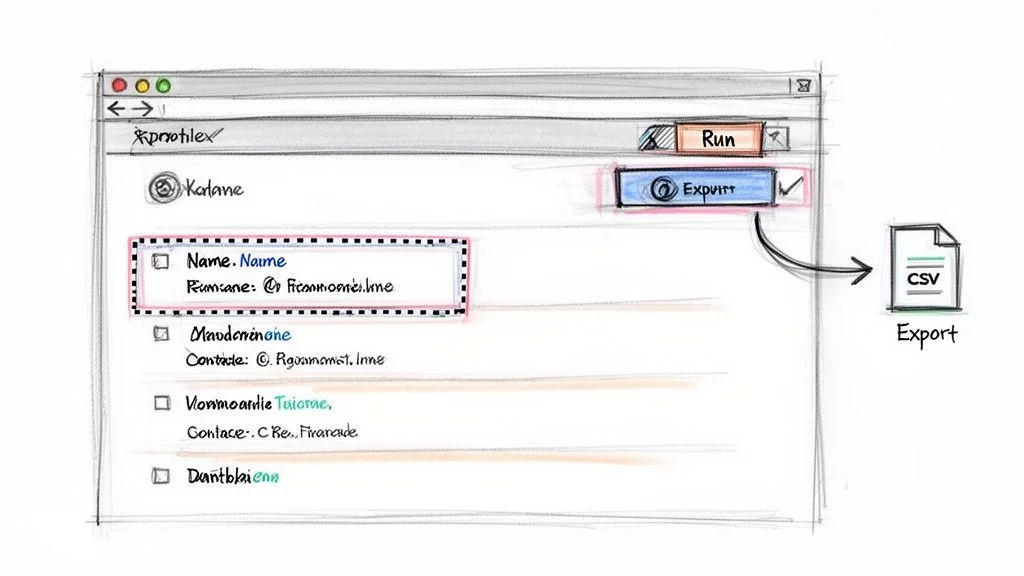
- Click the Clura icon to activate the AI agent — it scans the page structure automatically
Once the agent is active, click on the first instance of each data field you want — a product name, a price, an email address, a job title. Clura identifies the repeating pattern across the entire page and populates a live preview table. Click Export to download a clean CSV or push directly to Google Sheets.
Programmatic Extraction: BeautifulSoup and Puppeteer
For developers, BeautifulSoup (Python) handles static HTML pages by parsing the DOM tree and extracting elements by tag, class, or CSS selector, while Puppeteer (JavaScript) controls a headless Chrome browser to extract text from JavaScript-rendered pages.
Python's BeautifulSoup library is the most popular programmatic approach for static pages. The workflow: send an HTTP GET request to a URL, parse the response with BeautifulSoup, find elements by class name or CSS selector, loop through matches and extract their .text property, then write results to a CSV or JSON file.
For pages that load content dynamically via JavaScript — infinite scroll feeds, single-page applications, modal dialogs — Puppeteer launches a headless Chrome instance that executes JavaScript exactly like a real browser. You can wait for specific elements to appear, click buttons, scroll the page, and then extract the rendered text.
Skip the Code — Extract Any Web Text in 3 Clicks
Clura's AI agent handles static pages, dynamic JavaScript sites, and multi-page datasets automatically. No BeautifulSoup, no Puppeteer, no infrastructure to maintain.
Add to Chrome — Free →Both libraries require managing dependencies, handling errors, rotating user agents to avoid blocks, and updating selectors when the target site changes its layout. For recurring extraction workflows, a managed no-code tool eliminates this maintenance burden.
Best Practices for Clean Text Extraction
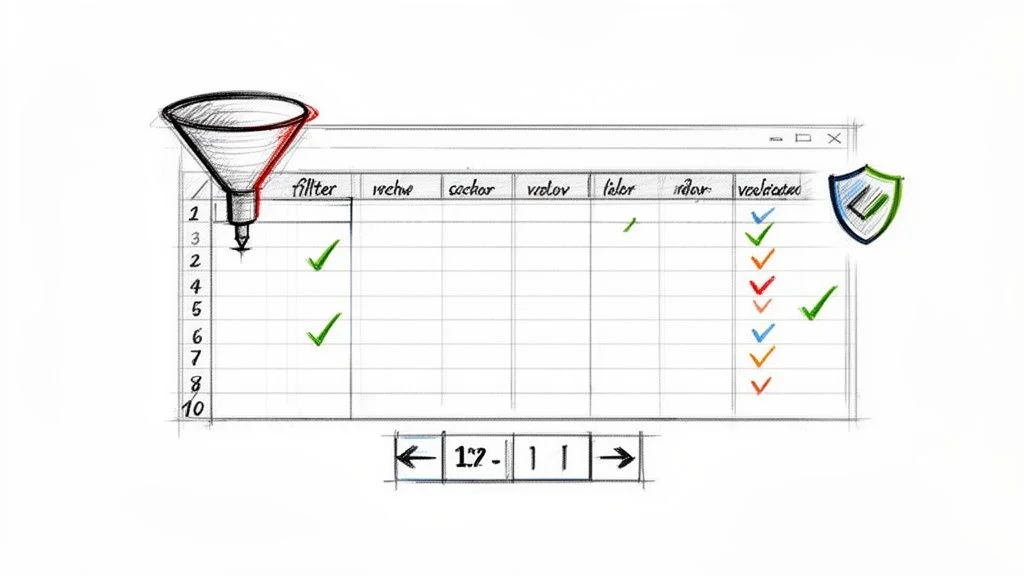
Clean, reliable web text extraction requires defining your target data schema before you start, using precise selectors tied to stable element identifiers, and building in pagination detection so multi-page datasets are captured completely.
Whether you are using a no-code tool or writing Python, these practices produce cleaner data and fewer extraction failures:
- Define your columns first — know exactly which fields you need before selecting a single element
- Target stable identifiers — prefer data attributes (data-product-id) over CSS classes that change with redesigns
- Handle pagination explicitly — use 'Next Page' detection rather than assuming all data is on one page
- Validate a sample — spot-check 10-20 records against the source page before running a large extraction
- Scrape ethically — respect robots.txt, pace your requests, and comply with data privacy laws
The most common failure mode in text extraction is over-reliance on fragile CSS selectors tied to visual styling classes. When a site redesigns its UI, every selector breaks simultaneously. Prefer semantic HTML attributes and data properties for long-lived extraction workflows.
Frequently Asked Questions
Is it legal to extract text from web pages?
Extracting publicly available text from web pages is generally legal in most jurisdictions, supported by the US Court of Appeals hiQ v. LinkedIn ruling that public data scraping does not violate the Computer Fraud and Abuse Act. You must respect robots.txt, comply with GDPR and CCPA for personal data, and review each site's Terms of Service before scraping at scale.
How do I extract text from pages that load dynamically with JavaScript?
Dynamic pages require either a headless browser (Puppeteer for JS, Playwright or Selenium for Python) that executes JavaScript like a real browser, or a no-code tool like Clura that already handles JavaScript rendering automatically as part of its browser extension. Simple HTTP libraries like requests or fetch will only return the empty HTML shell before JavaScript runs.
Can I extract text from pages that require a login?
No-code browser extensions like Clura work within your existing authenticated browser session, meaning they can extract text from pages you are already logged into — without storing your credentials or violating session security. Programmatic tools require you to manage cookies and session tokens manually, and you must ensure you have permission to access and scrape the login-gated content.
Conclusion
Extracting text from web pages has never been more accessible. For most business users — marketers, researchers, sales teams — a no-code AI browser extension eliminates the need for any technical knowledge and delivers clean, structured data in under five minutes.
For developers building recurring pipelines or processing large datasets programmatically, BeautifulSoup handles static HTML efficiently and Puppeteer tackles JavaScript-heavy pages. The key is matching the method to the complexity of the task.
Whichever approach you choose, define your data schema first, validate your results early, and always handle personal data in compliance with applicable privacy laws.
Explore related guides:
- Best Data Extraction Software — Compare the top data extraction tools for every use case and budget
- How to Scrape a Website — Complete guide to web scraping with no-code tools and Python
Extract Text From Any Web Page — Free
Clura's AI browser agent handles static pages, JavaScript-rendered content, and multi-page datasets automatically. Install the Chrome extension and export your first dataset in minutes.
Add to Chrome — Free →