
Price Tracker Chrome Extension for Ecommerce
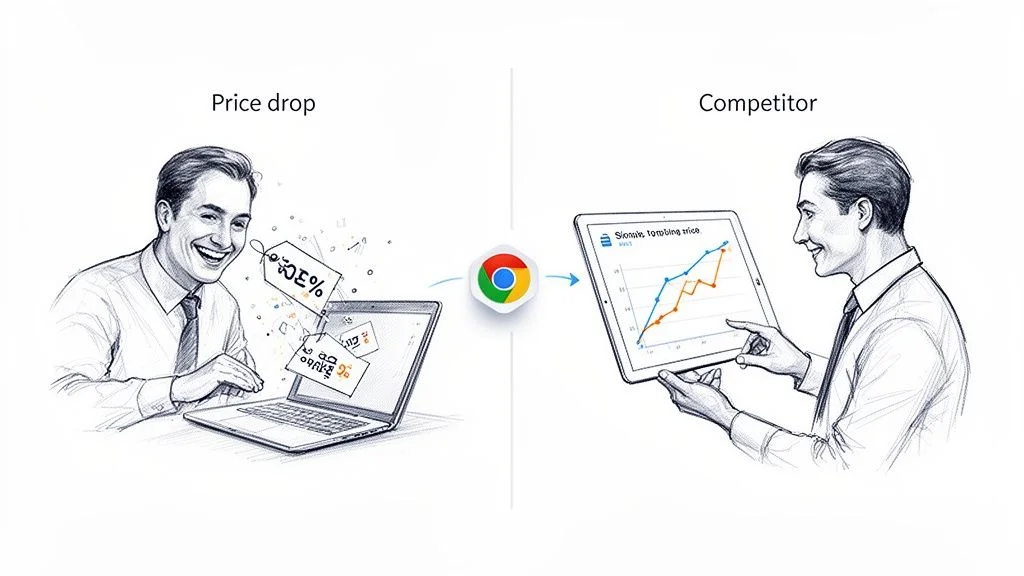
A price tracker Chrome extension helps ecommerce teams monitor competitor prices, stock changes, sale banners, and product-page updates without building a scraper from scratch.
The business use case is different from personal deal alerts. Ecommerce operators need repeatable data collection, CSV exports, source URLs, and a way to compare price changes across products. For the broader workflow, see Clura for ecommerce teams and the competitor price monitoring software guide.
This guide covers how to choose between consumer and business-grade trackers, the must-have features for professional price monitoring, a setup walkthrough, and workflows your team can use today.
Track Prices on Any Website — Automatically
Clura's AI-powered Chrome extension monitors pricing on any site — from Amazon and Shopify to niche B2B portals — and exports clean, structured data with one click.
Add to Chrome — Free →Consumer vs. Business Price Trackers: Know the Difference
Consumer trackers like Honey or CamelCamelCamel alert you to personal deals on major retailers. Business-grade trackers monitor any website, export structured CSV data, and run automated 24/7 checks — a fundamentally different capability.
Not all Chrome extension price trackers are built for the same job. Consumer-first extensions like Honey (17M+ users) or CamelCamelCamel are brilliant for getting alerts when a product you want goes on sale. But for business — e-commerce analysis, competitive intelligence, or market research — a simple "price dropped!" notification doesn't cut it.
| Feature | Consumer Tracker (e.g., Honey) | Business Tracker (e.g., Clura) |
|---|---|---|
| Primary goal | Save money on personal purchases | Gather competitive intelligence and market data |
| Website scope | Works on major partnered retailers only | Works on any website — niche e-commerce, B2B, SaaS |
| Data output | Simple price drop notification | Exportable CSV with clean, structured data |
| Automation | Manual tracking or basic watchlist | Scheduled hourly/daily checks — 24/7 data pipeline |
| Customization | Limited to pre-set tracking options | Select any data point on any page to monitor |
The gap is clear: consumer tools are reactive (they alert you). Business tools are proactive — they continuously build a dataset you can analyze, trend, and act on strategically.
What to Look For in a Business-Grade Price Tracker
The non-negotiables for a business price tracker are: compatibility with any website, CSV export, scheduled automation, and a no-code interface that any team member can use from day one.
When evaluating a Chrome extension price tracker for professional use, run through this checklist:
- Website compatibility: Can the tool adapt to any site? AI-powered tools shine here — pulling pricing from obscure industry sites, SaaS pricing pages, or B2B supplier portals, not just Amazon.
- Data export: Can you get your data into a clean CSV or spreadsheet? Raw, structured data is the lifeblood of real analysis. This is a deal-breaker for any team doing competitive research.
- Automation and scheduling: Can you schedule automated price checks to run daily or hourly? This sets up a hands-off data pipeline that feeds you fresh intel around the clock — no manual checking.
- Ease of use: Power shouldn't mean complexity. Look for a no-code, point-and-click interface. Your team shouldn't need to be developers to gather competitive pricing intelligence in minutes.
- Alert customization: Beyond "price dropped," can you set threshold alerts? Stock-out alerts? New seller alerts? Custom triggers turn monitoring into a strategic early-warning system.
Step-by-Step: Setting Up Your Chrome Extension Price Tracker
Setting up an AI-powered price tracker takes under five minutes: install the extension, navigate to any product page, point and click on the data you want, then activate prebuilt templates or schedule automated runs.
Here's how to go from installation to running your first price tracking workflow using a modern AI-powered tracker like Clura:
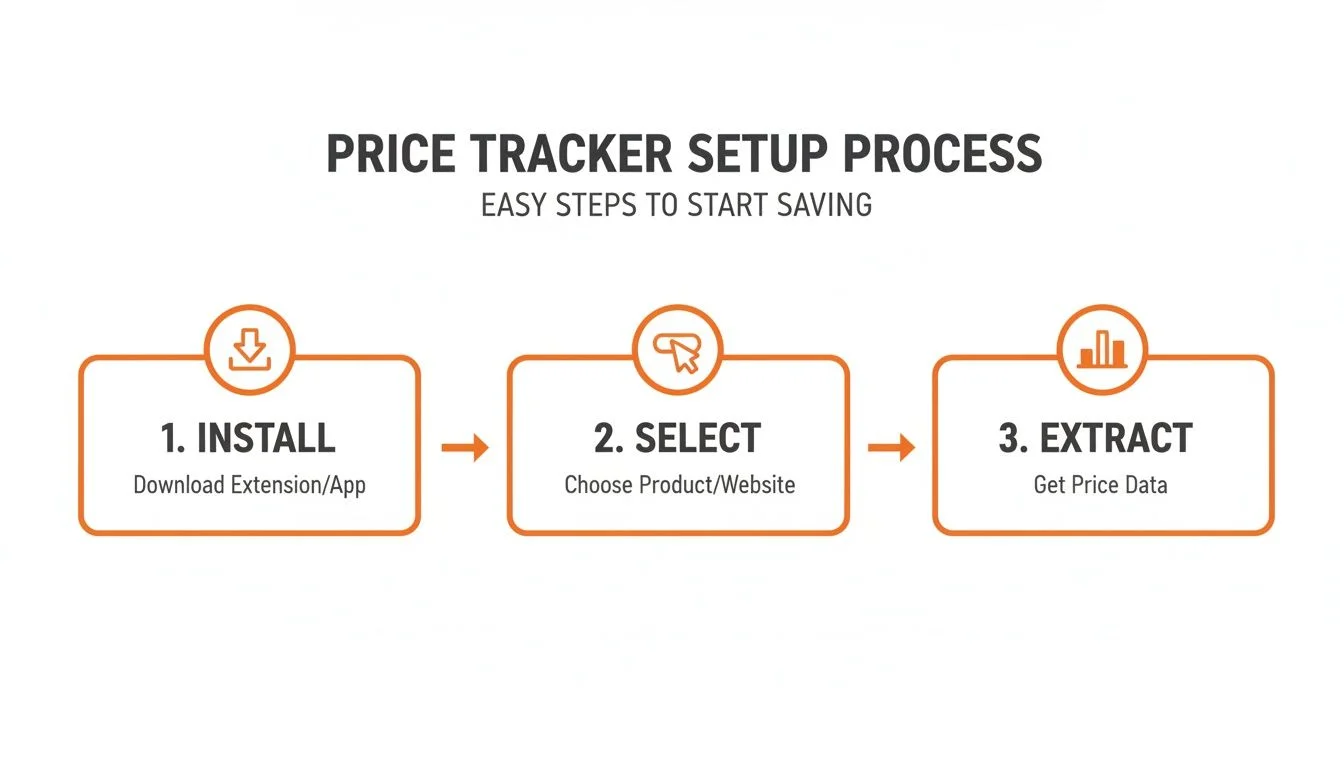
- Install the extension. Head to the Chrome Web Store, find your chosen tool, and click "Add to Chrome." Installation takes seconds and immediately gives your browser new data superpowers.
- Point and click to select your data. Navigate to any product page you want to track — a competitor's Shopify store, an Amazon listing, or a SaaS pricing page. Open the extension and click on the data points you want: price, stock status, seller name. The AI learns what to capture from your clicks — no code needed.
- Activate prebuilt templates for speed. For major platforms, use pre-built templates for Amazon product pages, Shopify stores, and SaaS pricing pages. One click activates a ready-to-go extraction — the extension recognizes the site and suggests the right template automatically.
- Schedule automation. Set your tracker to run daily or hourly. Once scheduled, it runs in the background — monitoring 50 competitor products while you focus on using the data rather than gathering it.
- Export and analyze. When a check completes, export the results to CSV with one click. Your data is ready for spreadsheet analysis, price trend charts, or feeding into your BI dashboard.
Setting Up Smart Alerts That Do the Work for You
Beyond basic price-drop emails, smart alerts let you trigger notifications for specific thresholds, stock-outs, competitor price increases, and new sellers — turning your tracker into a 24/7 market watchdog.
Once your automated checks are scheduled, configure smart alerts to act on what matters most. These are far more powerful than a basic "price dropped!" email. You can create custom triggers that notify you the second something strategically important happens:
- Price threshold alerts: "Notify me when this laptop drops below $900" — catch deals the moment they hit your target.
- Stock-out alerts: When a competitor's top product goes out of stock, that's your window to capture their demand.
- Price increase alerts: A competitor raising prices is your cue to reach out to their customers with a better offer.
- New seller alerts: A new seller suddenly appearing on a product page signals market competition shifting.
Consider that Keepa — the most popular Amazon price tracker — has over 4 million Chrome users specifically because its 24/7 alerts help users catch deals that Amazon's own tools miss. In a market where Amazon holds 37.6% of US e-commerce, users report finding 20–30% better deals on average using automated trackers versus manual checking.
Real-World Use Cases by Team
E-commerce teams use price trackers for dynamic competitive pricing; sales teams use them to time outreach perfectly; market analysts use them to build pricing datasets; recruiters use them to benchmark salary offers.

E-Commerce: Dynamic Competitive Pricing
Point an AI agent at your rivals' product pages to monitor prices, stock levels, and promotional banners automatically. The moment a competitor launches a flash sale, you get an alert and can react in minutes — matching their price or launching a counter-offer. For more on this, see our guide to competitive price monitoring.
Sales: Perfectly Timed Outreach
Monitor your prospects' current software provider's public pricing page. The moment that provider raises prices, your team gets notified — and your "cold call" becomes a warm, perfectly timed conversation about switching. A competitor's price increase is the best possible sales trigger.
Market Analysis: Pricing Datasets at Scale
Pull pricing data from dozens of suppliers or competitors daily, automatically. Export to CSV and build trend charts to visualize pricing cycles, detect price elasticity patterns, and build data-backed market reports — without a single hour of manual data entry.
Recruiting: Salary Benchmarking
Scrape salary data from job boards like Indeed or LinkedIn Jobs automatically. Get real-time benchmarks to ensure your offers are competitive and land top-tier talent before competitors do.
| Team | Use Case | Key Benefit |
|---|---|---|
| E-commerce | Monitor competitor prices and stock levels | React to market changes in minutes, not days |
| Sales | Track competitor pricing changes | Perfectly timed, high-converting outreach opportunities |
| Marketing | Monitor promotions and feature changes | Launch targeted campaigns highlighting your advantages |
| Market Analysis | Aggregate pricing from multiple sources | Build accurate market intelligence reports |
| Recruiting | Scrape salary data from job postings | Ensure compensation packages win top talent |
Monitor Any Website's Pricing — Automatically
Clura lets you point, click, and schedule automated price checks on any website — Amazon, Shopify, niche B2B portals, or SaaS pricing pages. Export clean data with one click, no code required.
Add to Chrome — Free →Frequently Asked Questions
Is using a Chrome extension price tracker legal?
Yes — price trackers are completely legal. They automate a task you could do manually: visiting a public webpage and noting the price. Reputable extensions operate respectfully, without causing issues for websites. They only access publicly visible data, not anything behind paywalls or requiring unauthorized login.
Can I track prices on any website, not just Amazon?
Basic consumer trackers (Honey, CamelCamelCamel) are limited to major retail partners. AI-powered business tools like Clura can monitor practically any public website — niche B2B portals, competitor Shopify stores, SaaS pricing pages, supplier catalogs — by learning what to track from your point-and-click selections.
What's the best free Chrome extension for price tracking?
For personal Amazon shopping, CamelCamelCamel (Camelizer) is completely free with detailed price history charts. Honey is excellent for multi-retailer coupon and deal alerts. For business use with broader site coverage, Clura's free plan (unlimited local scraping, 1 export every 24 hours) is the strongest no-cost option.
How much time can a price tracker save my team?
Teams that manually check 20–30 products typically waste 5–10 hours per week on data entry alone. Automated price tracking eliminates that entirely. Instead of gathering data, your team focuses on analyzing trends and making strategic decisions — a shift that compounds over time as your monitored product set grows.
How do I track competitor prices on Shopify stores?
AI-powered Chrome extensions like Clura let you navigate to any Shopify store, point and click on the price and product details you want to track, then schedule automated daily or hourly checks. The results export to CSV automatically — giving you a continuously updated competitor pricing dataset without any manual work.
Conclusion
A Chrome extension price tracker has evolved from a personal shopping tool into a serious competitive intelligence platform. Whether you're an e-commerce manager defending market share, a sales rep waiting for the perfect outreach trigger, or an analyst building pricing datasets, the right tool turns your browser into a 24/7 market monitoring system.
Start with one workflow — pick a competitor's product page, set up an automated daily check, and export your first pricing dataset. Once you see the data flow in automatically, you'll understand why teams that adopt automated price monitoring consistently outmaneuver those still checking manually.
Explore related guides:
- Competitive Price Monitoring — how to build an automated competitor pricing system
- Competitor Price Monitoring Software — compare ecommerce price monitoring tools by cost, accuracy, and workflow fit
- Competitor Price Tracker — why browser-native price tracking returns more accurate ecommerce prices
- Clura for Ecommerce Teams — competitor price monitoring, stockout tracking, and product catalog extraction workflows
- Price History on Amazon — track Amazon price changes and find the best time to buy
- Amazon Price Scraping — extract product pricing and reviews from Amazon automatically
Stop manually checking competitor prices
Clura is an AI-powered Chrome extension that extracts prices from Amazon, Shopify, SaaS pages, B2B portals, and ecommerce sites into clean data you can review and export.
Add to Chrome — Free →